eVAT Return
An electronic VAT return is created for a specific period. You can view the breakdown, send to Tax Administration, correct and send again to Tax Administration, and post VAT settlement. If a VAT posting group is to be excluded from electronic VAT returns, you must check the appropriate field in the VAT Posting Setup. See more details here
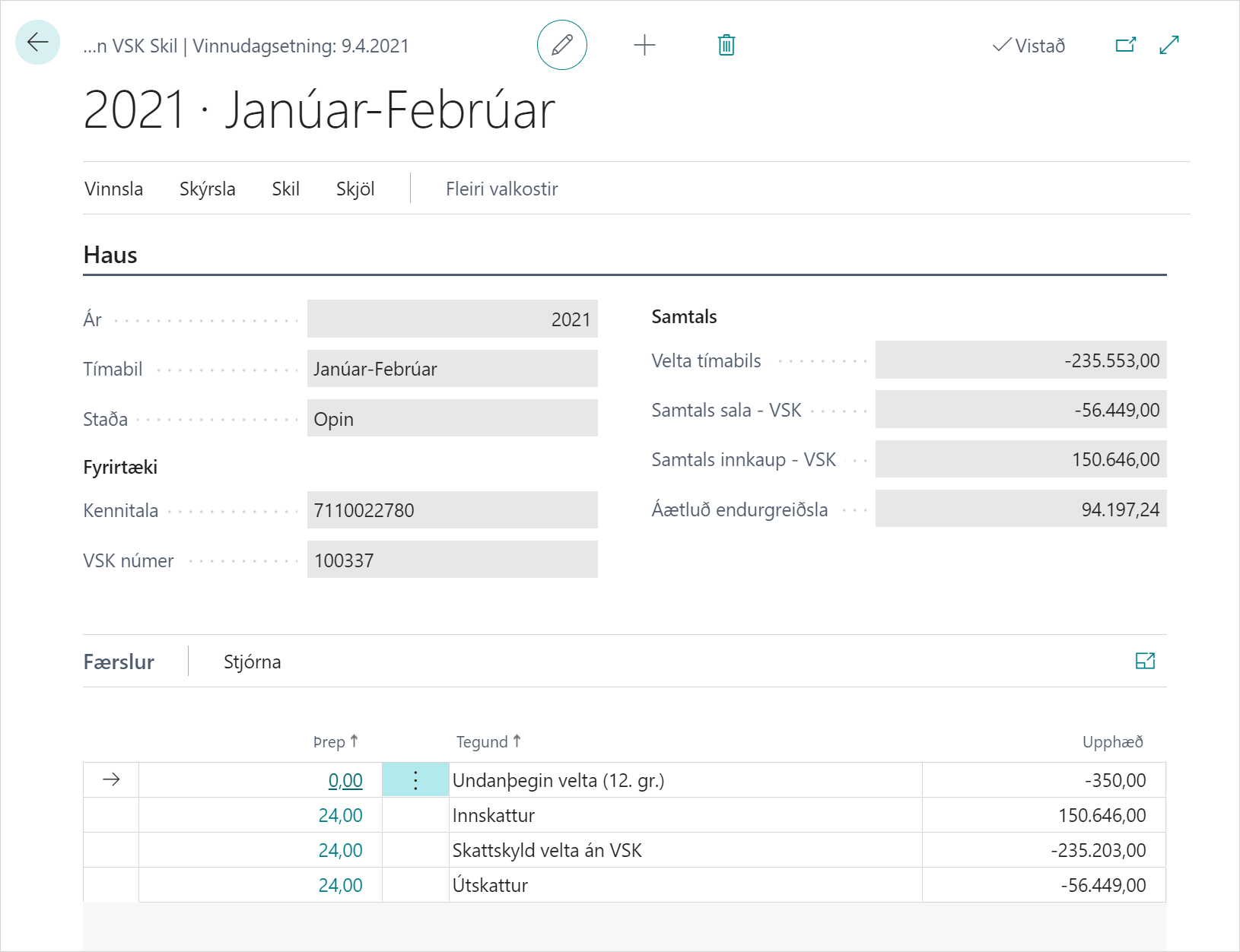
Overview of Fields and Descriptions
| Field / Action | Description |
|---|---|
| Year | The accounting year to which the VAT return form belongs. |
| Period | Period to which the VAT return form belongs, two-month or custom. |
| Status | Status of the VAT return form, can be Open, Sent, or Modified. |
| Registration No. | Registration number of the company submitting the VAT return form. |
| VAT No. | VAT number of the company submitting the VAT return form. |
| Total Turnover | Total turnover of the period on which the VAT return form is based. |
| Total Sales VAT | Total VAT amount for sales. |
| Total Purchase VAT | Total VAT amount for purchases. |
| Repayment Due | Amount due as refund from the tax authority. |
| Rate | Percentage of VAT rate. |
| Type | Name of VAT rate. |
| Amount | Amount per VAT rate. |
| ReCalculate | Recalculate VAT return form if entries have been posted after creation. |
| Post | Post VAT settlement. See more details here |
| Open Log | View action history. See more details here |
| Breakdown | View VAT return form breakdown. See more details here |
| Send | Send VAT return form electronically to Tax Administration. Status changes to Sent and receipt sent via email. |
| Send Modification | Send corrected VAT return form electronically to Tax Administration. Status changes to Sent and receipt sent via email. |
| Check report for errors | Send VAT return form for validation to Tax Administration and receive errors or estimated payment/refund. |
| Receipt | Print receipt when VAT return form has been sent to Tax Administration. See more details here |
| Delete return with RSK | Delete VAT report at Tax Administration. |