Payment Distribution of Sales Orders
This action allows users to distribute a sales order amount into multiple payments over time.
An example is the distribution of a sales order over 6 different payment dates.
Actions
1. Set up Payment Terms Code for Distribution:
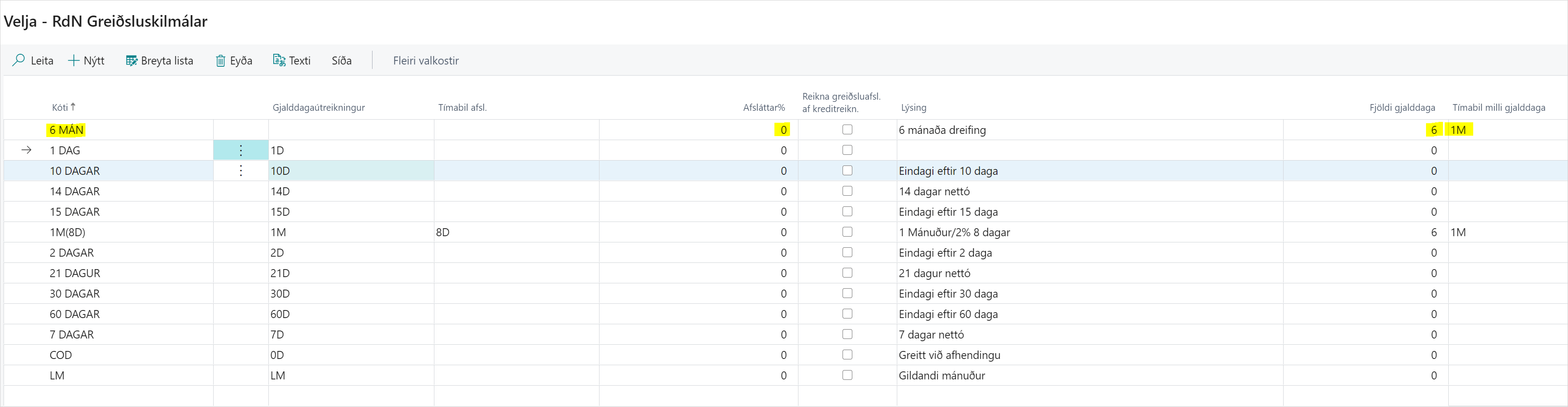
If the payment distribution is to be monthly for 6 months, you need to create a code where the number of payment dates is 6 and the period between payment dates is 1M. This is done under Payment Terms.
Note that the discount% should be 0.
2. Create a Sales Order:
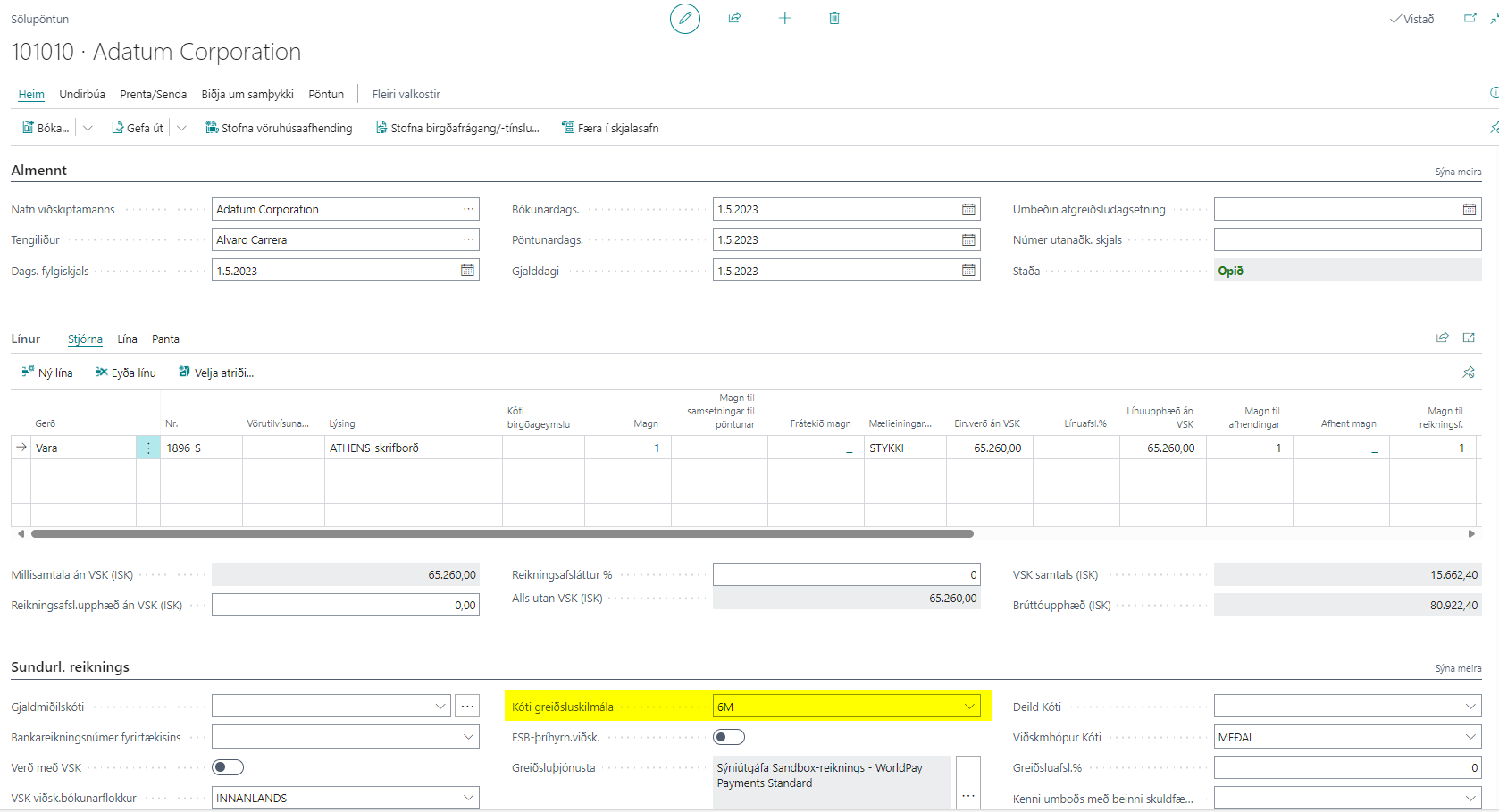
Under Sales Order, fill in all fields. The payment terms code is inherited from the customer card, but can also be changed for individual sales orders.
3. Choose to Distribute Payments:
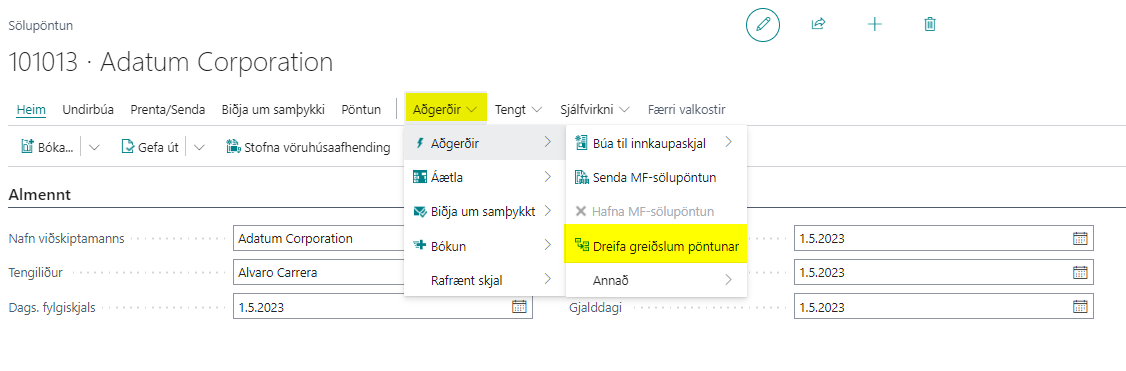
On the sales order, click on "Distribute Order Payments" under Actions.
4. Post the Sales Order.
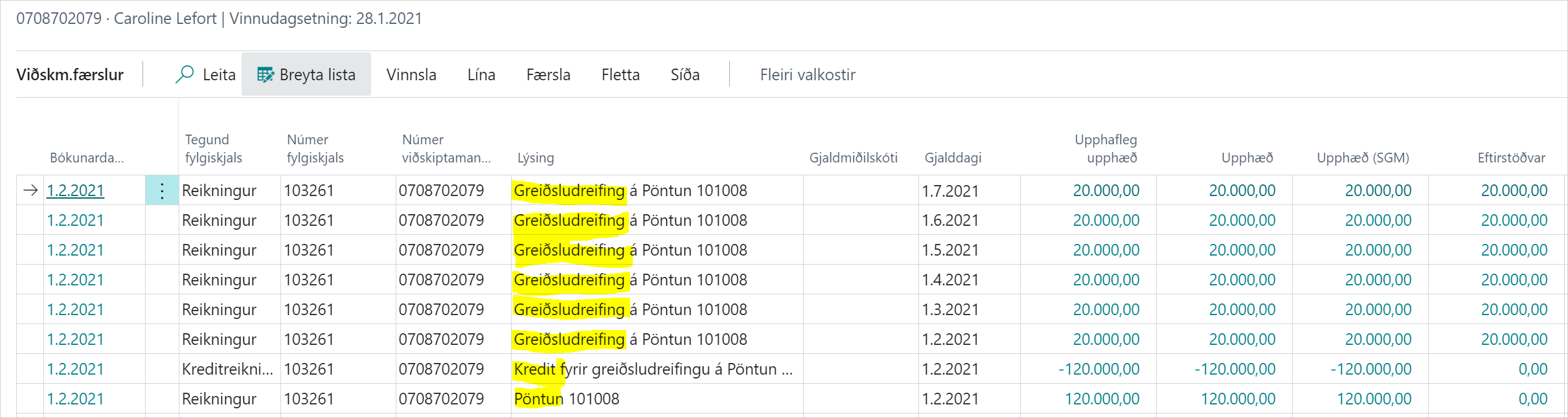
5. Result in Customer Entries:
-
The posted invoice is credited in full on the same due date as the original sales order.
-
Customer entries of type "Invoice are created", as many as the payment terms code specifies (in our example there are 6 payments with monthly intervals). The due date of the first payment distribution is the same as the due date of the original sales order.
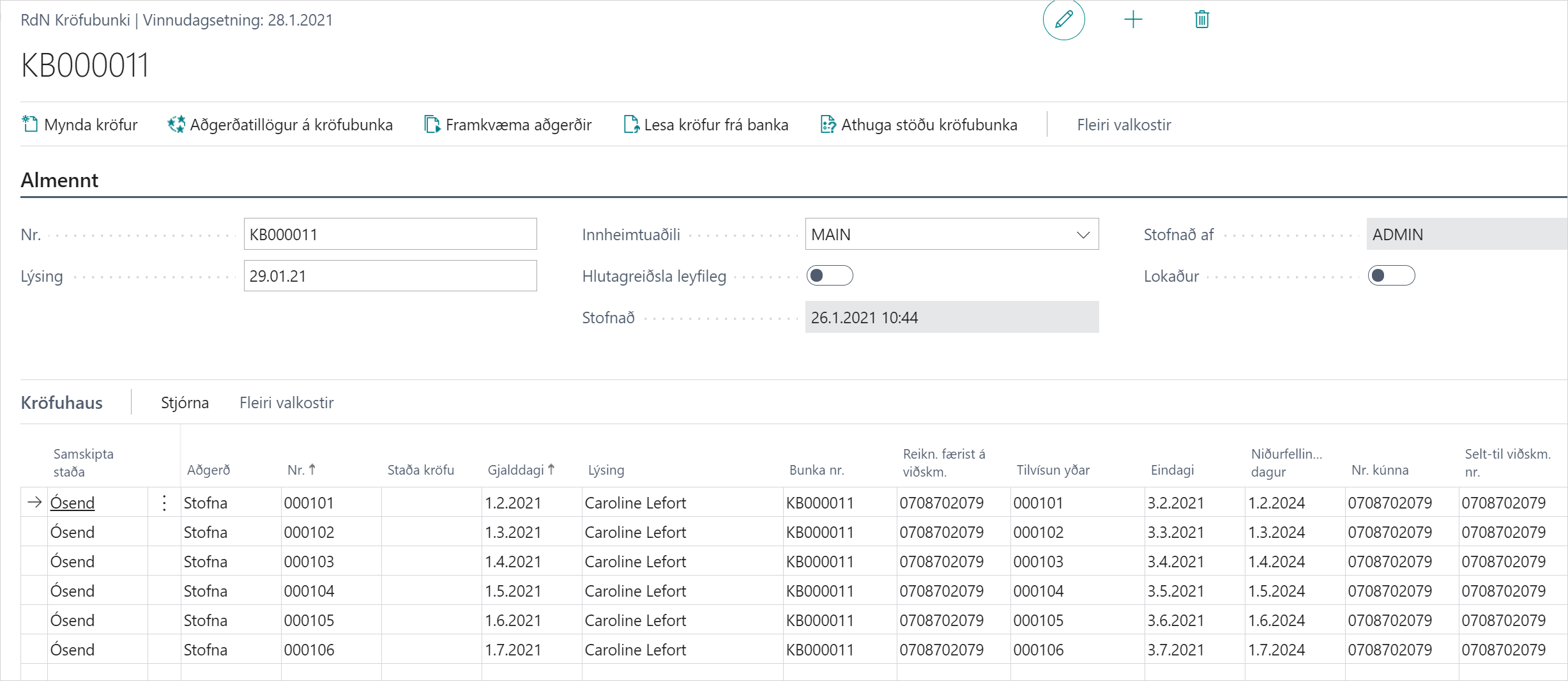
6. Create Claims for Payment Distribution:
When you choose to create claims for this customer, 6 different claims are created on the appropriate due dates.