Customer eDoc Settings
This window manages all settings for customer electronic invoices, such as Delivery Site, eDocument type, and more. Information filled in under the "Electronic Invoices" FastTab on the customer card is shown in this list.
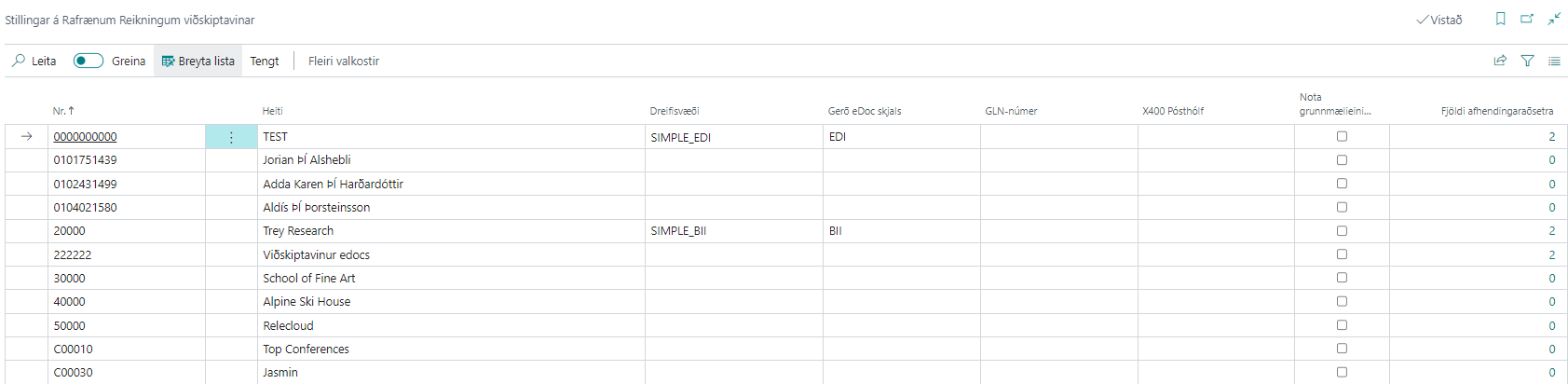
| Field / Setting | Description |
|---|---|
| No. | Customer number. |
| Name | Customer name. |
| Delivery Site | Select the Delivery Site to send electronic documents to the customer. |
| eDoc Document Type | Select the standard to use for sending electronic documents to the customer. Can be BII, NES, or EDI. |
| GLN Number | Only used for EDI communication; the company’s EAN identifier is entered here. |
| X400 Mailbox | Vendor mailbox for EDI communication. |
| Use Base Unit of Measure | If selected, the standard base unit of measure (PCE for EDI, C62 for BII) is set on all invoice lines for this customer. If not, unit of measure mappings are used (for example, KG becomes KGM in BII/EDI invoices). |
| Number of Delivery Addresses | Shows the number of addresses registered to receive electronic invoices. See more. |
Related
| Action / Description | Explanation |
|---|---|
| Ship-to Address | Opens the window for electronic invoice settings for delivery addresses. See more. |