Purchase Order
A purchase order is a standard Microsoft Dynamics 365 Business Central card where fields for Approvals have been added. You can then select an approval group and send it for approval.
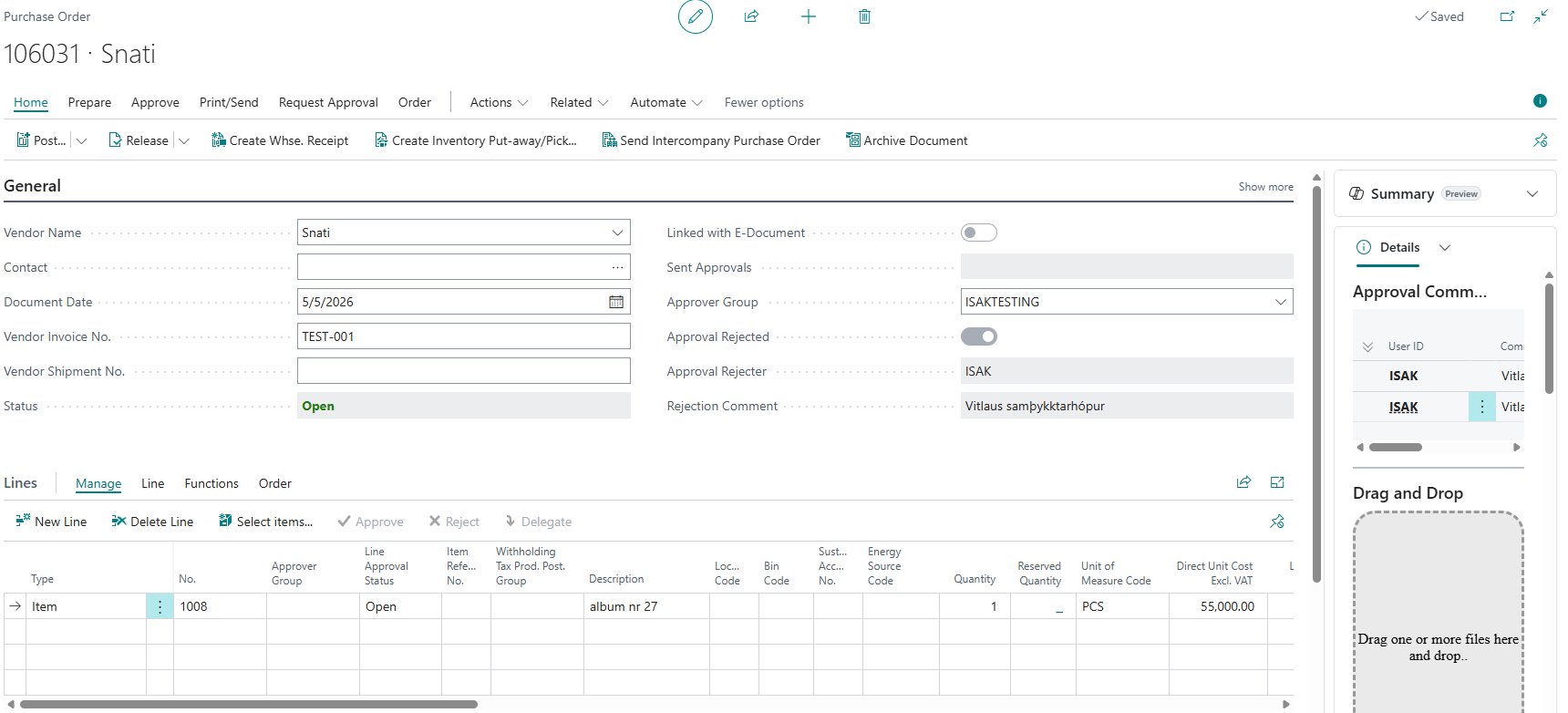
Information
| Name | Description |
|---|---|
| Status | The status of the invoice is "Open" until it is sent for approval. Then the status becomes "Pending Approval". When the invoice has been approved, the status changes to "Released". |
| Sent Approvals | The system automatically fills in the user ID of the person who sends the invoice for approval as soon as the action "Send Approval Request" has been selected. |
| Approval Group | Select the approval group that the invoice should be sent to. |
| Approval Rejected | The system automatically fills in "Yes" in this field if an approver rejects the approval request. |
| Approval Rejected By | The system automatically fills in the user name of the person who rejected the approval request. |
| Approval Comment | The system displays the comment that the approver left when rejecting the approval request. |
| Incoming Document Files | This window shows the attached image that was used to create the purchase invoice. |
FactBox
The FactBox shows comments for the purchase order.
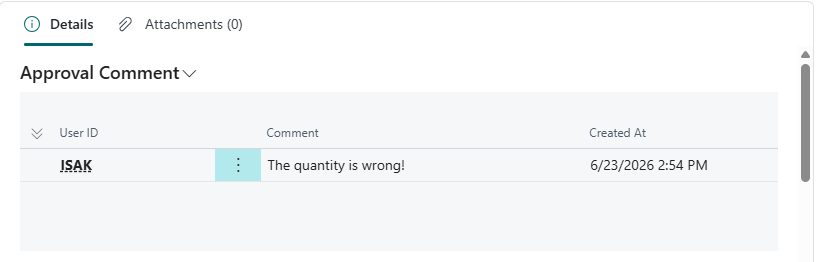
| Name | Description |
|---|---|
| User ID | Shows the user ID |
| Comment | Shows the comment from the user |
Actions
| Action | Description |
|---|---|
| Images | You can open an image that is linked to the purchase order. |
| Send Approval Request | By choosing this action, an approval request is sent to the approver. See more details here. |
| Cancel Approval Request | By choosing this action, the approval request to the approver is canceled. See more details here. |
| Approvals | Approvals show who has received an invoice for approval and the status of the invoice in Approvals. See more details here. |
| Last Approvals | Last Approvals show the entire approval process of the invoice, how the invoice moves between parties for approval, and who still needs to approve. See more details here. |