Purchase Order List
On the purchase order list, you can get an overview of the status of invoices and their approvals. The fields for Approvals have been added to the standard Microsoft Dynamics 365 Business Central purchase order list.
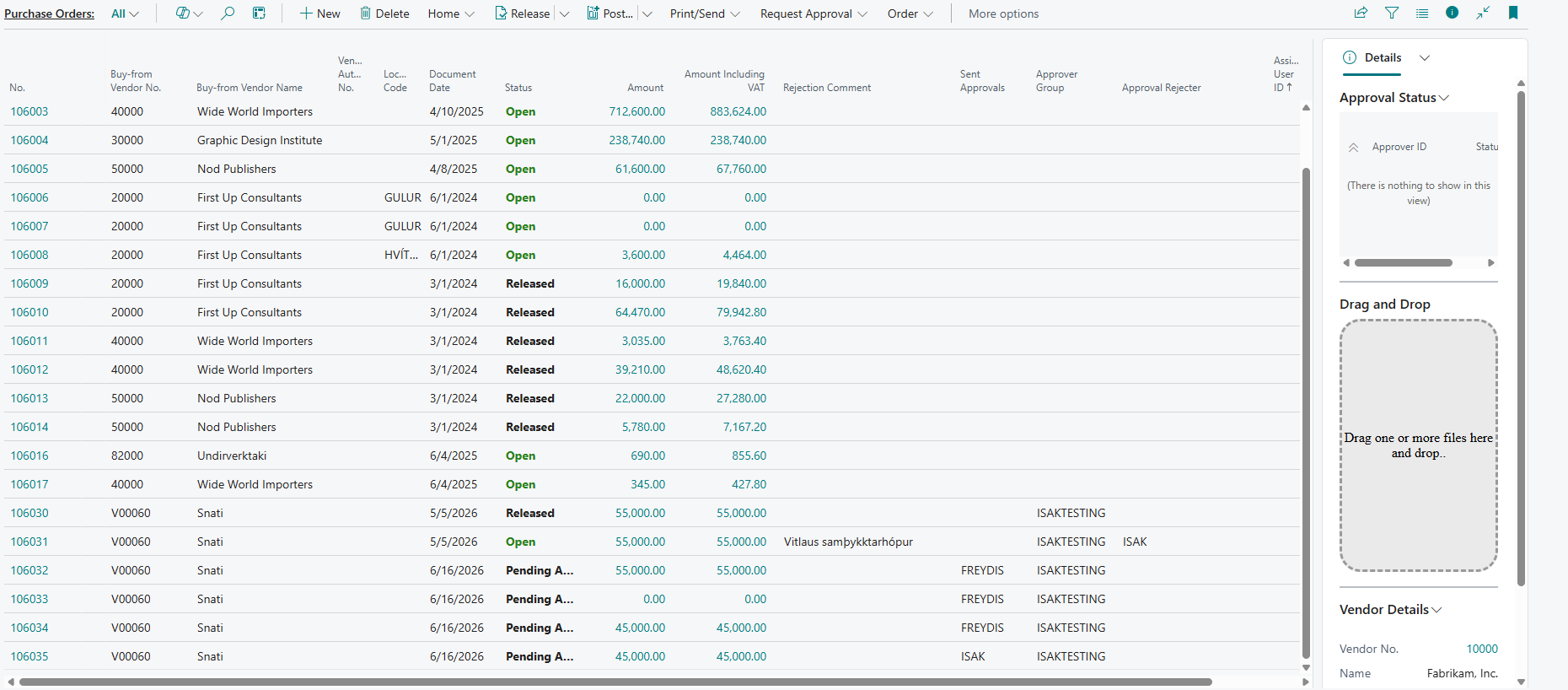
FactBox
The FactBox shows the approval status for the selected line on the purchase order list.
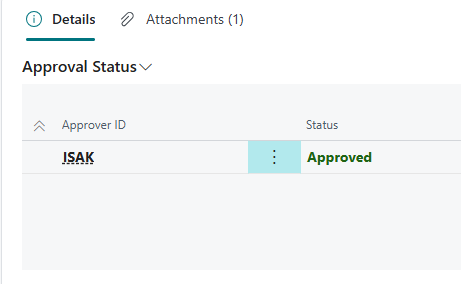
| Name | Description |
|---|---|
| Approval Status | Shows the current status of the invoice in the approval process. |
| Approver ID | Shows the ID of the approver |
Status
| Name | Description |
|---|---|
| Status | The status of the invoice is open until it is sent for approval. Then the status becomes "Pending Approval". When the invoice has been approved, the status changes to "Released". |
| Approval Group | Select the approval group that the invoice should be sent to. |
| Approval Rejected | The system automatically fills in "Yes" in this field if an approver rejects the approval request. |
| Approval Rejected By | The system automatically fills in the user name of the person who rejected the approval request. |
| Approval Comment | The system displays the comment that the approver left when rejecting the approval request. |
| Incoming Document Files | This window shows the attached image that was used to create the purchase invoice from the list. |
Actions
| Action | Description |
|---|---|
| Send Approval Requests for Selected Invoices | By choosing this action, an approval request is sent to the approver for all selected invoices. See more details here. |
| Cancel Approval Requests for Selected Invoices | By choosing this action, the approval request to the approver is canceled for all selected invoices. See more details here. |
| Approvals | Approvals show who has received an invoice for approval and the status of the invoice in Approvals. See more details here. |
| Images | You can open an image that is linked to the purchase invoice from the list. |