Partial Payments of Claims
Here is described how to allow partial payments of claims and handling of partial payments.
Actions
1. Partial Payments Allowed:
In Settings - Claims, check the "Partial Payment Allowed by default" field.
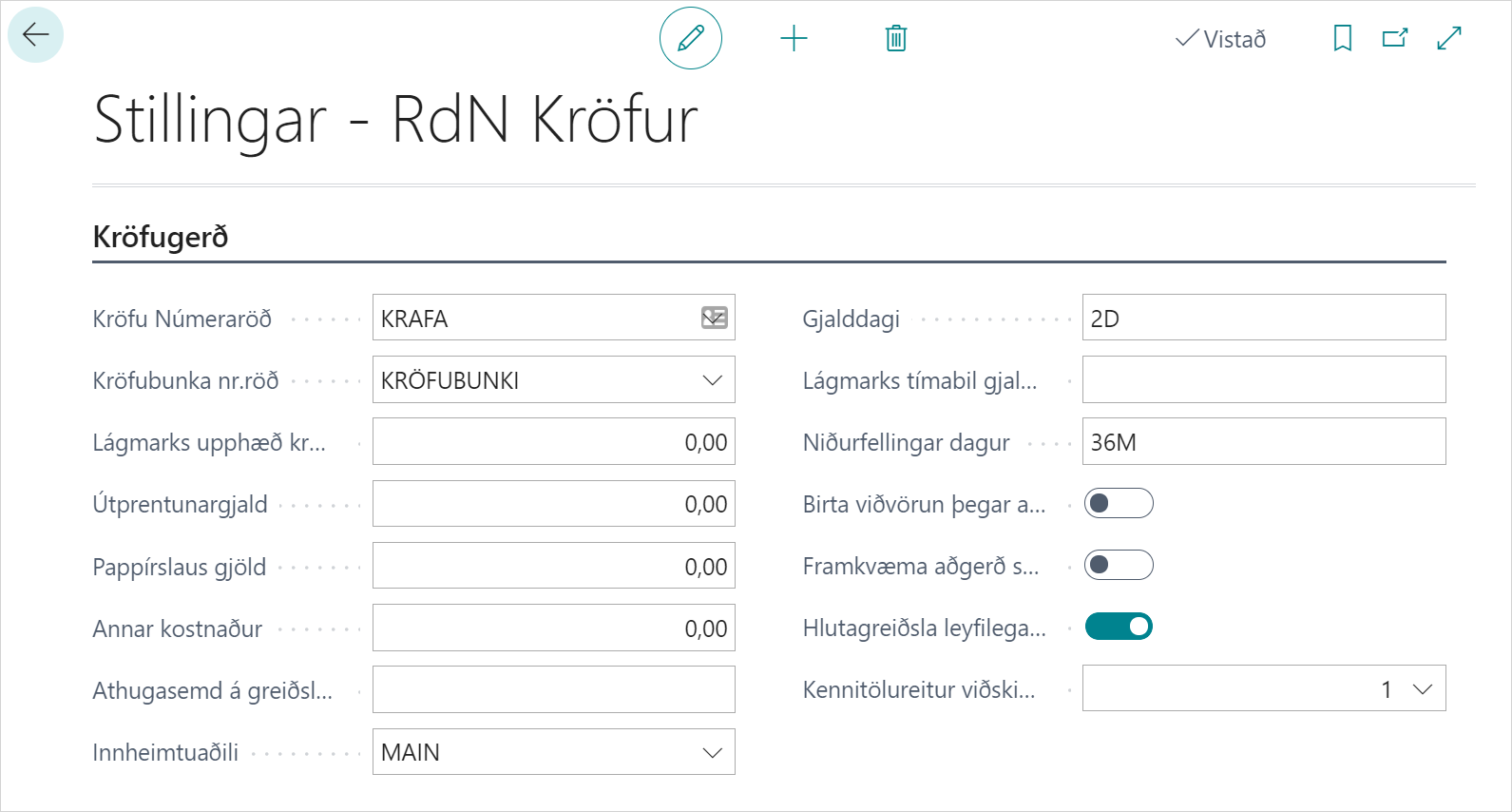
The check is then inherited when creating a claim batch and applies to all claims in it (unless a customer setting exists and overrides the value).
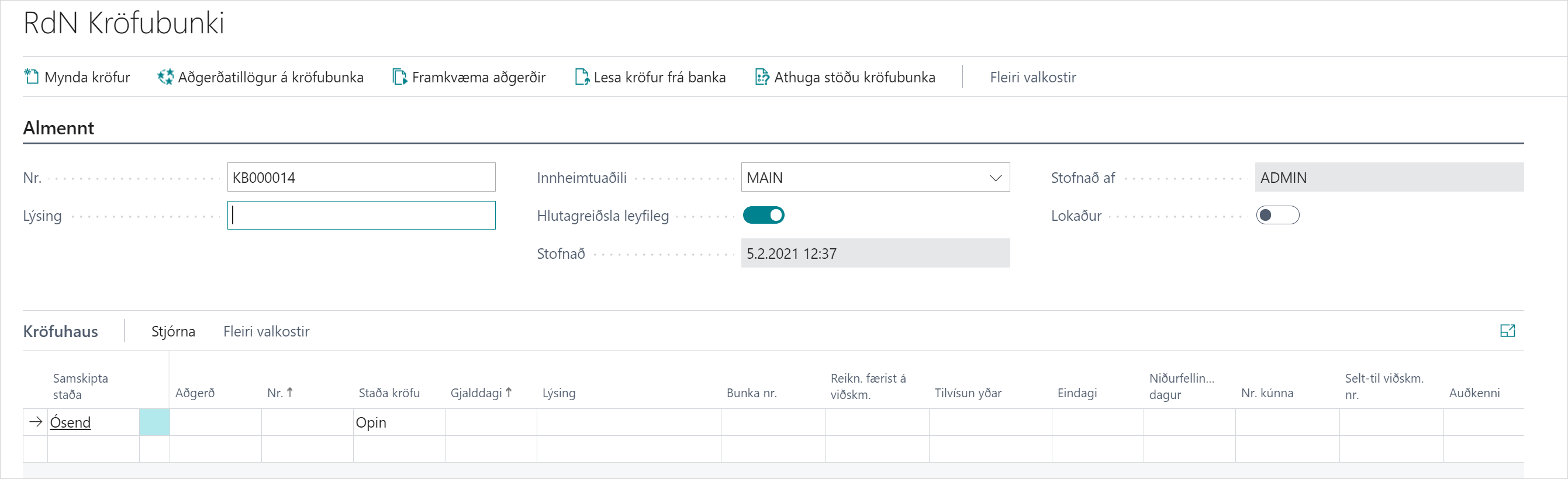
With the check in the claim batch, you can then change whether partial payment is allowed for all claims in the batch. It is also possible to change the value for an individual claim in the "Partial Payment Allowed" field on the claim itself. When a claim with "Partial Payment Allowed" checked is created in the bank, it is marked in home banking as "can be paid to claim".
2. First Partial Payment on Claim:

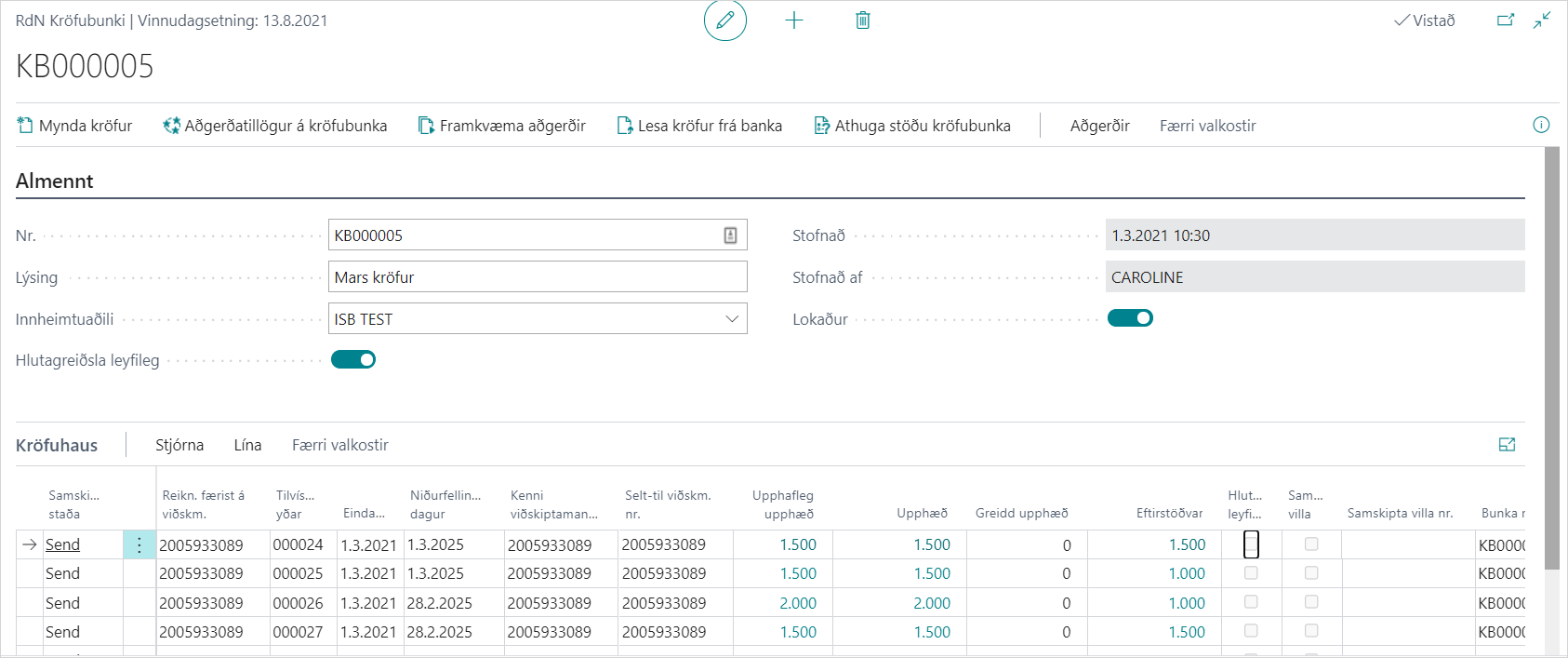
When a claim payment is read in, you can see "Amount Paid In" which shows what has been paid on the claim.
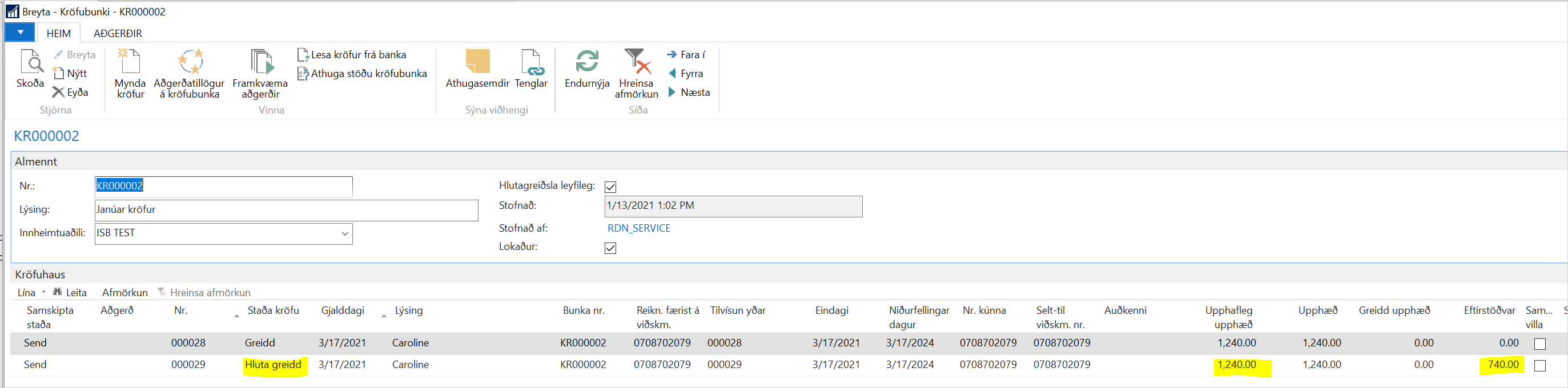
Then the claim will have the status Partially Paid.

The claim payment is then posted against customer entry (sales invoice) and settles part of the amount. The outstanding balance of the invoice will then be lower than the invoice amount.
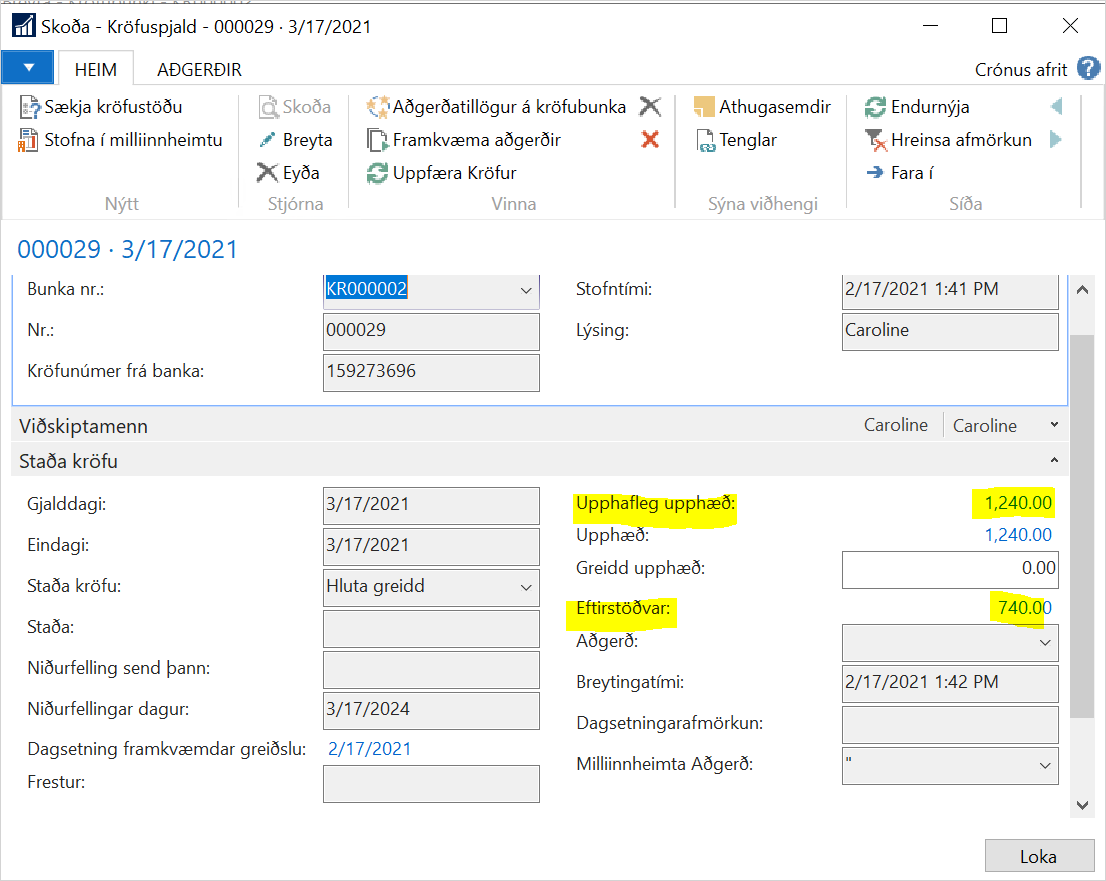
Likewise, when looking at the claim card, the outstanding balance of the claim will be lower than the original amount.
This process applies for as many partial payments as necessary until the claim is fully paid.
3. Second Partial Payment on Claim and Claim Fully Paid:

When a claim payment is read in, you can see "Amount Paid In" which shows what has been paid on the claim.
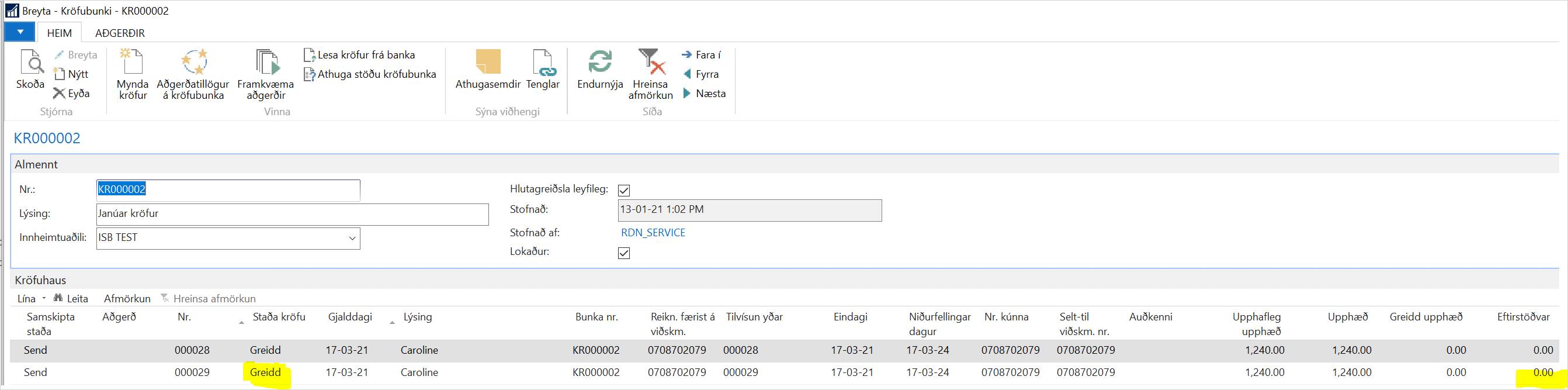
When a claim payment is read in, the status of the claim changes to "Paid" since this is the second partial payment and the claim is now fully paid.

The claim payment is then posted against customer entry (sales invoice) and settles the latter part of the amount. The outstanding balance of the invoice will therefore be 0 and the invoice is closed.
4. Write-off of the Remaining Amount on Claim:
A claim has been partially paid and the creditor is ready to write off the remainder of the claim or the remainder of it was transferred past the claim.
First you need to credit the sales invoice or post a payment on the sales invoice and settle it against the sales invoice so that the outstanding balance is 0 and the invoice is closed.
Then you can use an operation suggestion on the claim batch to get a suggestion to write off the claim or write it off manually.
When the action has been completed, the status of the claim becomes "Written Off" as in the bank.