The interface at a glance
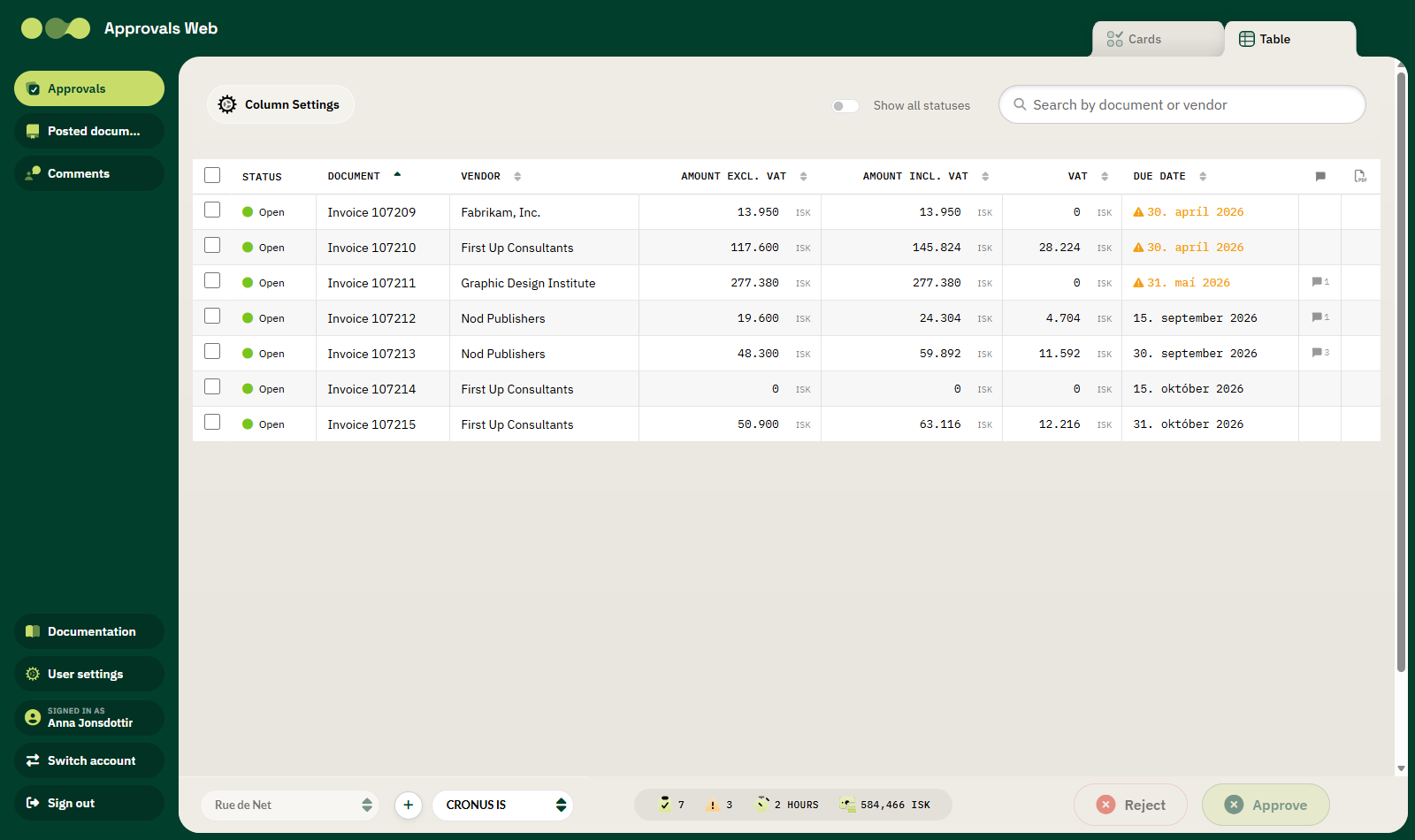
The interface is divided into four areas.
1. The left-hand menu
| Button | Description |
|---|---|
| Approvals | List of documents awaiting your approval. The start page. |
| Posted documents | Posted purchase documents — a lookup list, not for approval. |
| Comments | All comments on documents related to you. |
| Documentation | Opens this manual in a new tab. |
| User settings | Opens the settings dialog: language and columns. |
| Signed in as | Shows the name and email of the signed-in user. |
| Switch account | Switches to another Microsoft account. |
| Sign out | Signs you out. |
2. The top bar
Contains the Rue de Net logo, the title Approvals Web and, on the right, tabs to switch between Cards and Table.
3. The content area
This is where the list or the invoice you are working on appears. At the top of the list is a bar with:
- Column Settings — choose which columns appear and in what order.
- Show all statuses — also shows documents that have already been handled.
- Search box — searches by document number or vendor.
4. The bottom bar
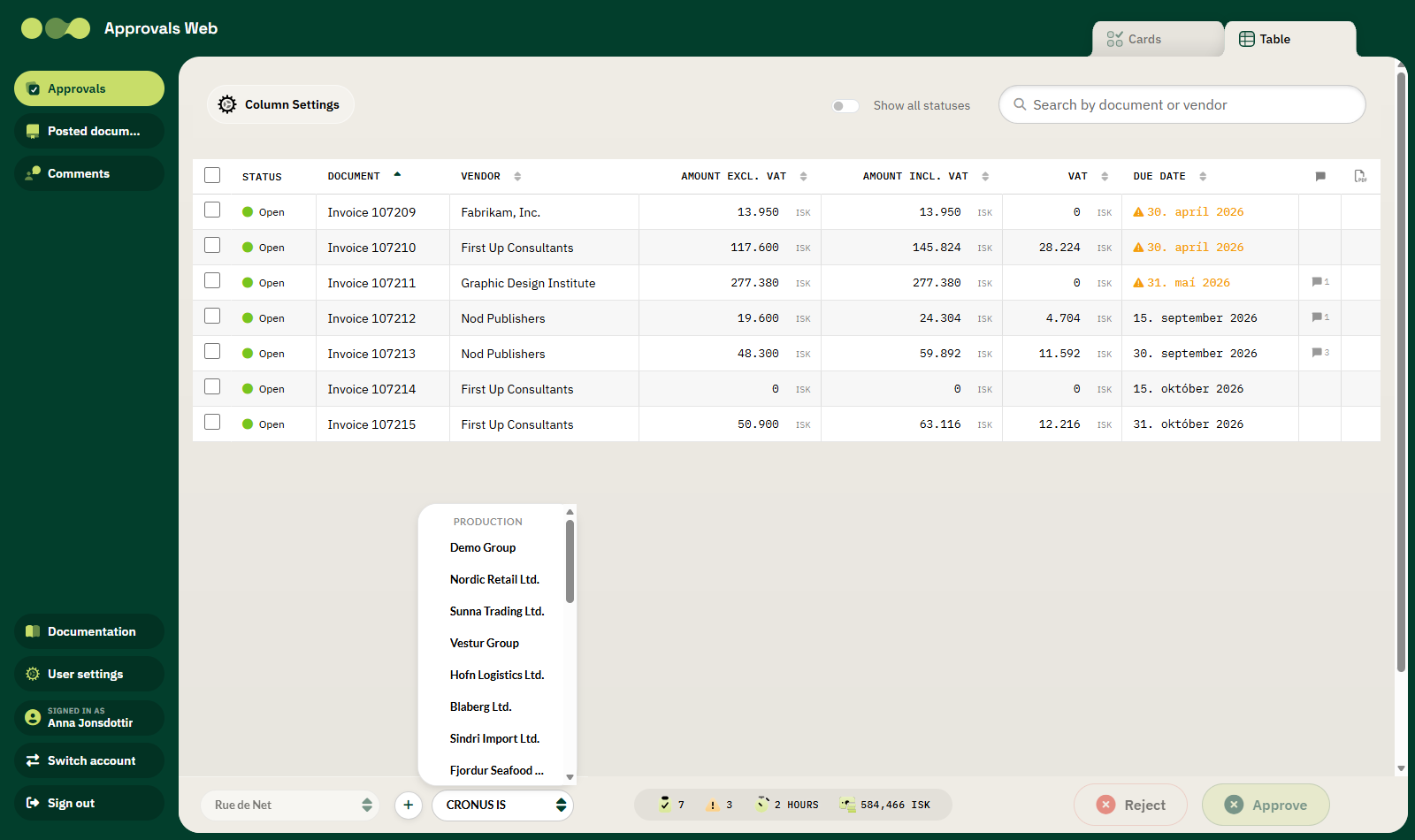
| Element | Description |
|---|---|
| Microsoft tenant | On the left. See Environments and companies. |
| + | Add a new Microsoft tenant. |
| Environment and company | Select the Business Central environment and company. |
| KPIs | Four figures about the current state, see below. |
| Reject / Approve | Action buttons for the selected documents. |
The KPIs
| Icon | Name | Description |
|---|---|---|
| Clipboard | Pending | Number of documents awaiting approval. |
| Warning triangle | Overdue | Number of open documents past their due date. |
| Clock | Avg processing time | Average time since the document was sent for approval. |
| Money | Total value (LCY) | Combined amount of the documents in local currency. |
LCY
LCY stands for local currency. All amounts in this figure are converted to the company's local currency so that they can be added together.
Colour codes
| Colour | Meaning |
|---|---|
| Green dot | The document is open and awaiting approval. |
| Green check | The document has been approved. |
| Red cross | The document has been rejected. |
| Grey | The document has been cancelled. |
| Orange background and warning icon | The due date has passed. |