Register Multiple Dimensions in Mappings
When multiple dimensions are used in the system, the user must be able to map posting information to multiple dimensions on the invoice header and invoice lines.
This explains how to register mappings for multiple dimensions on an electronic invoice.
- Open mappings on the electronic invoice:
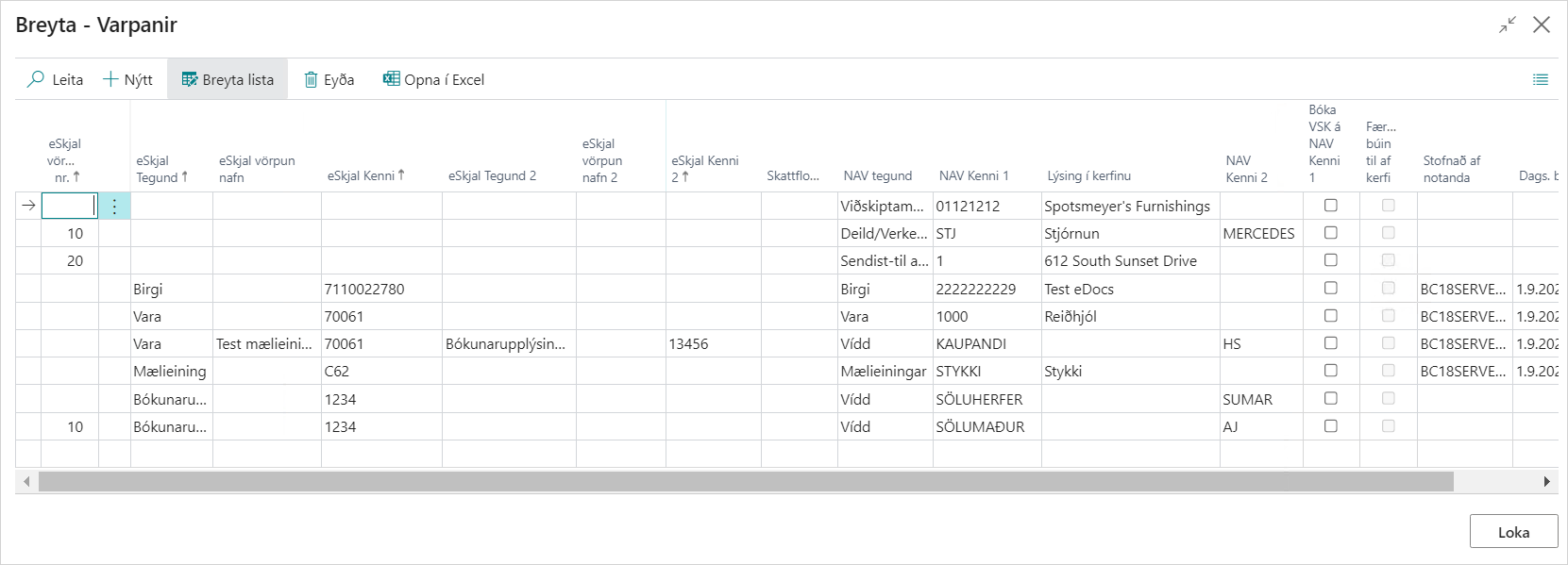
Where the eDocument type is Posting Information, you can select Dimension as the NAV type, for example Department/Project. Under NAV Identifier 1, enter the Dimension, and enter the dimension value under NAV Identifier 2.
If a specific dimension should be registered on an invoice line, select eDocument type = Item and add Posting Information in eDocument Type 2 and its value in eDocument Identifier 2. After that, you can register Dimension in NAV Type, the dimension in NAV Identifier 1, and the dimension value under NAV Identifier 2.
- Register the document in NAV:
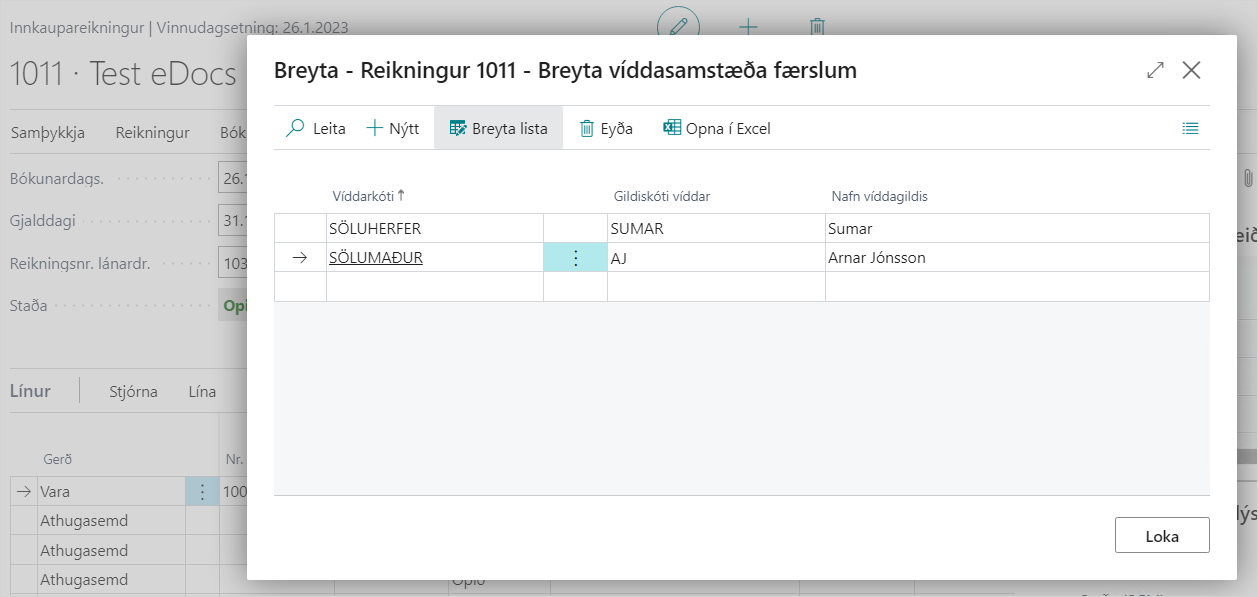
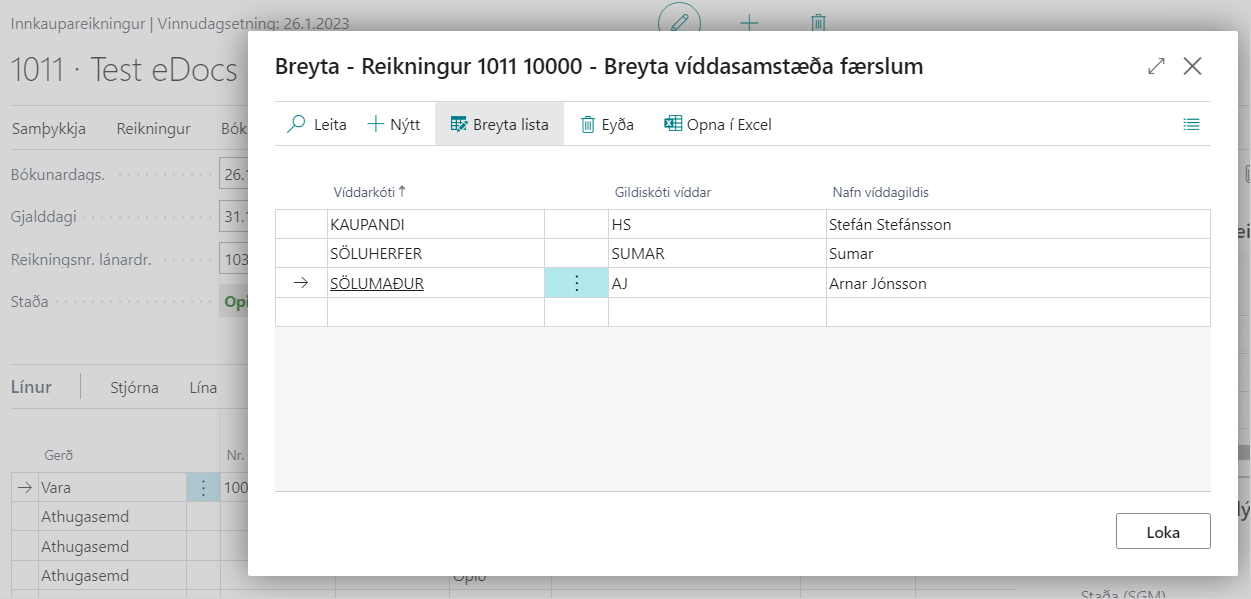
Once you have selected to register the document in NAV, the purchase invoice is created. You can see the dimensions on the invoice header and on the invoice lines according to the mappings.