Settings - Reconciliation
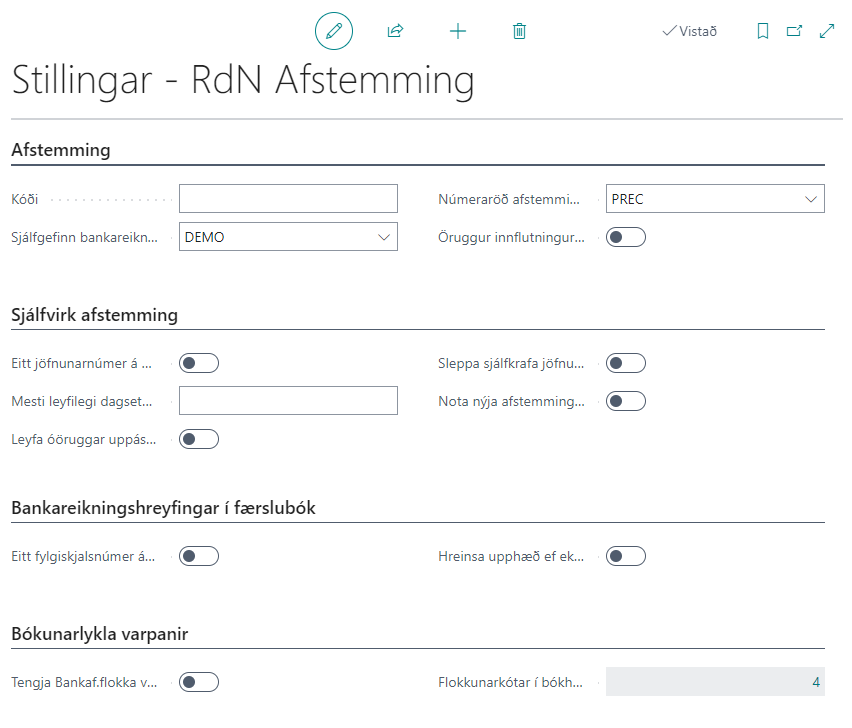
Information
| Field | Description |
|---|---|
| Code | Only used if multiple reconciliation setups are created. Then it is possible to assign a reconciliation code per bank account. |
| Default Bank Account | Here the default bank account for reconciliation is entered. |
| Reconciliation Nos. | Here the reconciliation no. series is selected. Entries that are settled are filled out with this number in the "Reconciliation ID" field. |
| Secure Import of Statement | If this field is checked, unconfirmed entries will not be read from the bank. |
| One Reconciliation Number per Run | If this field is checked, one reconciliation number will be created for all entries when a run is performed. |
| Maximum Allowed Date Difference | This field is used in automatic matching. Specifies the maximum date difference in matched entries, e.g. 1D for 1 day. |
| Allow Unsafe Suggestions | This field is used in automatic matching. Specifies whether to match entries that are considered unsafe, e.g. if the maximum allowed date difference is 3 days, then it is considered unsafe. |
| Skip Automatic Matching of Entry | This setting controls whether the system attempts to automatically find and match customer entries (outstanding invoices) against bank entries when bank reconciliation is transferred to the journal. |
| One Document Number per Journal | If this field is checked, all entries will have the same document number when transferred from reconciliation to payment journal. |
| Clear Amount if No Document Found for Settlement | When bank account movements are transferred to a payment journal and nothing is found for settlement, a settlement line is created but with amount 0. |
Accounting Code Mappings
| Field | Description |
|---|---|
| Link Bank Entry Categories to Accounting Codes | If this field is checked, mapping functionality that has been set up against classification codes on the accounting code page is activated. |
| Classification Codes in Accounting Code Mappings | Opens a list page for connections between classification codes on bank entries to accounting codes. Field shows the number of mappings the user has set up. See more about the page here |
Exchange Rate Match
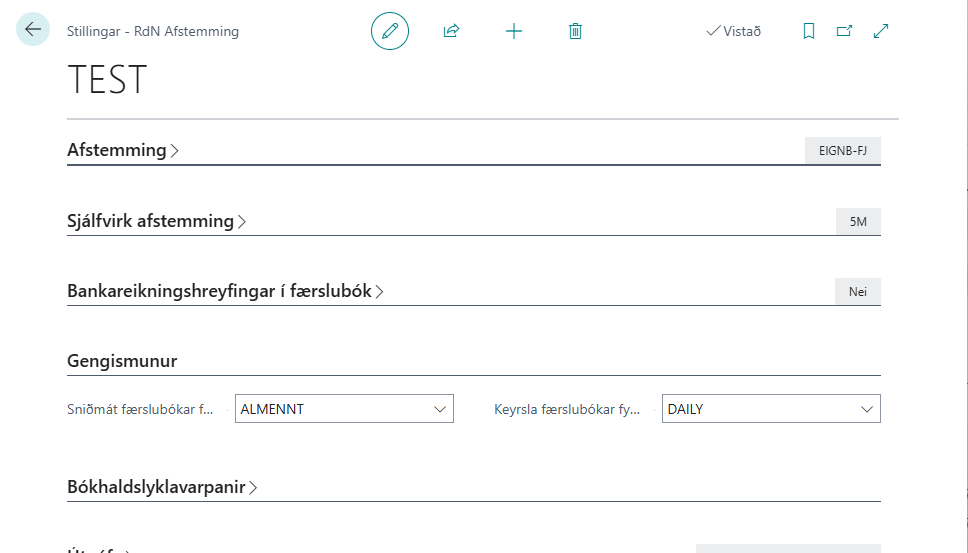
Here you need to select which journal template and journal batch to use to post the currency difference.