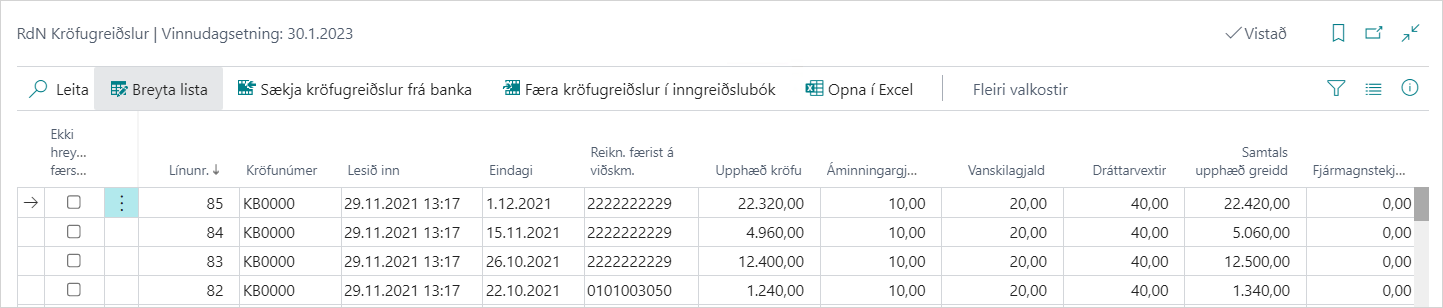
Job Queue Entry to Get Claim Payments Automatically
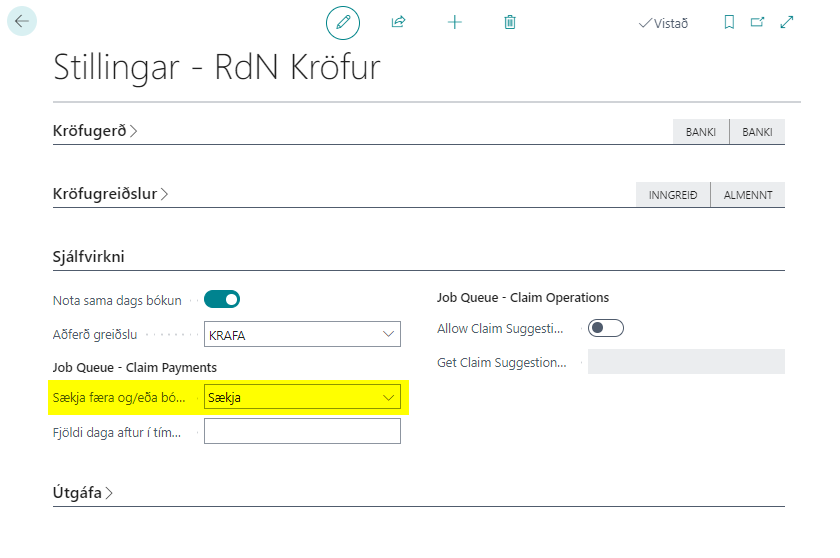
The action to get claim payments automatically can be placed in the job queue. The claim payments will be fetched from the collection party specified in the claims settings. You must also specify there whether to get claim payments only, or get and transfer them to the income journal or get, transfer them to the income journal and post the journal.
- Open Claims Settings.
- Select a value in the Get Claim Payments Automatically field.
- Open the Job Queue Entries window and create a new one on Codeunit 10041505 for the version retrieved via appsource.
- Select the days to read in, start time, minutes between runs and start date for the run.
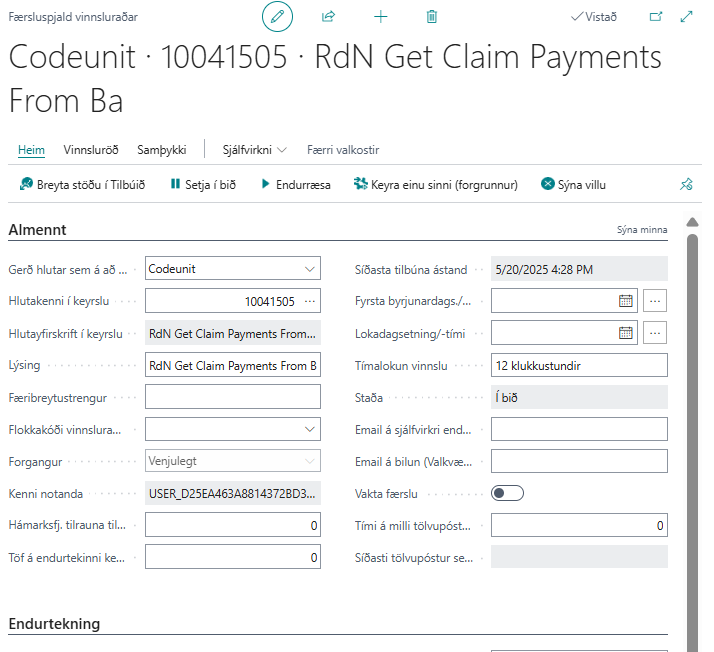
- Set the job queue entry to Ready and monitor the processing.
- Claim payments should be delivered and you can monitor them with the Read In field.