Send Approval Request
When an approval group has been selected, an approval request can be sent.
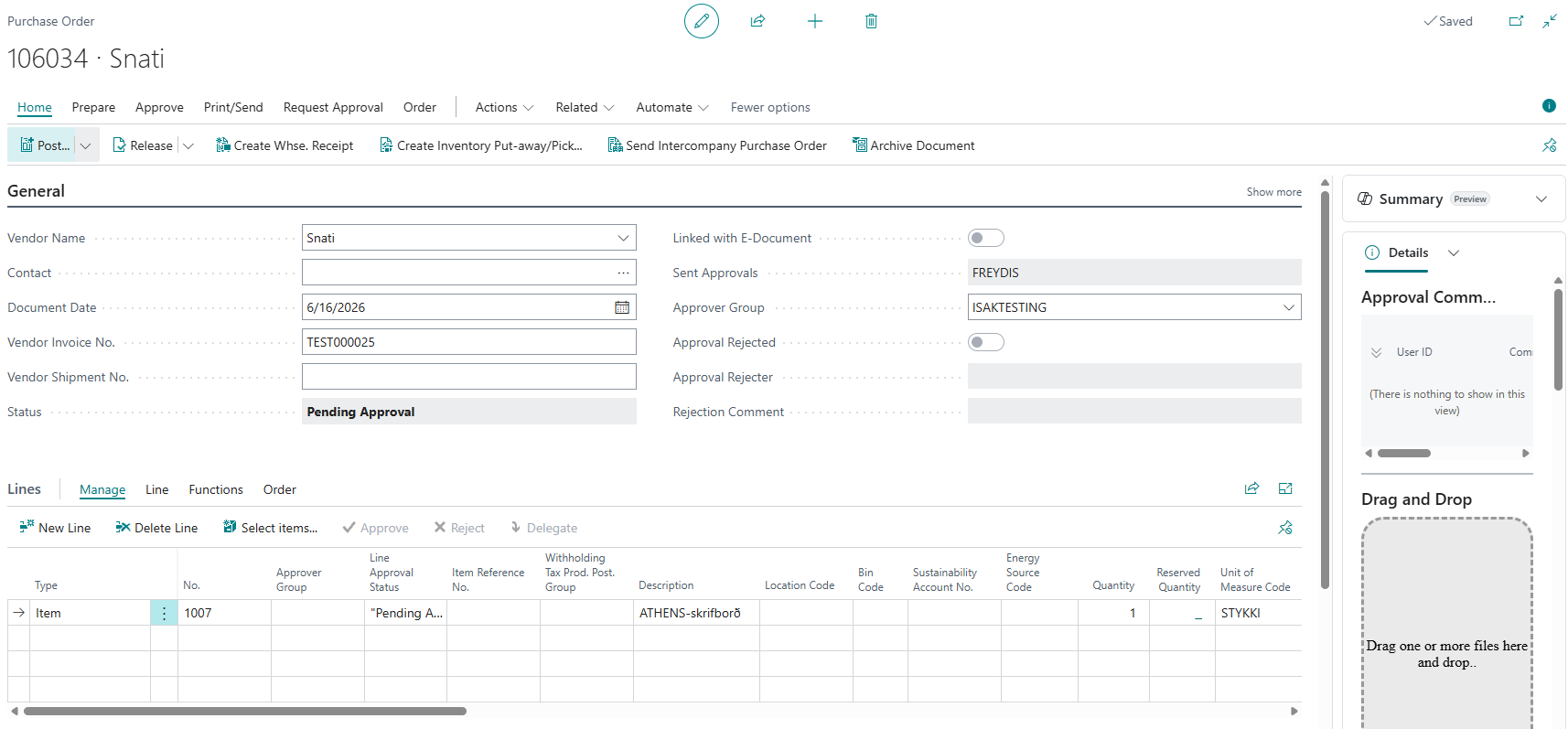
The field "Send Approvals" is automatically filled in with the next user who should approve. When the approval request is first sent, it is filled in with the user who is no. 1 in the sequence in the approval group.
The approval user receives an email with the approval request if that functionality has been set up in the system.
The status of the invoice changes to "Pending Approval".
According to the workflow, it is not possible to post an invoice that is pending approval; it must first be approved.
The user sees the approval request in "Requests to Approve". See more details here.
This process can be viewed in approvals. See more details here.
Send a reminder
You can remind the current approvers about a purchase invoice or purchase order whose status is Pending Approval.
For one document
- Open the purchase invoice or purchase order.
- Choose Send Reminder Email.
- Enter an optional Comment, and then choose OK.
The reminder is sent to the email address of every current approver. It shows the sender's name, document details, the comment, and a button that opens the approval request in the Approvals web app. The comment is also saved with the approval request.
For multiple documents
- Open Purchase Invoices or Purchase Orders.
- Select the documents that are pending approval.
- Choose Send Reminder Email.
- Enter an optional comment, and then choose OK.
The same comment is included with every selected document. When processing finishes, the system shows how many reminders were sent. The action is available only for documents that are pending approval, and a reminder is sent only when an open approval entry and an approver email address exist.