Receipts
Setup and Authentication

Open RdN Reconcile and find Credit Card.
To retrieve entries from Arion or Landsbanki, you need to enter an authentication key. The authentication key is for the entire company and therefore only needs to be entered once.
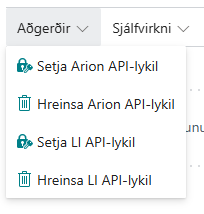
| Bank | Description |
|---|---|
| Arion | Contact Rue de Net for API key. |
| Landsbanki | You can create an account and get an API key in online banking: fbl.is/adgangsstyring/kerfisadgangar or contact Landsbanki. |
| Íslandsbanki | Open the page Your RdN Bank Users and select sign in with electronic credentials. Further instructions here |
Retrieve Credit Card Attachments
Check Retrieve Credit Card Attachments - If this is enabled, the system will automatically retrieve attachments during reconciliation and save them. All attachments can be viewed on the RdN Credit Card Attachments page.
During reconciliation, attachments of entries are displayed next to the Information section
Note: Due to the size of attachments, entries take longer to load from the bank.
Set Up Mappings
A mapping connects a merchant name (from the bank) to a vendor in Business Central.
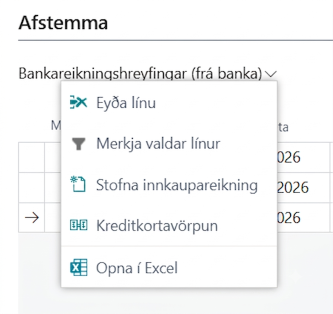
On the RdN Reconcile page you can select a reconciliation entry and click on the Credit Card Mapping action. If no mapping exists for the relevant merchant, the system automatically creates one and opens for completion.
| Field | Description |
|---|---|
| Merchant ID | Name of associated party from bank entry (filled automatically). |
| Vendor No. | Vendor in Business Central to be linked to this merchant. |
| Create Purchase Invoice | Check box that allows automatic creation of purchase invoices. |
Create Purchase Invoice
To create purchase invoices, you can click on the Create Purchase Invoice action. The system then goes through all marked lines and creates purchase invoices automatically.
- If a mapping is missing for a merchant, the system will ask if it should be created.
- If a similar invoice already exists (same vendor, similar amount, ±3 days), the system will ask if it should be used.
- Receipts retrieved from the bank are automatically attached to the created purchase invoice as attachments.
- After creation, the invoice number is displayed in the Purchase Invoice No. column on the reconciliation entry.