Field Setup
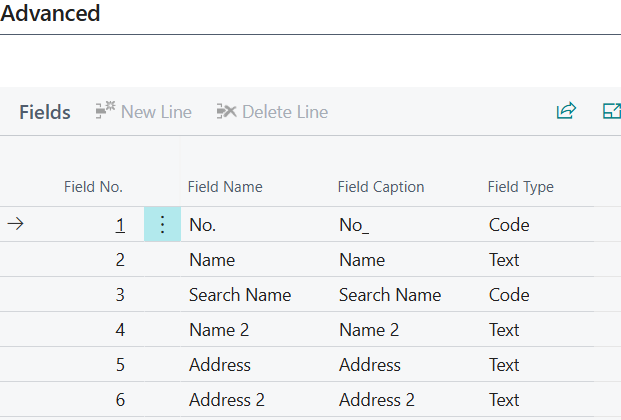
The field list appears as a section at the bottom of the table card and shows which fields will be exported to the external store. When a table is first set up and default values are accepted, the system automatically populates the field list with all exportable fields, excluding unsupported types (BLOB, Media, MediaSet, FlowFields, FlowFilters).
You can remove individual fields from the list if they should not be part of the synchronization, or add fields manually.
Field List Columns
| Column | Description |
|---|---|
| Field No. | BC field number. When entered, the system automatically fills in the field name and maps the field type. |
| Field name | System field name (automatic) |
| Field caption | SQL column name (editable, special characters are automatically cleaned. Quotation marks and square brackets are removed) |
| Field type | Mapped field type (automatic from BC field information) |
Supported Field Types and SQL Mapping
The following table shows how Business Central field types are mapped to SQL Server column types:
| AL Type | SQL Type |
|---|---|
| Text, Code | NVARCHAR(n) |
| Integer | INT |
| BigInteger | BIGINT |
| Decimal | DECIMAL(precision, scale), configurable on server setup |
| Boolean | BIT |
| Date | DATE |
| DateTime | DATETIME |
| Time | TIME |
| GUID | UNIQUEIDENTIFIER |
| Option | INT (or NVARCHAR when "Export enum values as text" is enabled) |
| Duration | BIGINT |
| DateFormula | NVARCHAR(30) |
| RecordID | NVARCHAR(250) |