Job Queue Entry to Get Currency Exchange Rate Automatically
The action for automatically fetching currency exchange rates from the bank can be added to a job queue. The most important thing is to enter the correct value in the parameter string to fetch the correct exchange rate from the correct provider, the Central Bank or a bank.
Get Currency Exchange Rate from the Central Bank of Iceland
- Open Job Queue Entries (found in search).
- Create New
- Select Codeunit in the Object Type to Run field
- In Object ID to Run, select 10041503 for the version downloaded from AppSource.
- Add Seðlabanki;Mið to the Parameter String. The Central Bank of Iceland only supports importing the mid-rate.
- Select the days to import, start time, number of minutes between runs, and starting date for the run.
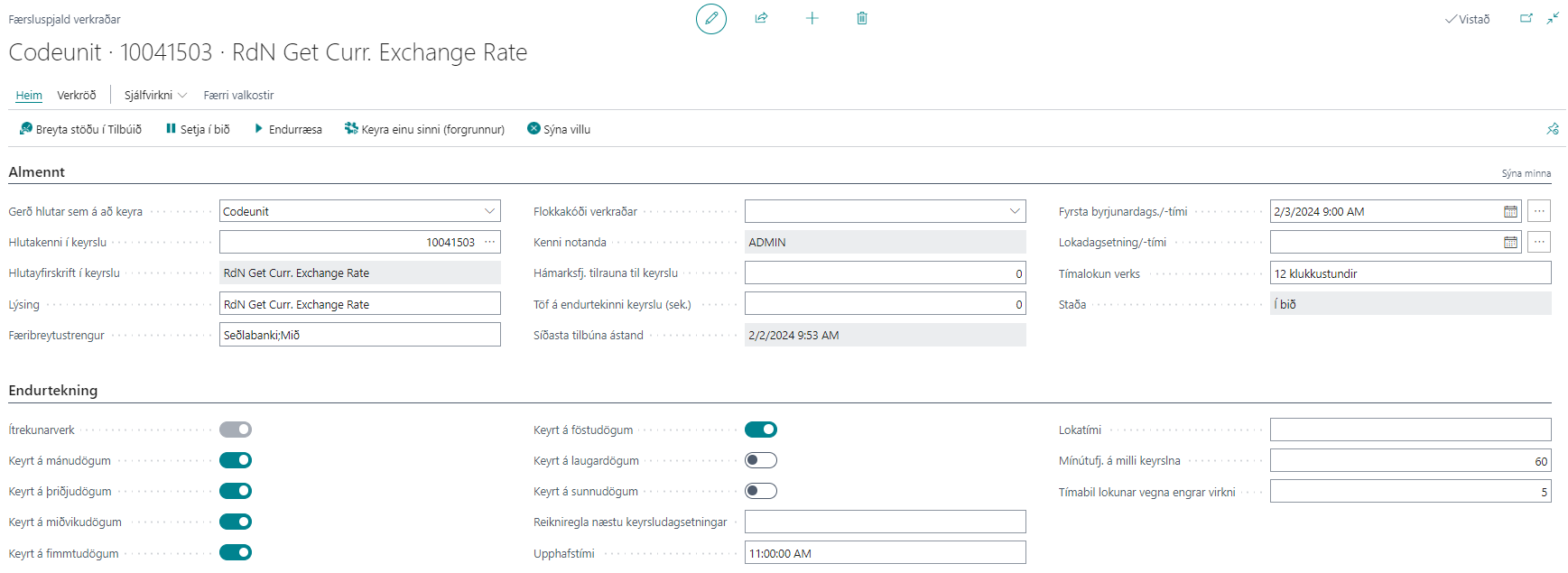
- Set the job queue entry to Change Status to Ready.
- The exchange rate should then appear in the Currencies field (find it in search); the Exchange Rate Date and Exchange Rate fields indicate when the exchange rate was last updated.
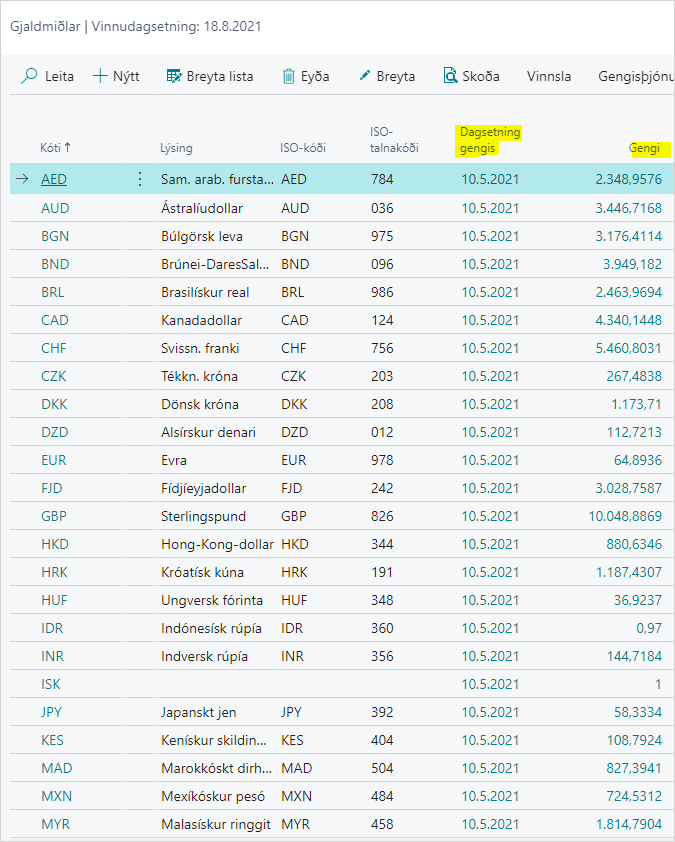
Fetch Selling Rate from a Commercial Bank
- Open Job Queue Entries (found in search).
- Create New
- Select Codeunit in the Object Type to Run field
- In Object ID to Run, select 10041503 for the version downloaded from AppSource.
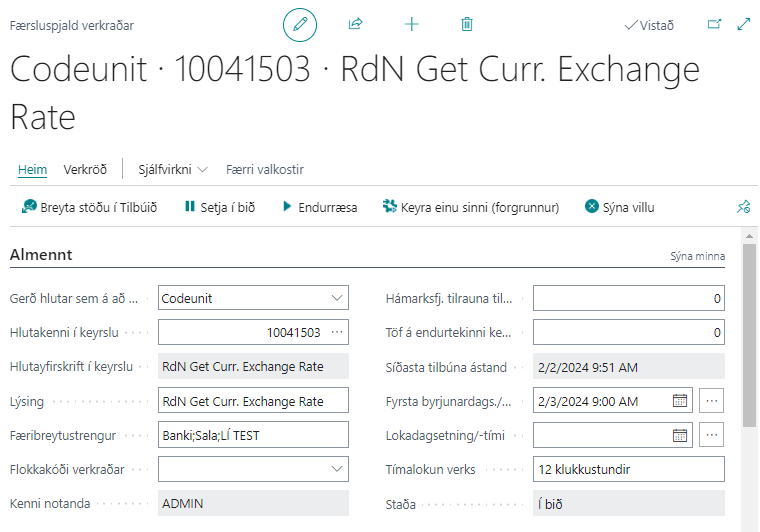
- Add Banki;Sala;%1 to the Parameter String to fetch the selling rate. %1 is the bank account code from the list of bank accounts from which the system should fetch exchange rates, as shown in the image above. If %1 is left blank, the system fetches the selling rate from the first bank on the list.
- Select the days to import, start time, number of minutes between runs, and starting date for the run.
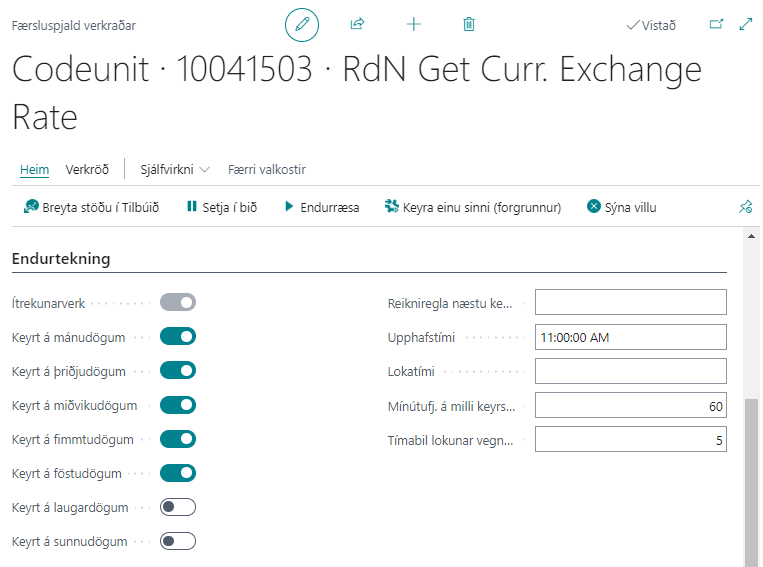
- Set the job queue entry to Change Status to Ready.
- The exchange rate should then appear in the Currencies field (find it in search); the Exchange Rate Date and Exchange Rate fields indicate when the exchange rate was last updated.
Fetch Buying Rate from a Commercial Bank
- Open Job Queue Entries (found in search).
- Create New
- Select Codeunit in the Object Type to Run field
- In Object ID to Run, select 10041503 for the version downloaded from AppSource.
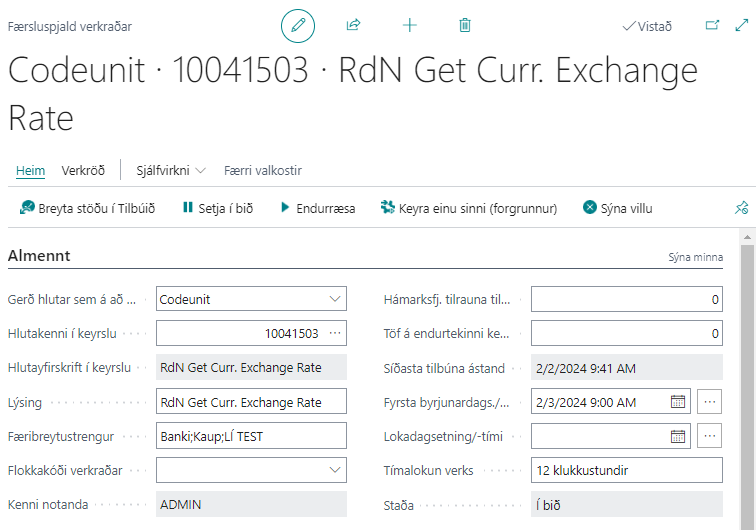
- Add Banki;Kaup;%1 to the Parameter String to fetch the buying rate. %1 is the bank account code from the list of bank accounts from which the system should fetch exchange rates, as shown in the image above. If %1 is left blank, the system fetches the buying rate from the first bank on the list.
- Select the days to import, start time, number of minutes between runs, and starting date for the run.
- Set the job queue entry to Change Status to Ready.
- The exchange rate should then appear in the Currencies field (find it in search); the Exchange Rate Date and Exchange Rate fields indicate when the exchange rate was last updated.