Create Claims Automatically
Here is described how to set up the system so that claims are created automatically as soon as a sales invoice is posted.
Actions
1. Set Up Payment Method Code on Customer:
It may be useful to create a payment method code for claims to distinguish customers who receive a claim from those who make a transfer.
In the Payment Practices window, there is a list of registered payment methods but it is also possible to create new ones.
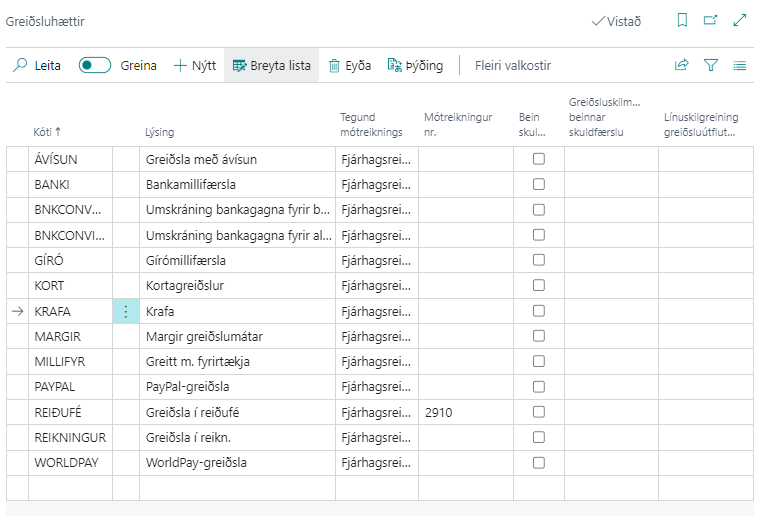
Subsequently, the payment method code is registered on the customer card so that it is inherited between invoices.
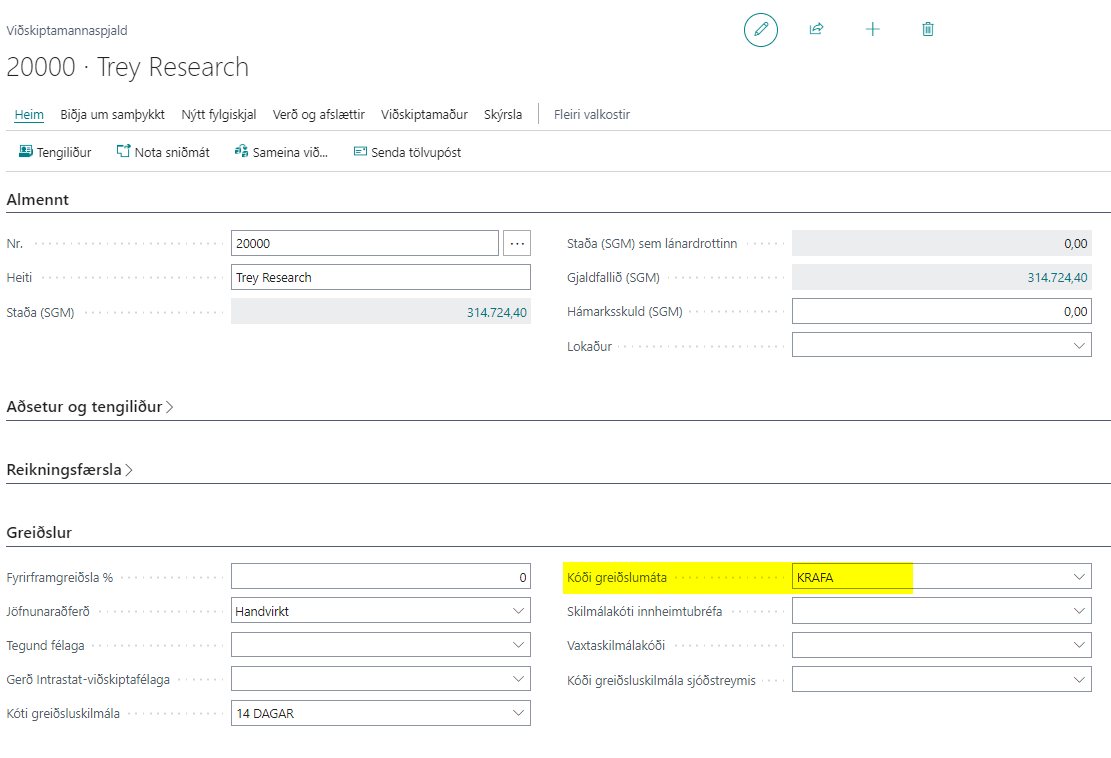
2. Set Up the System to Create Claims Automatically:
In RdN Claim Setup you must check the "Use Same Day Claims" field and select the payment method that the system uses to create the claim automatically.
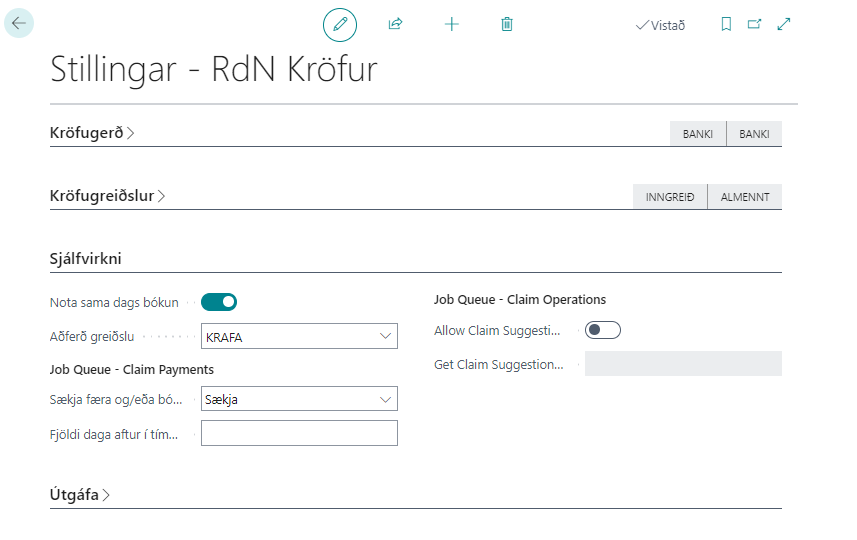
3. Create and Post Sales Invoice:
A sales invoice is created and posted to the customer. Then a customer entry is created which is open and has outstanding balance.

4. The System Creates a Claim Batch for the Day:
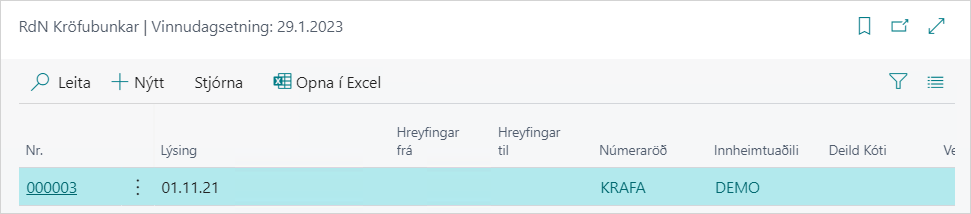
5. The System Creates the Claim Automatically within the Daily Claim Batch:
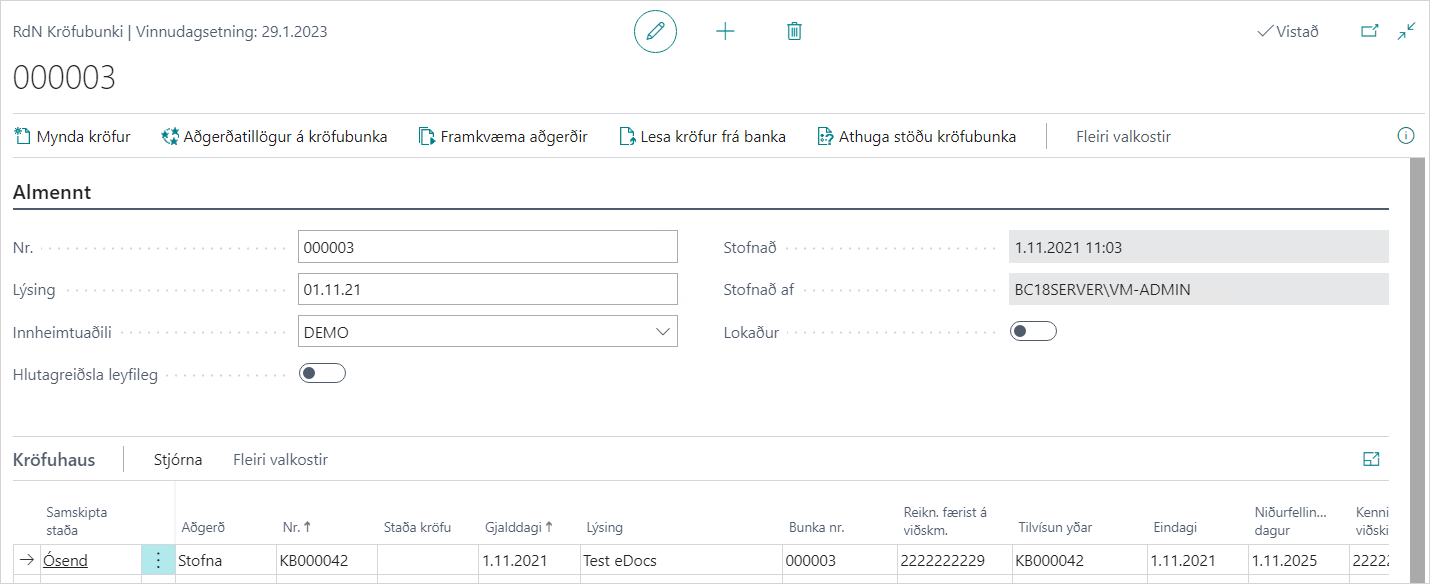
The claim is created with status in the bank "Unsent" and the action is automatically "Create". As long as the status of the claim is "Unsent", you can change it, delete it and start over without any problems because nothing has been sent to the bank.
If everything looks good, you can select Perform Operations to create the claim in the bank. See a more detailed description here.
3.3. Claim Number on Customer Entry:
The claim number is filled out per customer entry.
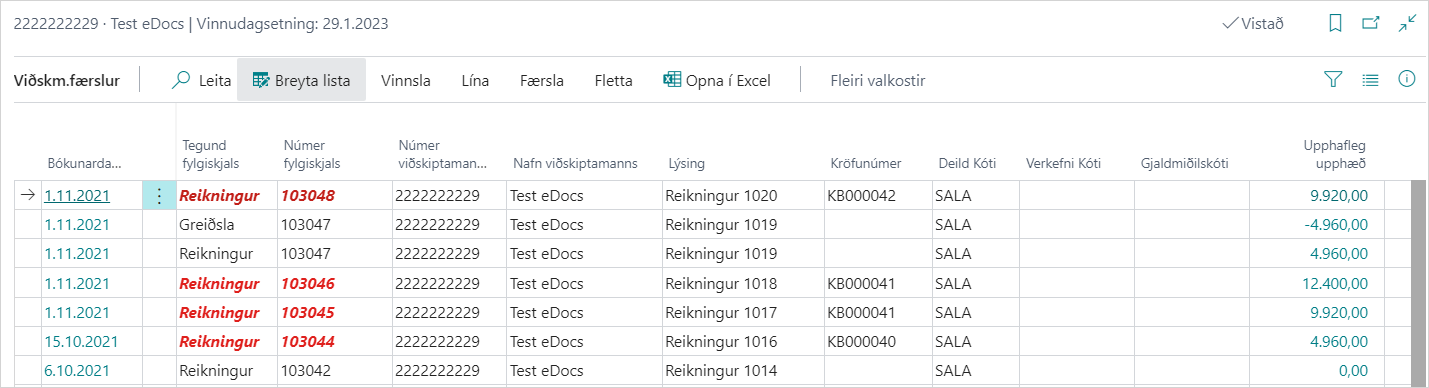
If you click on the claim number, the claim card opens. See a more detailed description here.