Posted documents
Click Posted documents in the left-hand menu to look up posted purchase invoices in the selected company.
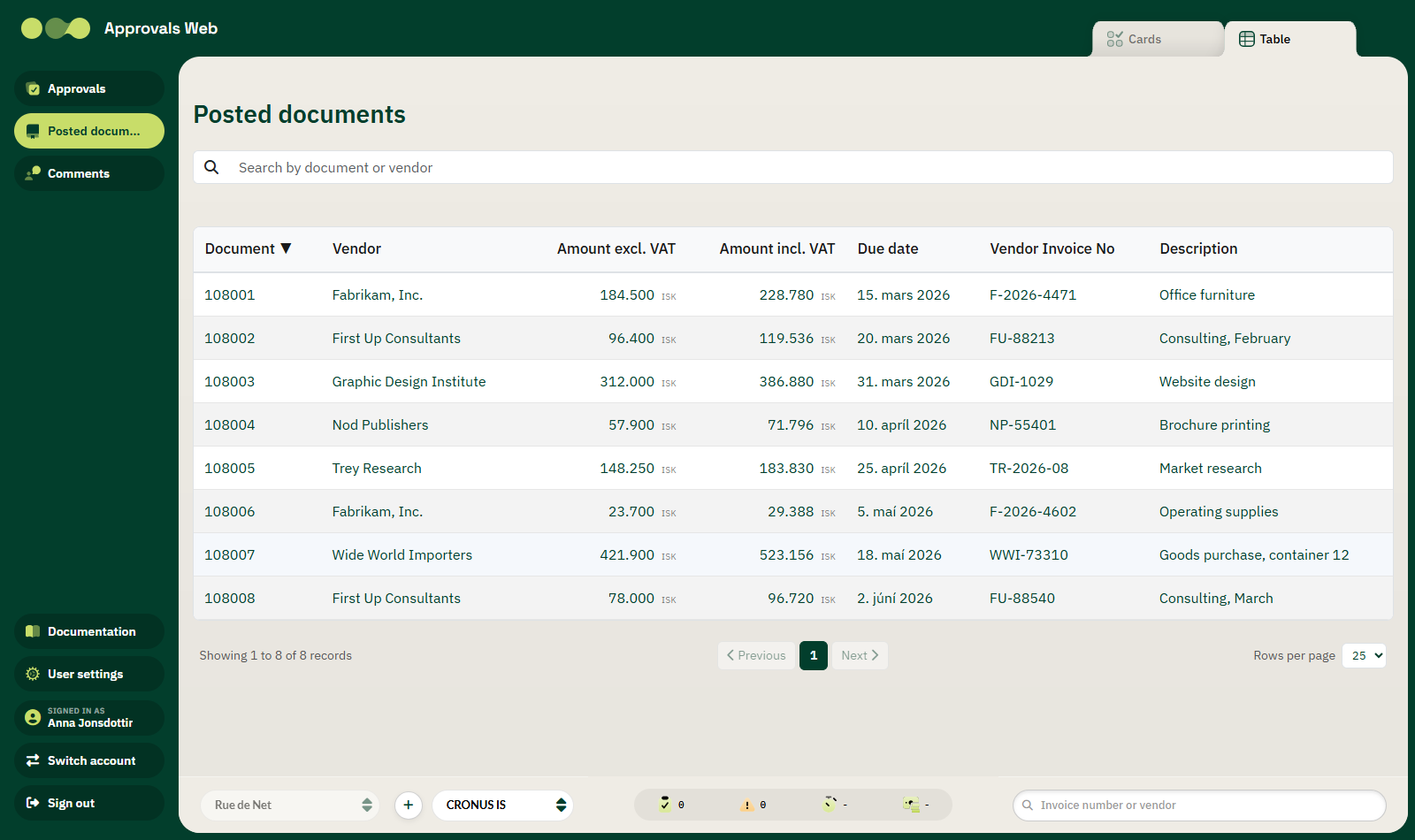
Lookup only, no approval
Posted documents are for lookup only. You cannot approve, reject or select documents here.
Columns
| Column | Description |
|---|---|
| Document | The number of the posted invoice. |
| Vendor | The vendor name. |
| Amount excl. VAT | Amount excluding VAT, with currency. |
| Amount incl. VAT | Total amount, with currency. |
| Due date | The due date of the invoice. |
| Vendor Invoice No | The vendor's own invoice number. |
| Description | The invoice description. |
The first five columns are sortable — click the heading. The default sort is by document number, highest first.
Search
The search box at the top searches the document number, vendor name, vendor invoice number and description. The search starts automatically shortly after you stop typing.
Paging
Below the table is a bar showing which records are displayed, for example Showing 1-50 of 214.
| Control | Description |
|---|---|
| Previous / Next | Move between pages. |
| Page numbers | Jump directly to a page. |
| Rows per page | Choose 25, 50 or 100 rows per page. The default is 50. |
Viewing a posted invoice
Click a row to open the invoice. It shows:
- The invoice number, Due date and Document date.
- The vendor name and address, plus the description.
- A table of lines: No., Description, Qty, Unit Price and Amount.
- Totals excluding and including VAT.
Use the Back to posted invoices link to return to the list.
If the list is empty
The message No posted documents appears. Check that the correct company is selected in the bottom bar.