Send Purchase Order
Electronic Invoices support sending orders to vendors.
1. Vendor Card:
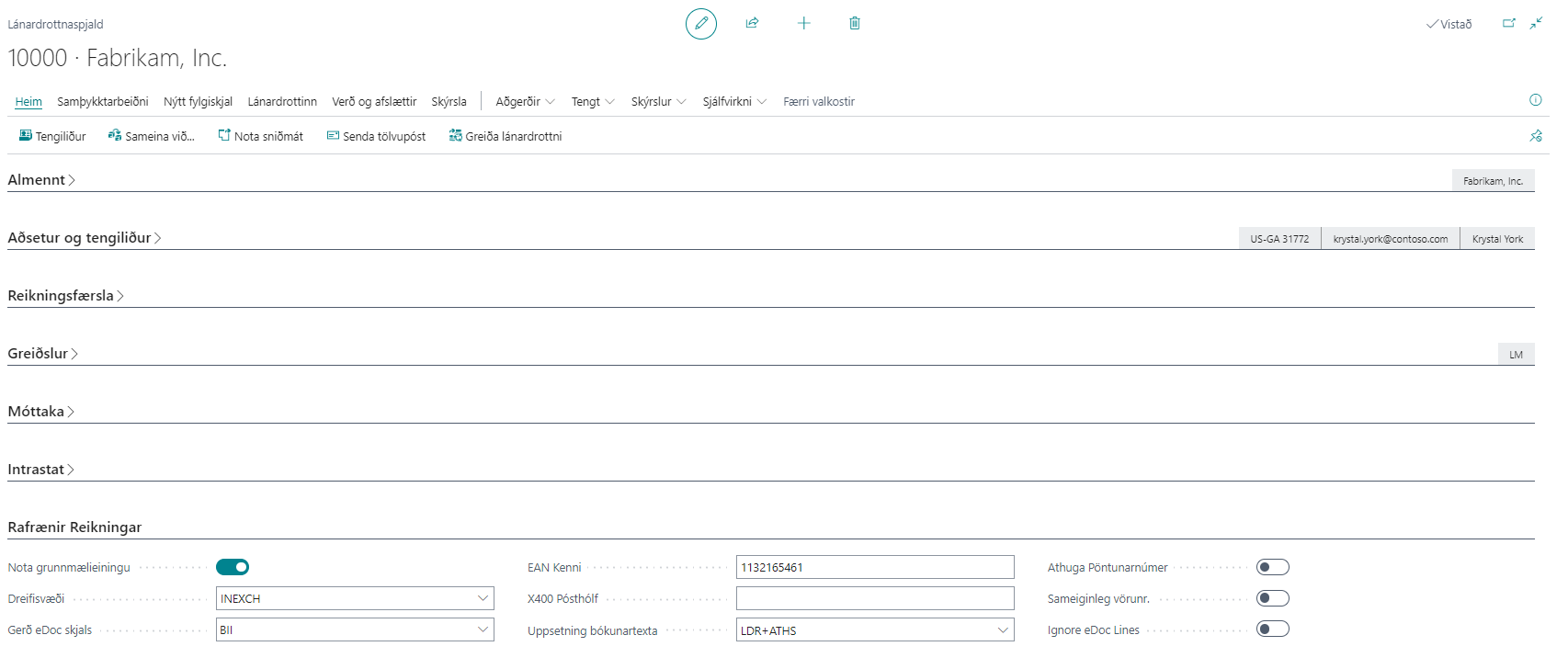
For wholesale purchase orders, it is often necessary to send the order in the base unit of measure. This is configured on the vendor card.
If the base unit of measure should be used, select the "Use Base Unit of Measure" field on the vendor card under the "Electronic Documents" FastTab.
Then the Delivery Site, eDoc document type, EAN identifier, and X400 postbox must be entered.
2. Purchase Order:
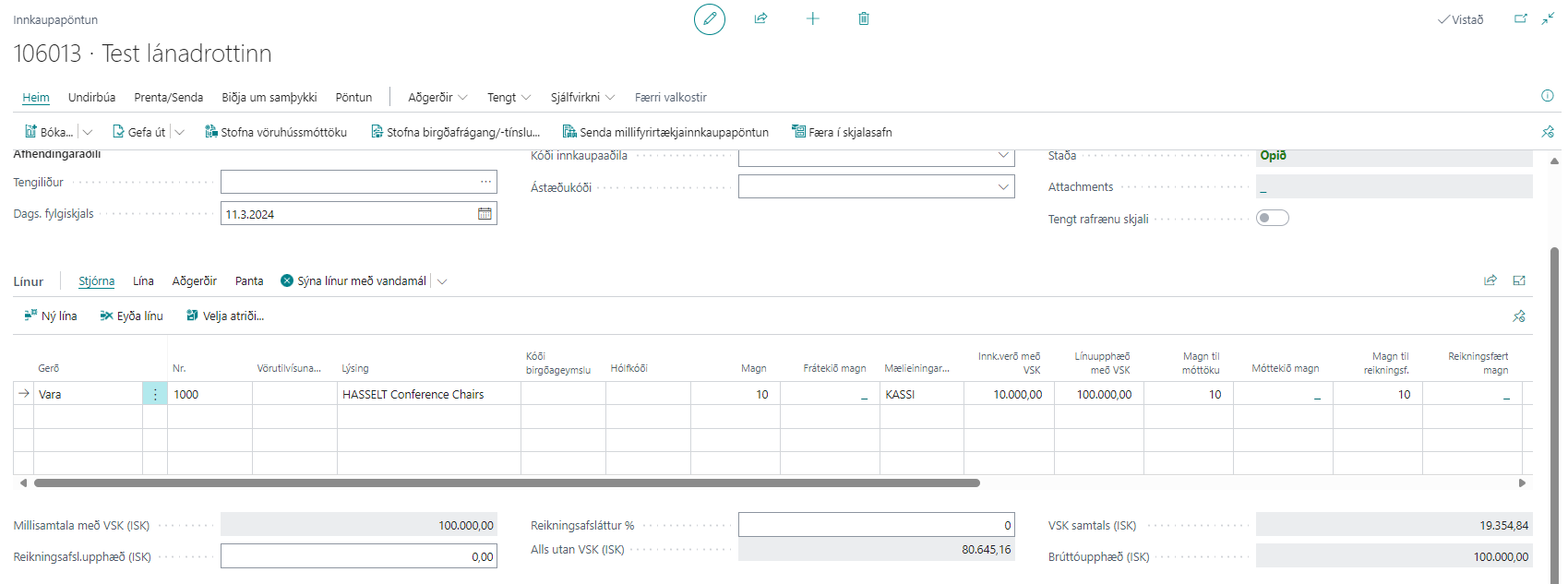
The purchase order is entered in the purchase unit of measure. In our example, this is BOX, which contains 10 pieces.
The vendor invoice number is left blank.
3. Outgoing electronic order created:
As soon as the purchase order is released, an outgoing electronic order is created in the worksheet.
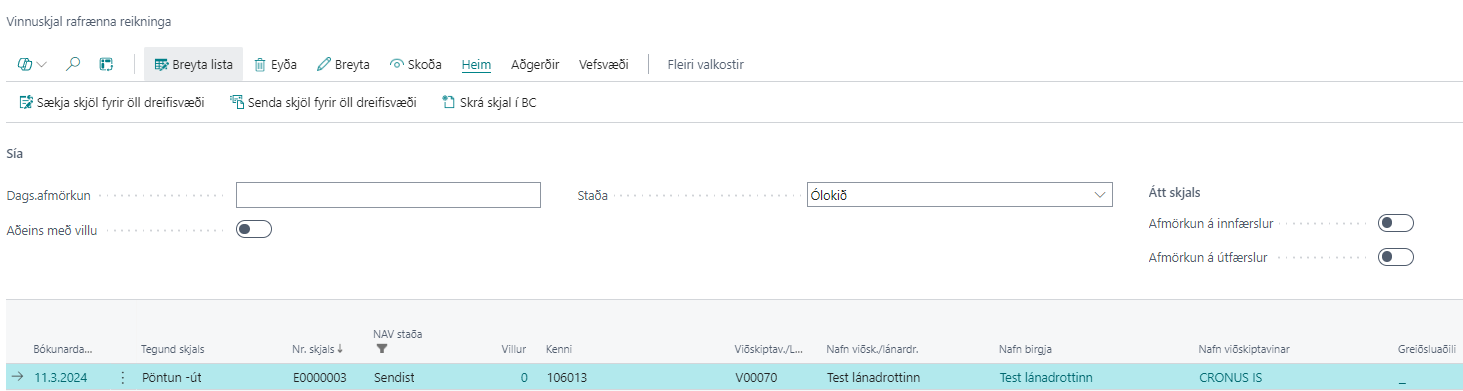
4. Electronic Order:
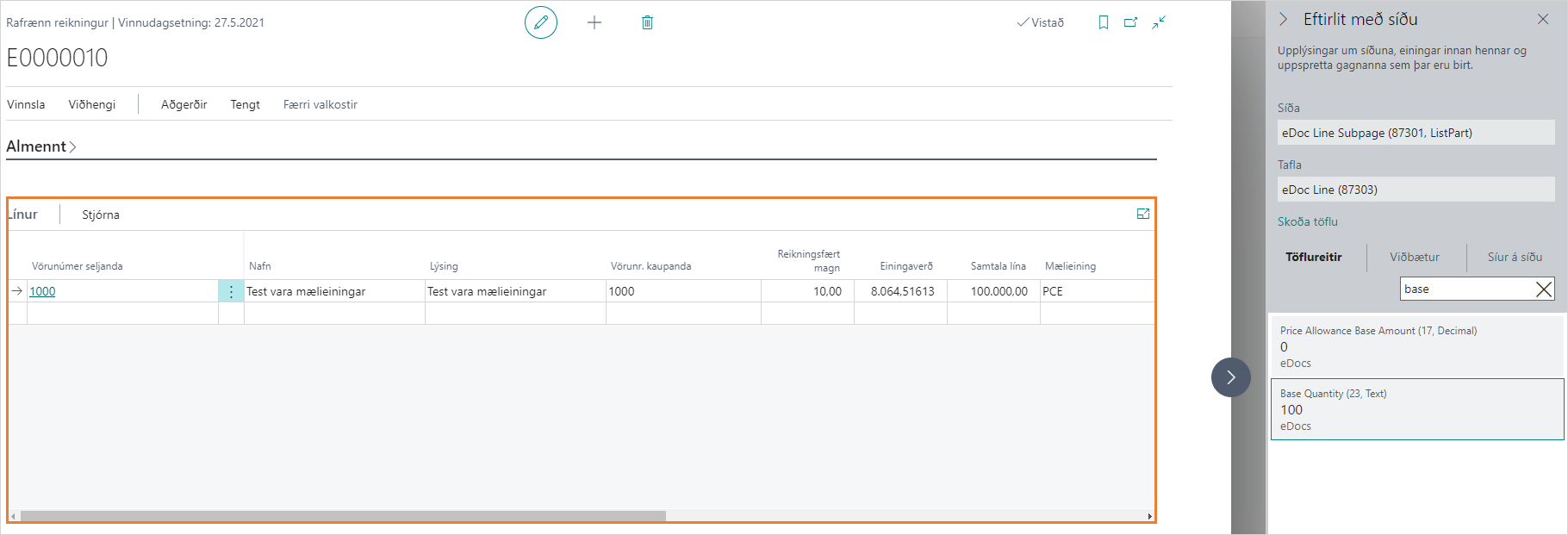
The electronic order was created with 100 pieces according to our example, where the product’s base unit of measure was to be used for sending electronically to the vendor.