Send to Ship-to Address
This refers to EDI communication when sales orders and sales invoices are sent electronically to different ship-to addresses for the same customer (for example, stores within a chain).
1. Create ship-to addresses on the customer card:
Create as many addresses as needed.
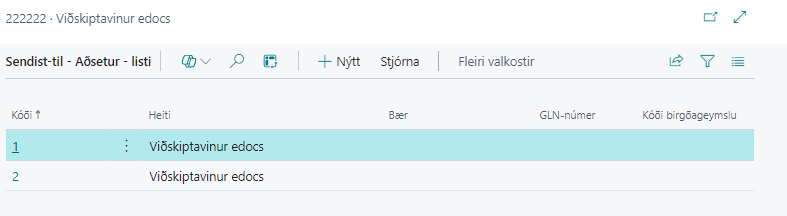
The EAN identifier for the address must be entered in the GLN number field.
2. Electronic invoice settings for ship-to addresses:
Each address is then shown in "Electronic Invoice Settings for Ship-to Addresses"
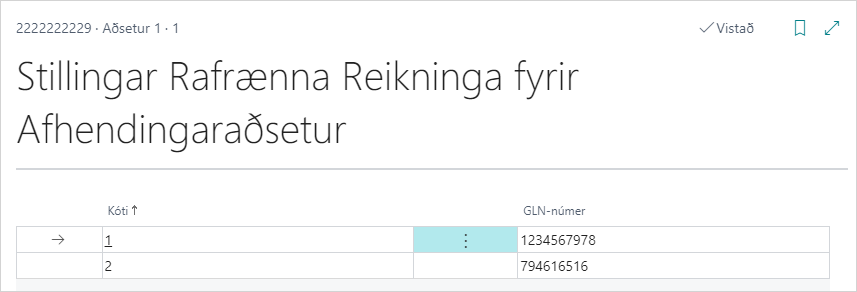
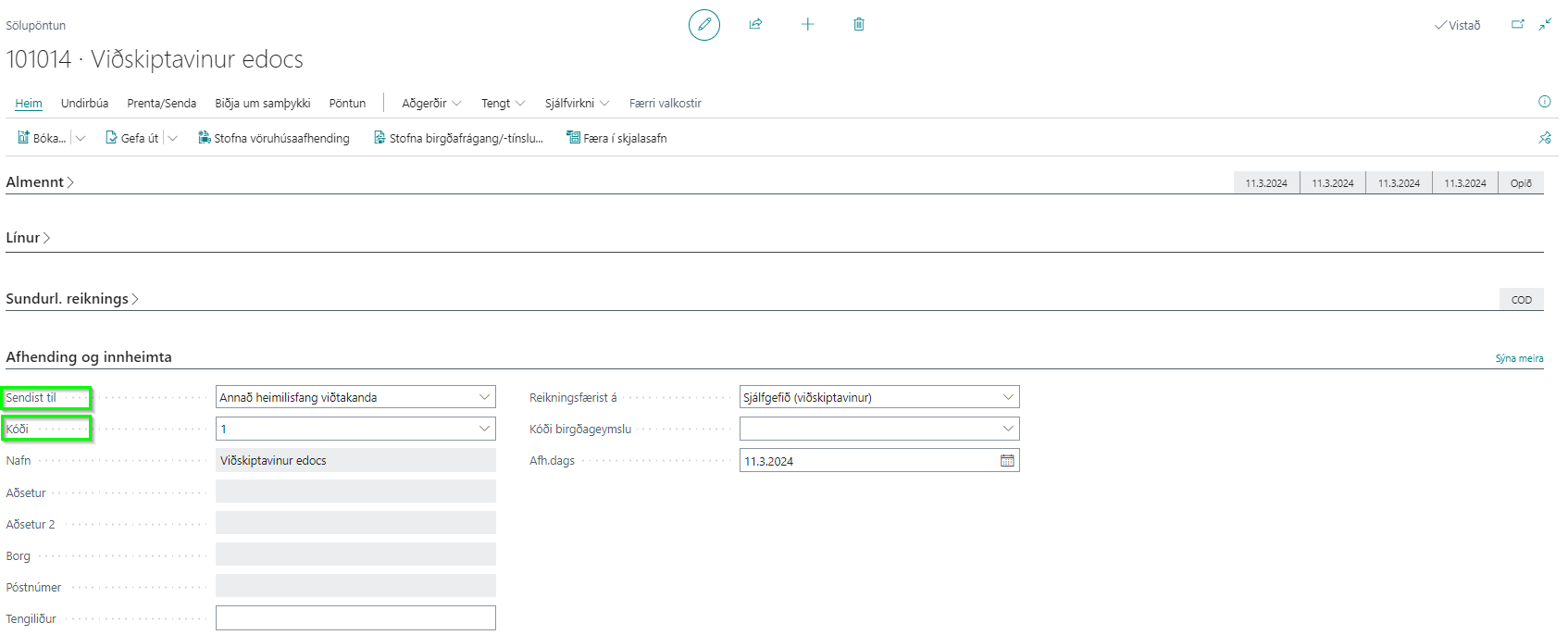
3. Create a sales order or invoice for a registered ship-to address, and the electronic document will then be created automatically with the correct EAN identifier and sent correctly through EDI.
4. View electronic documents in the eDoc Worksheet:
Once the sales order has been posted and has become an electronic invoice, it can be viewed under the eDoc Worksheet
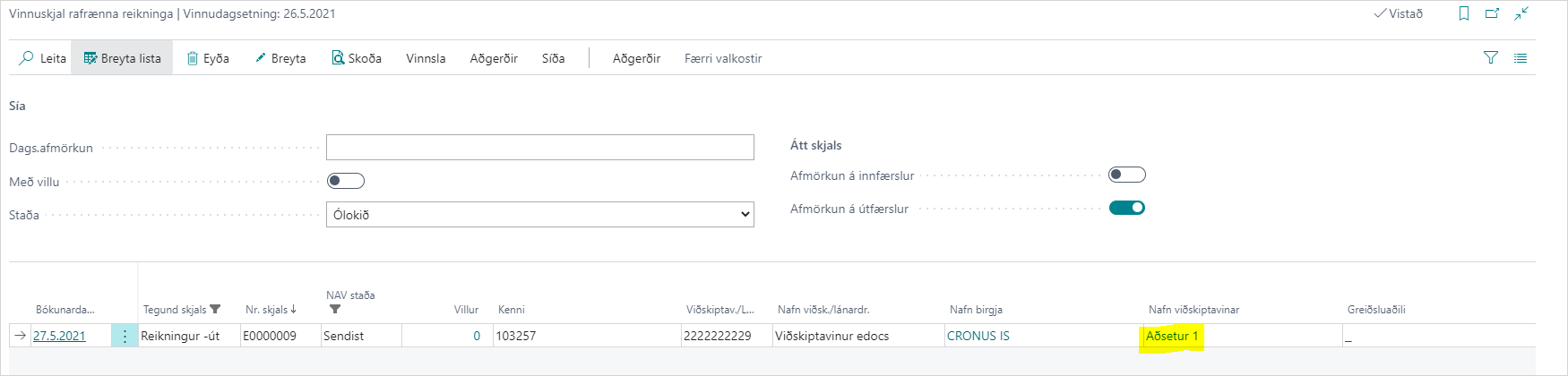
Or by choosing Related - eDocs on the sales order.