Transaction history for sending claim invoices to bank
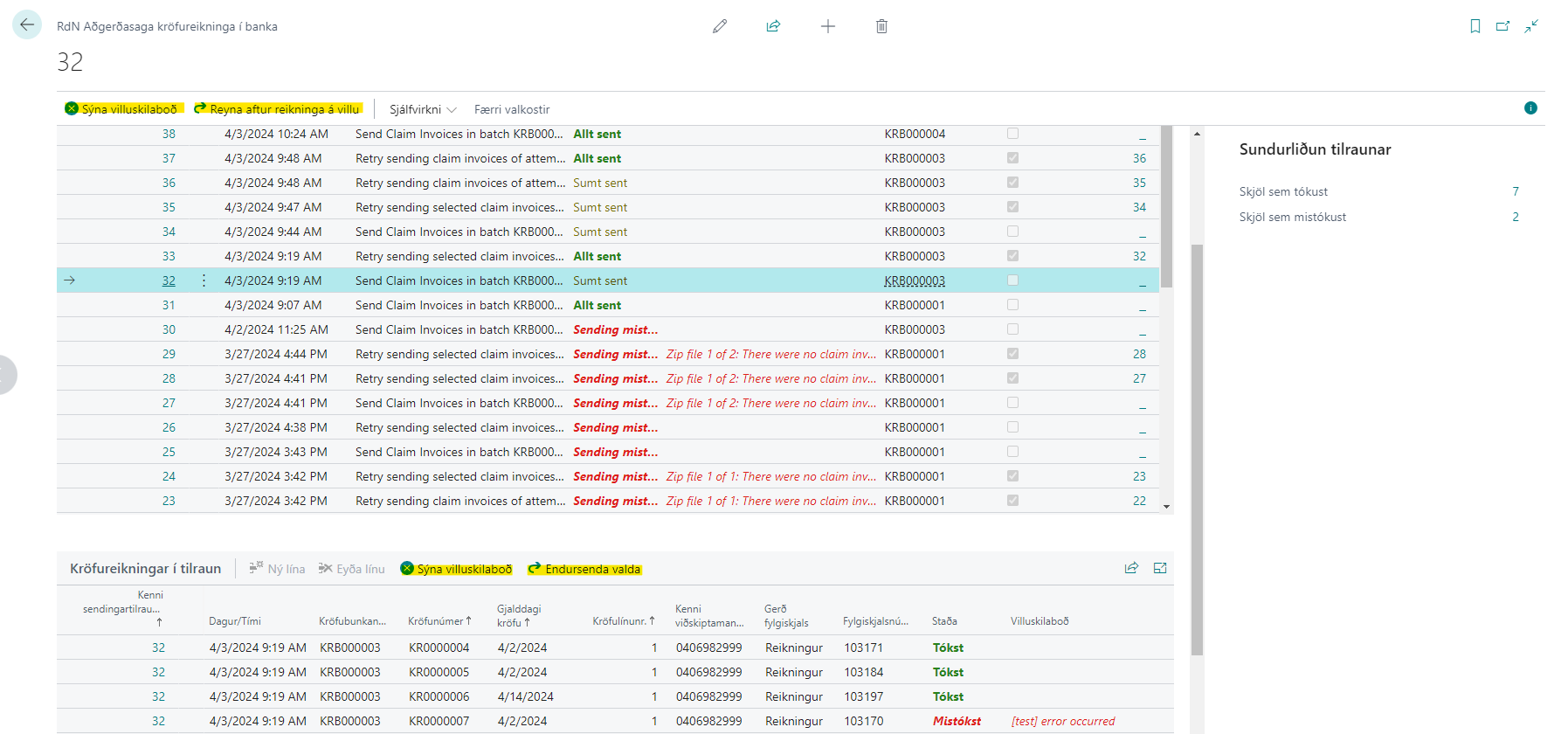
Here you can find explanations of fields and actions on lists and cards for the transaction history of attempts to send claim invoices to the bank. See description of functionality here.
Fields and actions are mostly the same for both list page and card page, so they are listed together below.
Picture 1: List of attempts to send invoices behind claims to the bank
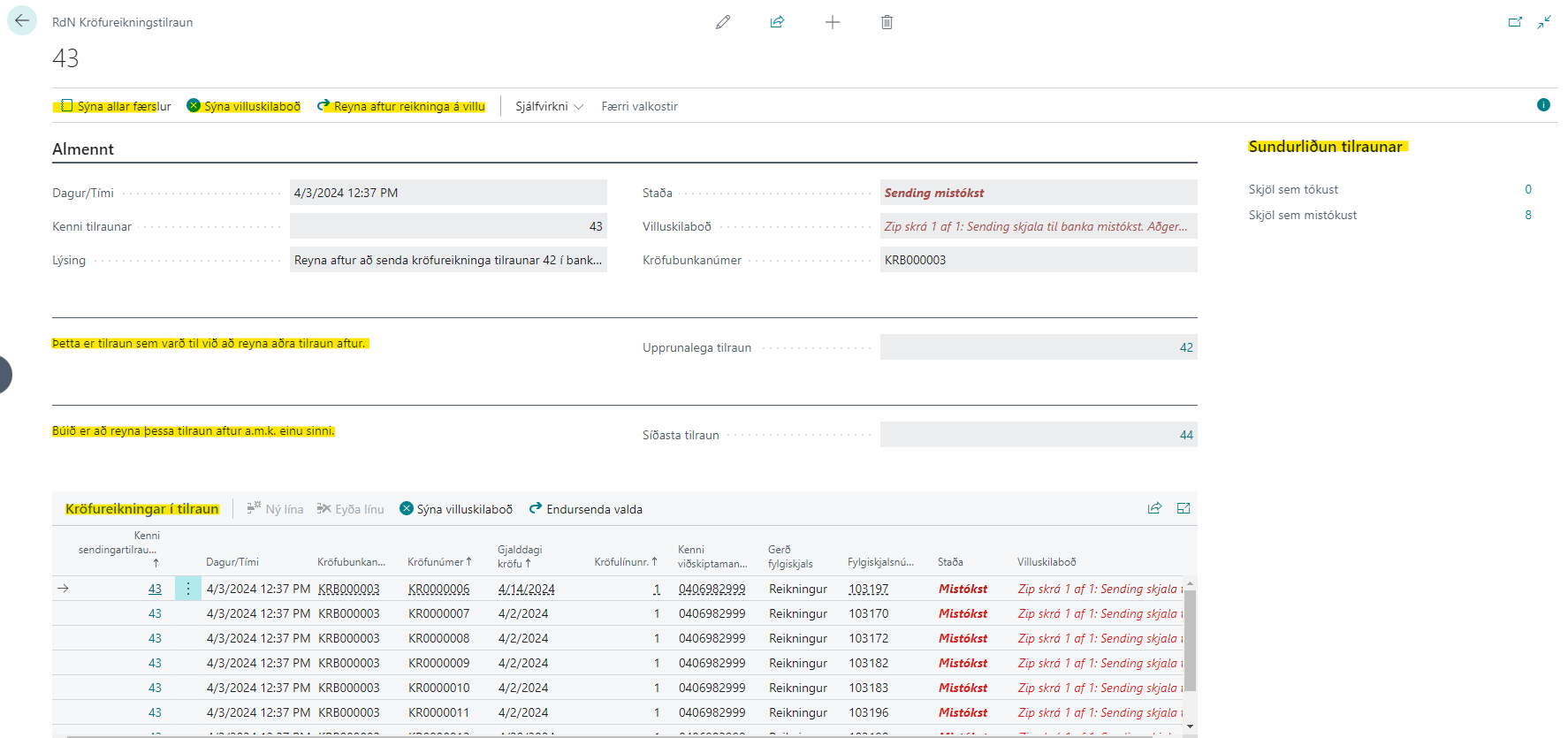
Picture 2: Example of card page of attempt that failed
We see that it is a result of attempting the previous attempt again. In addition, you can see that this attempt has been tried again. Information about the original attempt and the last attempt that attempted this attempt is on the card.
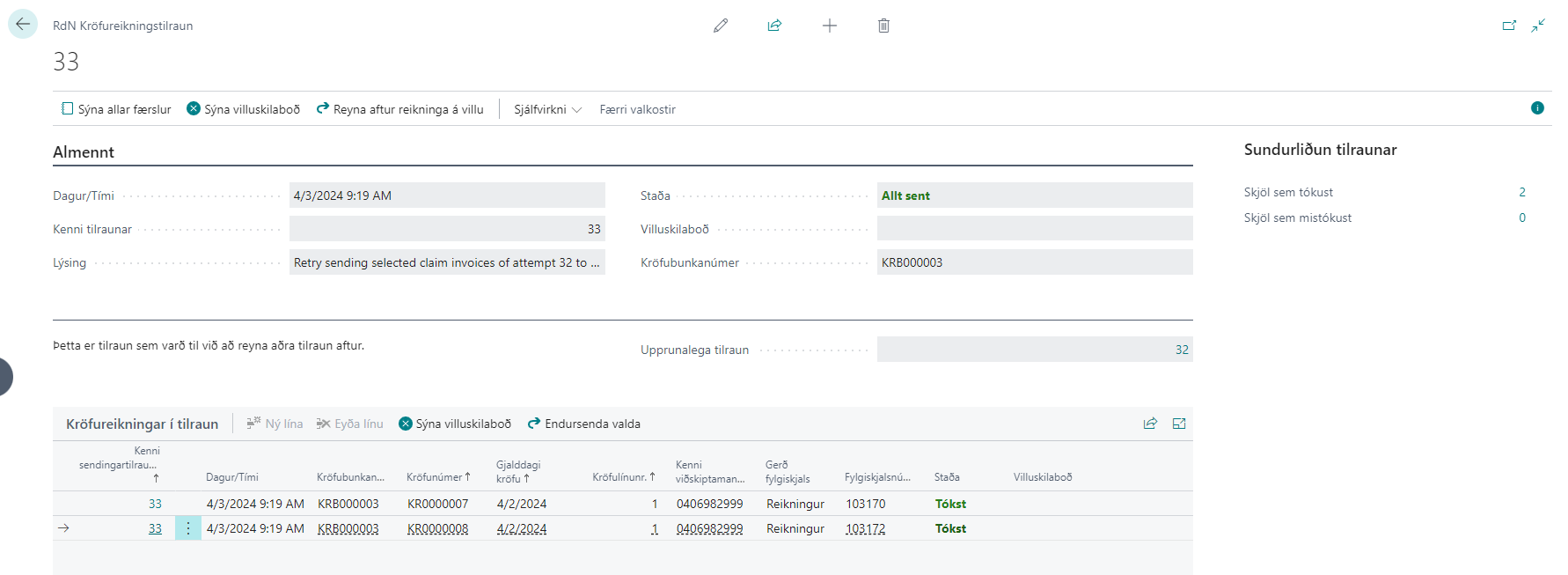
Picture 3: Example of card page of attempt that succeeded
Fields
| Field | Description |
|---|---|
| Attempt ID | Unique identifier of this attempt. |
| Date/Time | Time of this attempt. |
| Description | Description of this attempt. Examples of values: - Send claim invoices from batch KRB000055 to the bank. - Retry sending claim invoices attempt 177 to the bank. - Retry sending selected claim invoices from attempt 177 to the bank. |
| Status | Attempts have status, but so do individual invoices in an attempt (see the Claim invoices in attempt sub-page). Invoice status has two possible values, "Success" or "Failed". The status is then "Success" if the invoice was included in the compressed file sent to the bank. An invoice is never marked "Success" in an attempt that did not reach the bank completely. An attempt has the status "Transmission failed" if nothing was sent to the bank. If all invoices in an attempt were sent without errors, the attempt has the status "All sent". Finally, an attempt gets the status "Partially sent" if some invoices were successfully sent to the bank but there are still some with the status "Failed". Note that although a document is marked as "Success", it is unfortunately not thereby said that the document has reached all the way to the publication system of the Accounting Office of Banks, see Disclaimer about document status below. |
| Error message | Error message of the attempt if any, or error message when creating individual claim invoices on the Claim invoices in attempt sub-page. |
| Claim Batch number | Claim Batch number that the original attempt was created to send. |
| Attempt retries | Indicates whether the attempt is a result of retrying another attempt. |
| Original attempt | ID of original attempt. This attempt was a result of retrying the original attempt. |
| Last attempt | ID of last attempt that retried this attempt. |
Actions
| Action | Description |
|---|---|
| Show all records | Action on card page that opens the list page. |
| Show error messages | Shows error messages of the attempt if any. Note that it shows not the details of individual invoices but the attempt as a whole. Error messages for individual invoices are accessible with a similarly named action under Claim invoices in attempt. |
| Retry failed invoices | Attempts to recreate the invoices that failed in the attempt based on the claim invoice transaction history and sends those that will be correct if any. This creates a new transaction history entry that summarizes the results. |
| Resend selected | Action on the Claim invoices in attempt sub-page. Attempts to recreate the selected invoices and sends those that will be correct if any. This creates a new attempt in the transaction history that summarizes the results of the transmissions. |
| Open payment slip transaction history | Opens the transaction history of payment slips filtered on the same Claim Batch, to see the status of payment slips alongside invoices if any. |
Disclaimer about document status
Note that if a document is marked as sent, it is unfortunately not thereby said that it has reached all the way to the home bank but only that it was successfully sent to the web service intermediary of the relevant bank.
Then the bank has to send the documents further to the Accounting Office of Banks (RB) which then further processes them with its own error checking.
If the documents reach all the way to the RB publication system, the person registered for their mail will receive confirmation and breakdown of the read of the documents. Updated documents are those that have been read more than once if any. If an invoice has previously been sent to the recipient, it will be overwritten instead of appearing twice in the home bank of the recipient.