Server Setup
The server setup defines connections to external data stores. Table setups then reference these server configurations. You can set up multiple connections to synchronize data to different databases. To open the list you can search for "SQL Connector Server Setup" or select the "Server Setup" action available on most pages in the system.
Server List
The list shows all configured connections along with key information. Note that it is best to edit these settings through the card that opens when clicking on the primary key of an entry in the list.
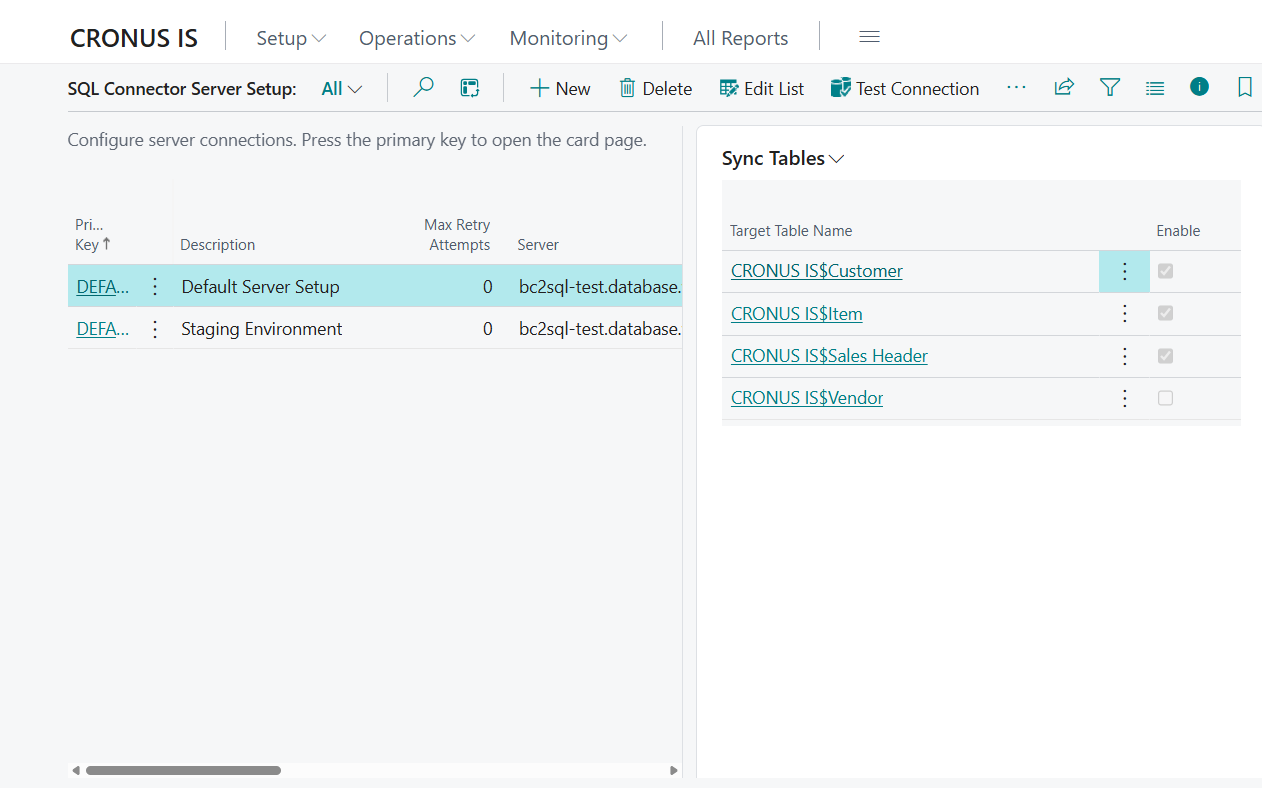
| Column | Description |
|---|---|
| Primary Key | Unique code identifying this connection (e.g. SQLDEV, PROD) |
| Description | Free-text description of the connection |
| Max Retry Attempts | How many times to retry a failed dispatch |
| Server | Server address |
| Database | Database name |
| User Name | Username used for authentication |
| App Path | Azure Function endpoint path |
| Trust Server Certificate | Whether to trust a self-signed certificate (for dev environments) |
| Send failure notification to | Email address that receives error notifications |
Actions on list page
| Action | Description |
|---|---|
| Test Connection | Tests the connection to the server via the selected transfer method |
You can also navigate directly to synchronization tables, processing log, deletion log and automation from the list page.
The FactBox displays a list of tables linked to this server setup.
Synchronization Overview
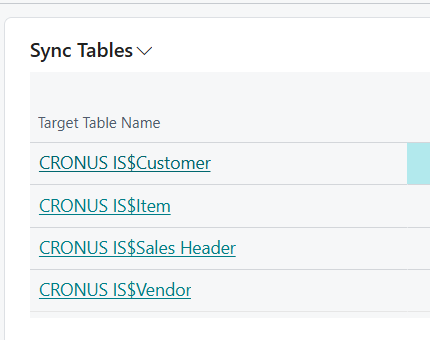
The FactBox shows the configured tables for the selected server.
Server Card
Click the primary key of an entry in the list to open the detailed setup card.
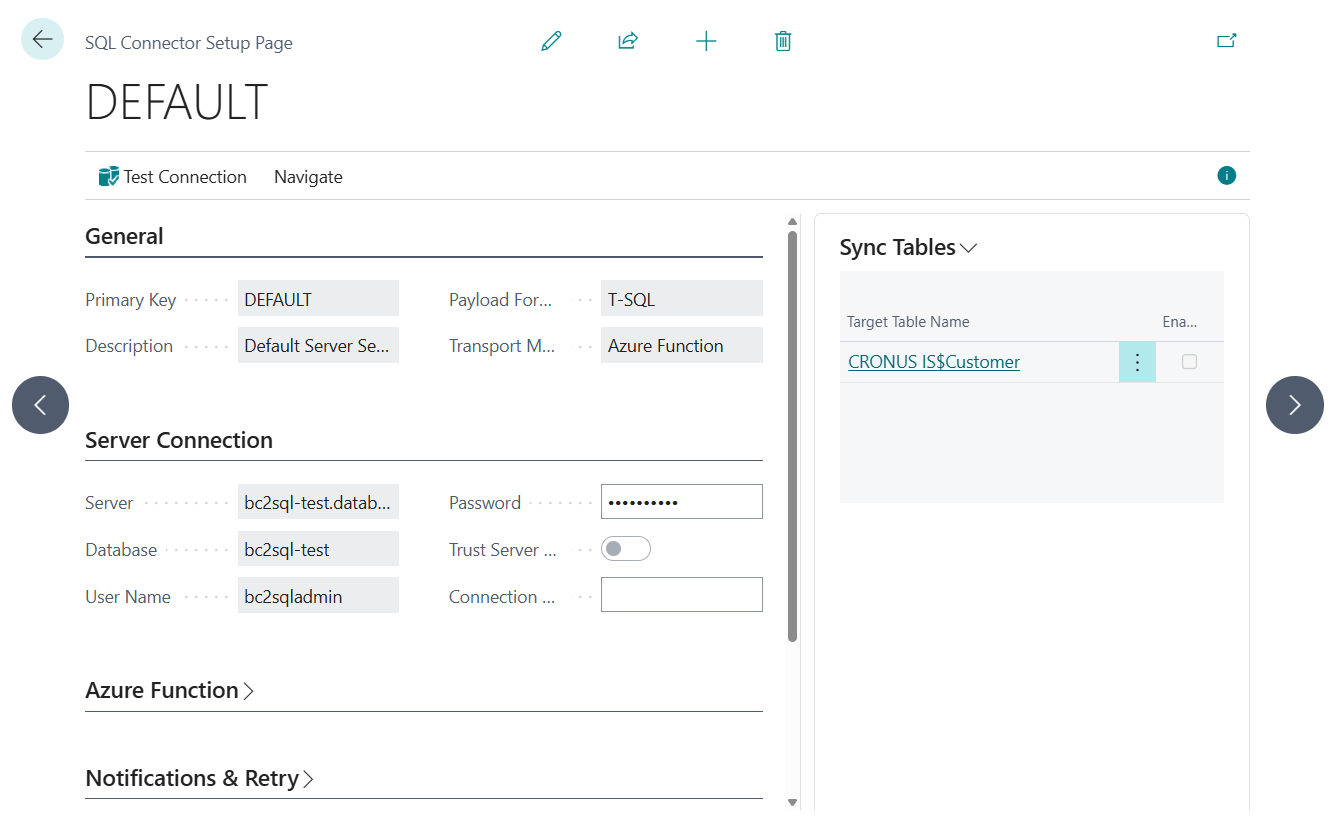
General
| Field | Description |
|---|---|
| Primary Key | Unique code identifying this connection (e.g. SQLDEV, PROD) |
| Description | Free-text description of the connection |
| Payload Format | Format of data packages. Currently only T-SQL is supported |
| Transport Method | How data packages are delivered. Currently only Azure Function is supported |
Server Connection
| Field | Description |
|---|---|
| Server | Server address |
| Database | Database name |
| User Name | SQL login. Leave empty when using Managed Identity |
| Password | SQL password (stored in secure storage, displayed as ***). Leave empty when using Managed Identity |
| Trust Server Certificate | Whether to trust a self-signed certificate (for dev environments) |
| Connection String | Alternative: enter a full connection string instead of individual fields (stored in secure storage) |
Azure Function
| Field | Description |
|---|---|
| App Path | Azure Function endpoint URL (e.g. https://bc2sql-func.azurewebsites.net/api/ExecuteSQLCommand) |
| App Key | Azure Function API key for authentication (stored in secure storage, displayed as ***). The key can be found in the Azure Portal under Function App → App Keys → Host keys (or Function keys) |
Notifications & Retries
| Field | Description |
|---|---|
| Send failure notification to | Email address that receives notifications when synchronization fails |
| Notification Level | When to send notifications: Failures only (default), All or None |
| Notification Method | Notification channel. Default: Email |
| Max Retry Attempts | Number of retries before giving up on a failed dispatch |
| Stop Package on Error | When enabled, pending entries for a package type are blocked if that package currently has failed entries |
| Log Retention Days | How long processing log entries are kept. Set to 0 to disable automatic cleanup. (default: 30 days) |
| Delete Log Retention Days | How long deletion log entries are kept. Set to 0 to disable automatic cleanup. (default: 30 days) |
Advanced Settings
| Field | Description |
|---|---|
| HTTP Timeout (ms) | Maximum time to wait for a response from Azure Function (default: 300,000 ms / 5 minutes, minimum: 5,000 ms) |
| Compress Payload | When enabled, the data package is GZip-compressed before being sent |
| Decimal Precision | SQL DECIMAL precision for decimal fields (default: 38, range: 1–38) |
| Decimal Scale | SQL DECIMAL scale for decimal fields (default: 20, range: 0–38) |
Batch Size Advisor
Settings used to generate batch size suggestions.
| Field | Description |
|---|---|
| Target Payload (KB) | Maximum payload size used for batch size estimation (default: 4,096 KB / 4 MB, minimum: 256 KB) |
| Safety Margin % | Safety margin subtracted from payload and timeout limits during estimation (default: 20%, range: 0–50%) |
| Transfer Rate (bytes/ms) | Assumed transfer speed used for timeout-based batch size estimation (default: 500 bytes/ms, minimum: 50) |
| Default Batch Fallback | Fallback batch size when estimation cannot determine a better value (default: 200, minimum: 1) |
Actions on card
| Action | Description |
|---|---|
| Test Connection | Tests the connection to the server via the selected transfer method |
Credential Security
- Passwords, API keys and connection strings are never stored as plain text in the database.
- They are stored in Isolated Storage, a key vault in Business Central specifically designed for secret values.
- The interface displays
***when a secret value has been set, and an empty field when nothing is stored, but the value is not exportable.