Comments
Comments are the communication channel between approvers and accounting. They are recorded on the document and are visible both on the web and in Business Central.
Comments on a document
Open a document and select the Comments tab.
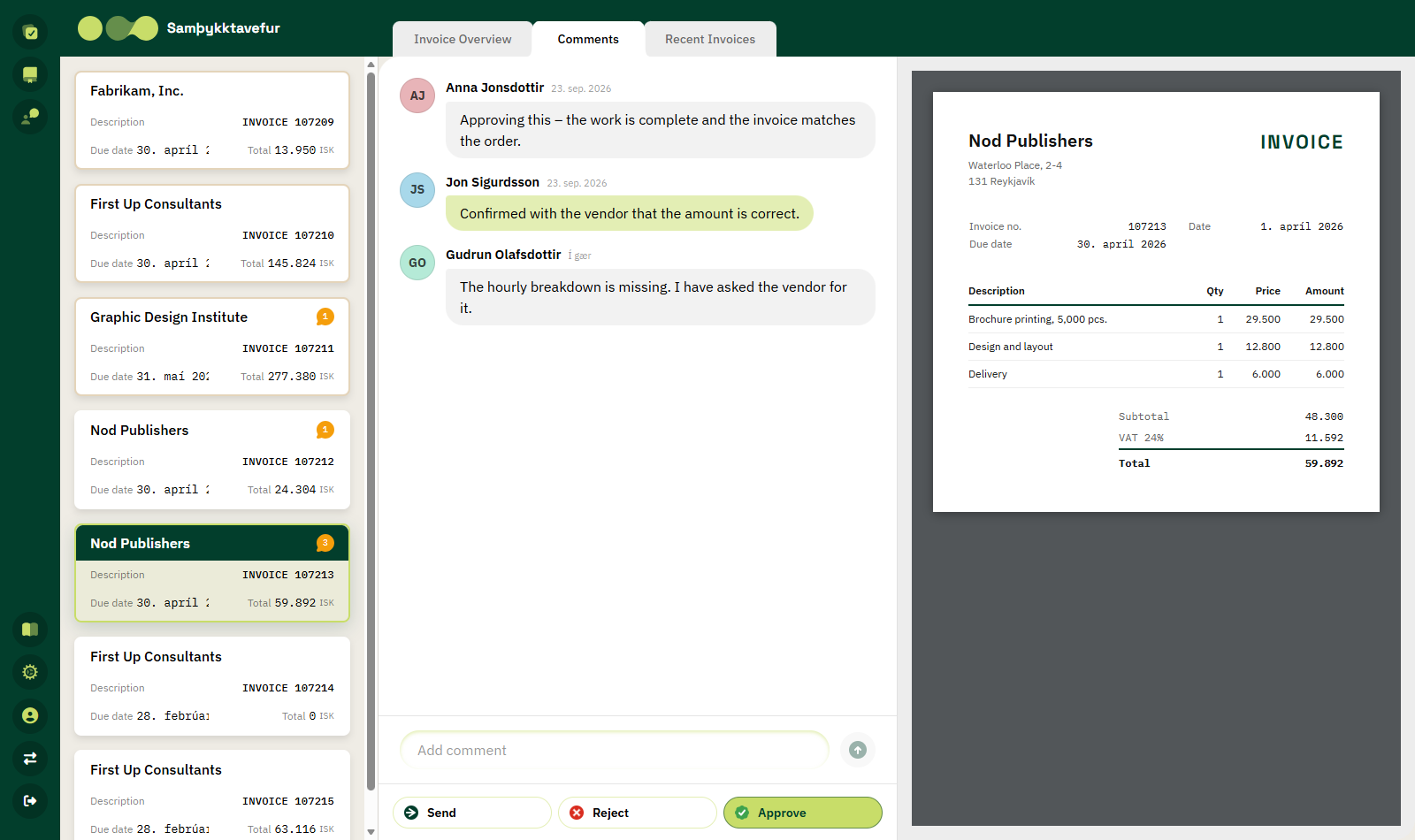
Comments appear in chronological order, oldest first. Each comment shows the initials and name of the person who wrote it, along with when it was written (for example Just now, 3 h, Yesterday or a date).
Writing a comment
- Click the Add comment box at the bottom.
- Type your text.
- Press Enter or click the send button.
The comment appears in the list immediately.
If there are no comments on the document, the message No comment yet. appears.
Comments belong to the document, not to lines
Comments are always recorded on the document as a whole, not on individual lines.
Comments from rejections
When you reject a document, the reason and description you entered are automatically saved as a comment. This lets the accountant see immediately why the document was rejected.
Overview of all comments
Click Comments in the left-hand menu to see all comments on documents related to you, newest first.
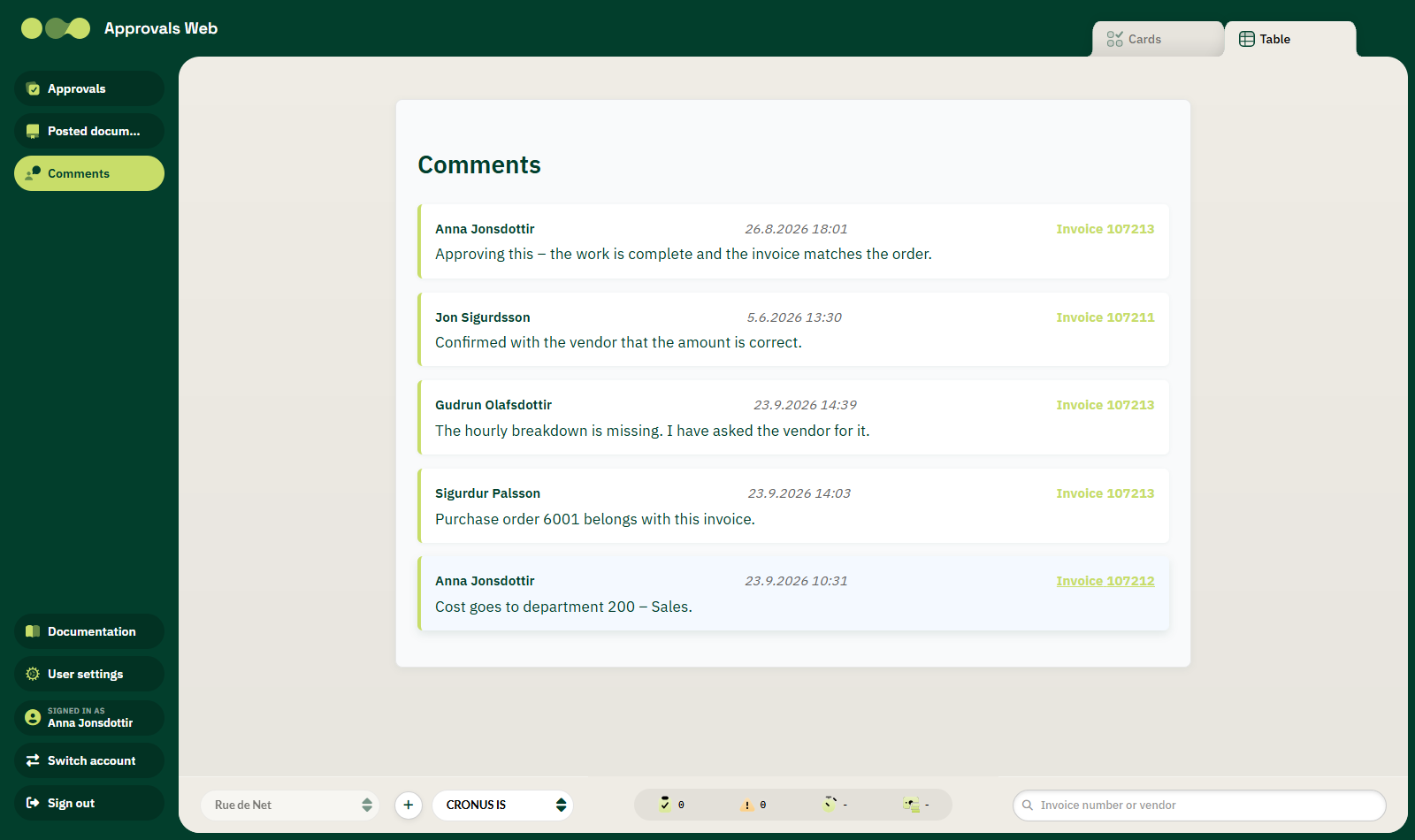
Each entry shows:
| Field | Description |
|---|---|
| Name | Who wrote the comment. |
| Date and time | When it was written. |
| Document | Document type and number, for example Invoice 107213. |
| Text | The content of the comment. |
Click an entry to open the document it belongs to. The back link then returns you to the comments overview.
Comment count in the list
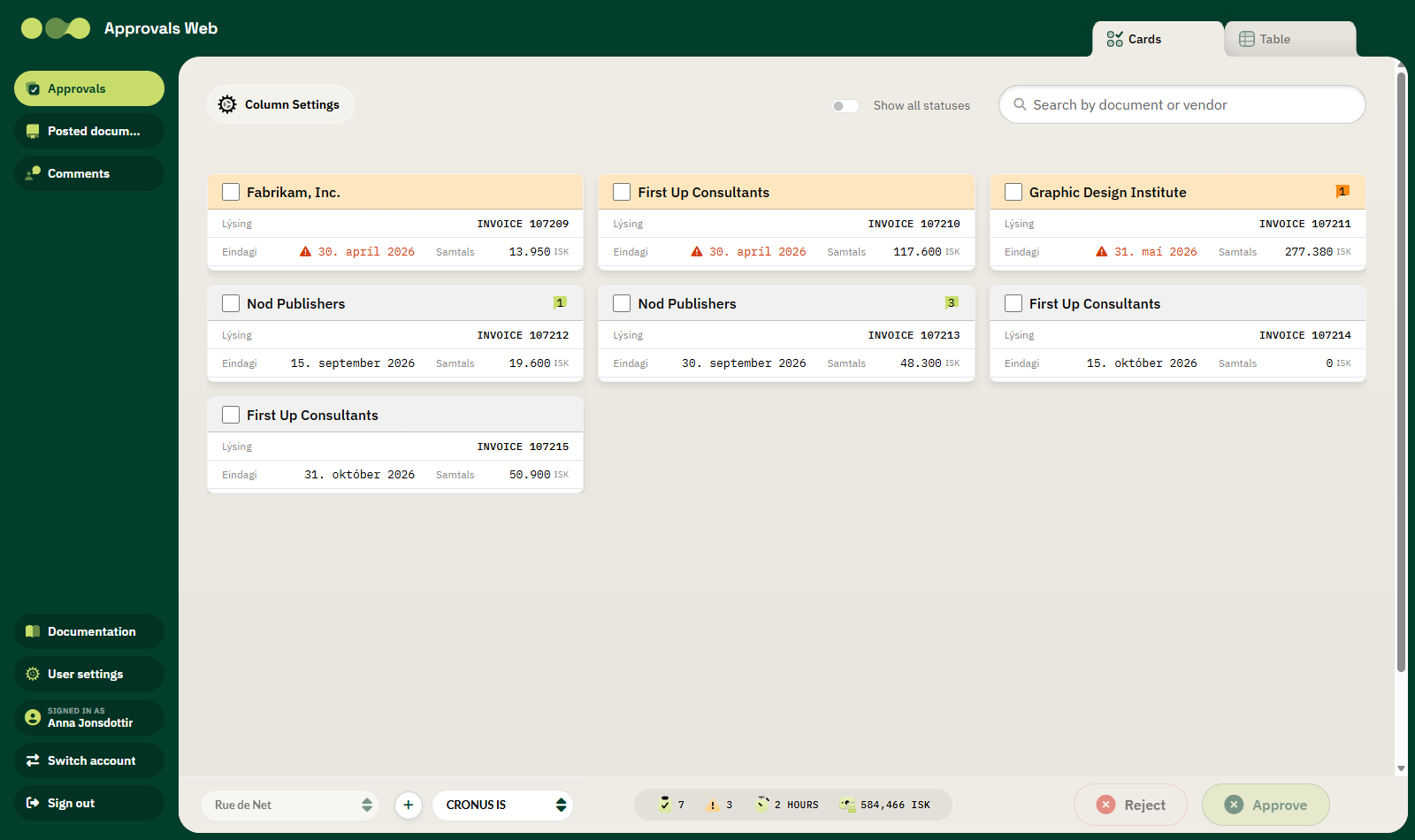
In the approvals list, the speech-bubble icon shows how many comments each document has.