Rue de Net Approvals Web
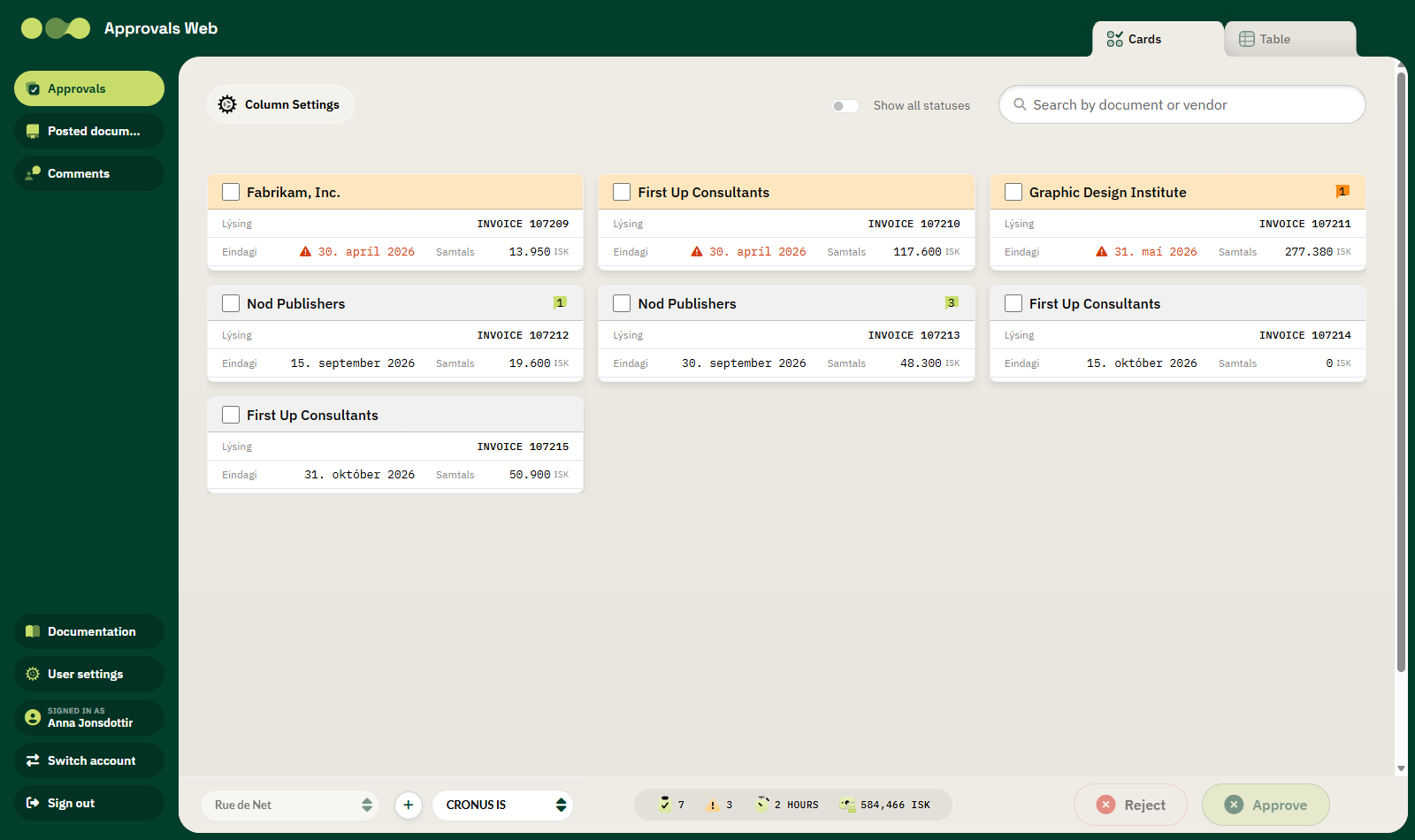
The Approvals Web is a web application that lets you approve and reject invoices and other purchase documents from Microsoft Dynamics 365 Business Central — without opening Business Central.
The site connects directly to Rue de Net Approvals in Business Central and updates automatically. When you approve an invoice on the web, its status changes in Business Central immediately.
Who is it for?
You do not need to know Business Central to use the Approvals Web. The interface is designed for everyone — whether you are a CEO, a department manager or someone who approves invoices occasionally. Accounting handles registration and posting in Business Central; you handle the approval.
Key features
| Feature | Description |
|---|---|
| Card and table views | Choose whether to see requests as cards or in a table. |
| Bulk approvals | Select several invoices and approve or reject them at once. |
| Invoice overview | See the header, lines, dimensions and amounts of the invoice. |
| Line approvals | Approve or reject individual invoice lines. |
| Attachments | View PDFs and images side by side with the invoice. |
| Comments | Write and read comments on each document. |
| Delegate | Forward an approval to another user. |
| Posted documents | Look up posted purchase invoices. |
| KPIs | Pending count, overdue count, average processing time and total value. |
| Mobile interface | The site works equally well on a phone and on a computer. |
| Two languages | Icelandic and English. |
Requirements
- A user with access to your company's Microsoft Entra ID (Azure AD).
- A Business Central environment where Rue de Net Approvals is installed.
- Approval permissions in Business Central. The site uses your own Business Central permissions — no separate user setup is required for the web.
Next steps
- Getting started — signing in, the interface and choosing a company.
- Usage — daily work: approve, reject, comments and attachments.
- Settings — language, columns and Microsoft tenants.
- Troubleshooting — common messages and what they mean.