Customer Bank Settings
On the customer card there is a field Customer Bank Settings. If this field is filled in, the values will take precedence over the values in the Settings - Claims window.
Customer Bank Settings
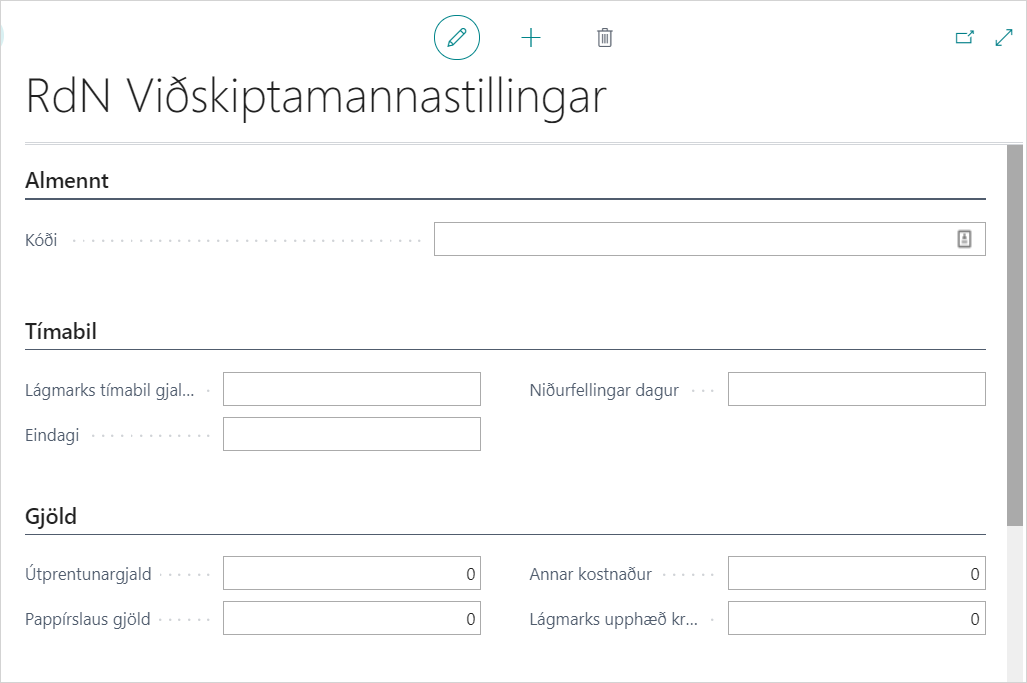
| Field | Description |
|---|---|
| Code | Code for bank settings. |
| Minimum Due Date Period | The shortest period from creation of claim to due date. |
| Final Date | Final date of claims, e.g. 7D for 7 days after due date. |
| Write-Off Day | After how many days the claim is automatically written off in the bank if it has not been paid. |
| Notification Fee | Specifies the notification fee of the claim. This fee is added to the original amount. |
| Printing Fee | Specifies the printing fee for all paper claims. This fee is added to the original amount. |
| Paperless Fees | Specifies fees on paperless transactions. This fee is added to the original amount. |
| Other Cost | Specifies other costs to be added to the payment slip. |
| Minimum Claim Amount | Specifies the minimum amount that must be on the sales invoice for a claim to be created. |
| Late Fees | Which late fees are calculated on claims. Options: Calculate Fees, No Fees, Special Code. |
| Special Code Late Fees | If a special code is defined in "Late Fees", a code must be specified here. |
| Type of Default Fee | No Default Fee, Due Date-values are amounts/percentages, Final Date-values are amounts/percentages. |
| Partial Payment Allowed Automatically | If this field is checked, it will appear on all created claims which are then marked in the bank. |
| First Default Fee | Specify the amount of the default fee. |
| Second Default Fee | Specify the amount of the second default fee. |
| Days Before First Default | Number of days after due date or final date when the first default fee should be added to the claim. |
| Days Before Second Default | Number of days after due date or final date when the second default fee should be added to the claim. |