Automatic Monitoring of Job Queue Entries
Job queue entries tend to 'drop out', i.e. an entry has the status 'Ready' but is not scheduled (see image below). The job does not run while the entry is in this status. There is an option to monitor job queue entries and receive a notification when an entry is in this status.

Settings
User Setup
To monitor job queue entries, a user must have 'Monitor Job Queue Entries' set in User Setup.

Job Queue Entries
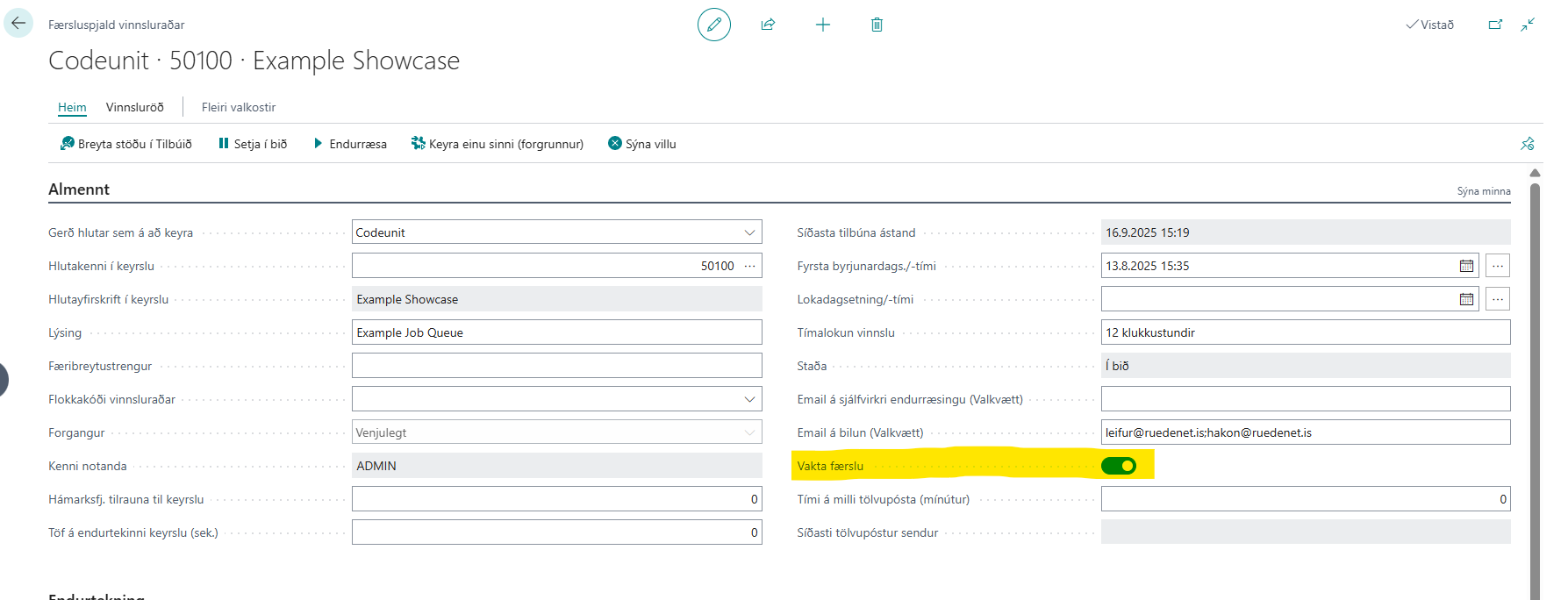
Then you can select which job queue entries you want to monitor. This is done by checking the 'Monitor Entry' field.
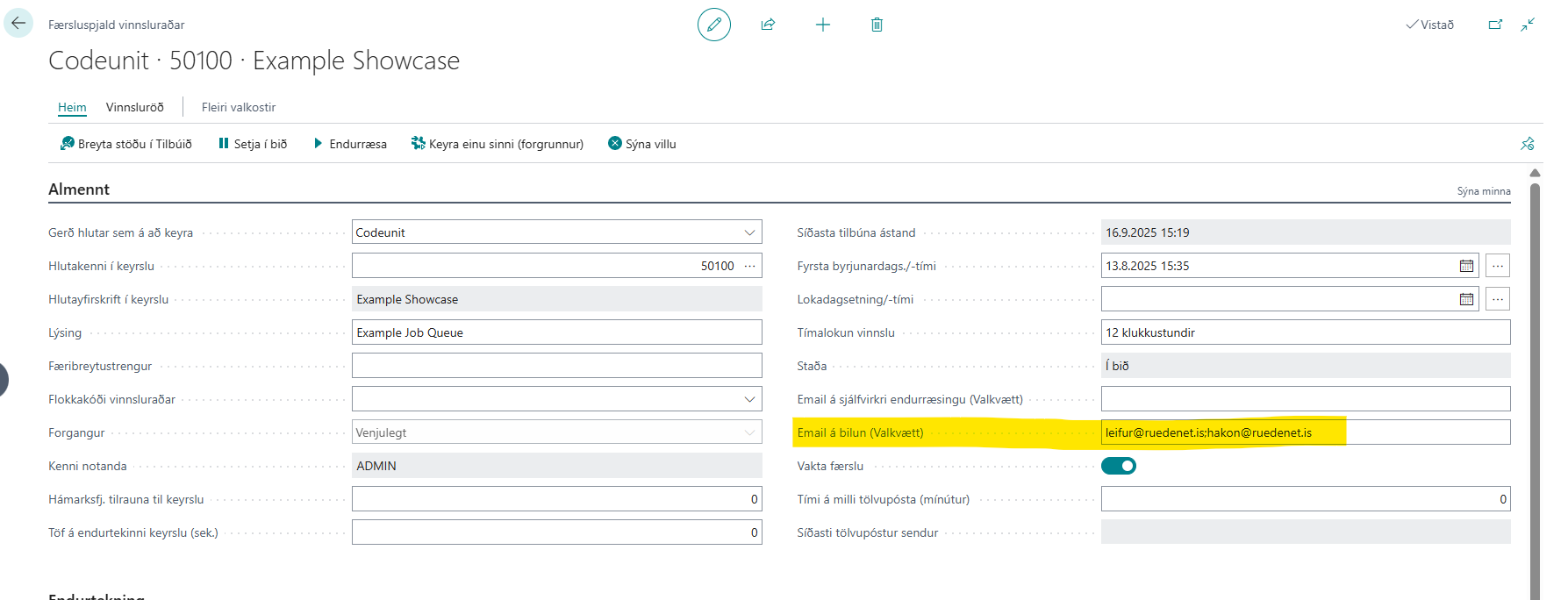
It is possible to register an email address on entries, which will be sent a notification if the entry is in error. It is possible to send notifications to more than one user. Make sure to use a semicolon (;) and no spaces between email addresses.
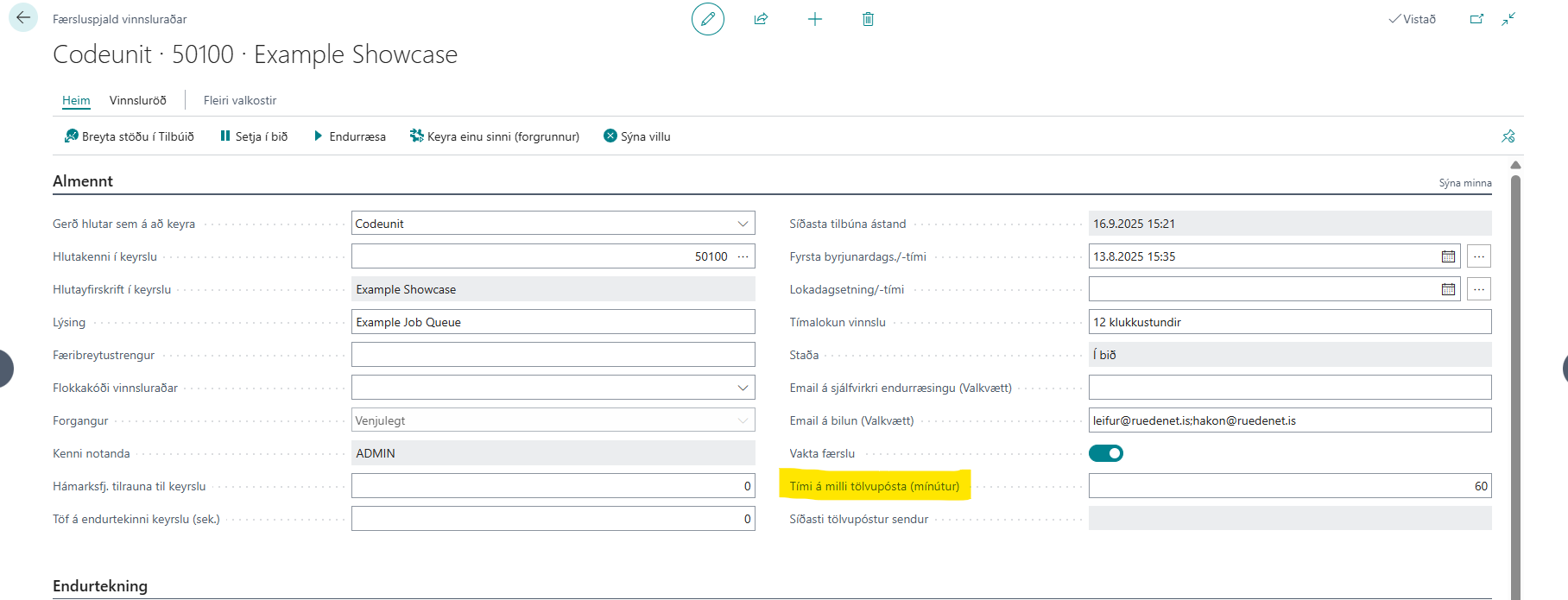
It is also possible to set the time between notifications. It is recommended to set this time in accordance with the 'Minutes Between Runs' field.
Notifications
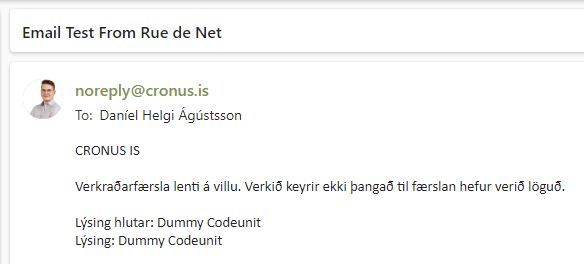
Example of notification sent via email
Notifications in BC
When a user goes to the 'Job Queue Entries' page, notifications appear if entries are in error. Two actions are attached to the notification: 'View Entry' and 'Restart Entry'. If 'View Entry' is clicked, the entry opens. If 'Restart Entry' is clicked, an attempt is made to restart the entry.
