Register Mappings
Mappings are the heart of the system. With mappings, the system can automatically create purchase invoices/credit memos from electronic invoices. Many different scenarios can occur, and the most common ones are covered here.
Filters and simplification
See Mappings with filters for how to use BC filters (for example, 100* or A*|B*), Tax Category, and Posting Information to reduce the number of mapping lines and to understand how the system selects a mapping.
1. Posting information in the header
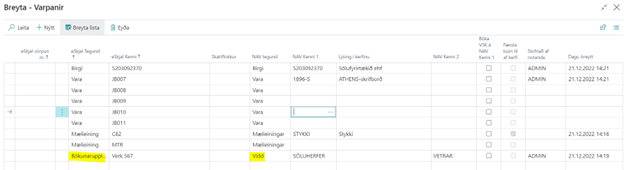
Dimensions (department and project) can be mapped from posting information in the invoice header. This could, for example, be a contract number, building name, or something else that identifies the invoice.
2. Posting information in the line
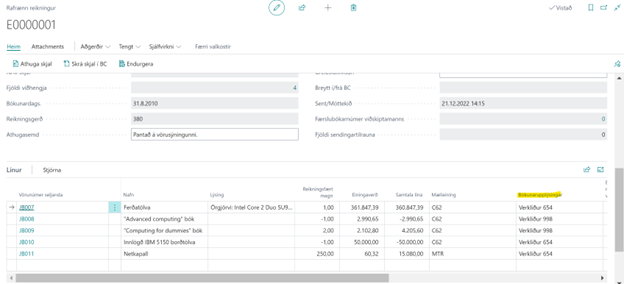
Dimensions (department and project) can be mapped from posting information in the invoice line. This could, for example, be a contract number, building name, or something else that identifies the invoice.
Posting information is shown in the line on an electronic invoice.
3. Multiple items that start with the same letter or digit:
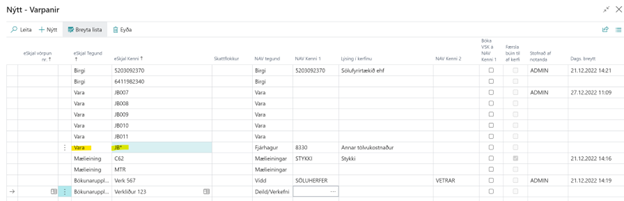
An additional line can be created using the beginning of the item number and *. This maps all items that start with the same characters to one G/L account or one item number.
4. Mapping to a G/L account without calculating VAT
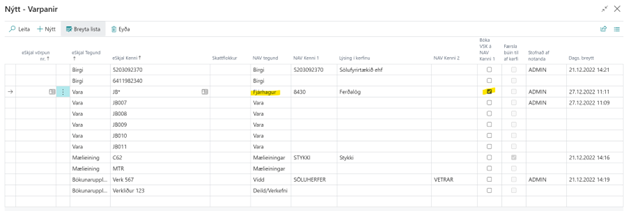
If this is a cost where VAT should not be calculated (for example, employee expenses), it should only be mapped to a G/L account without VAT; the Post VAT on NAV ID 1 field must be selected. This allows the mapping to be used even if the item is marked with VAT.
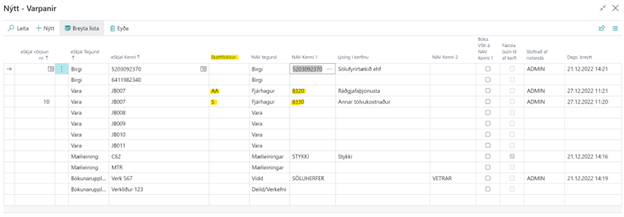
5. Map the same item number to different G/L accounts
By using a tax category in the mapping, you can distinguish which G/L account should be mapped, even if the item number is the same. This can be used when a vendor sends the same item number twice with different VAT %.
6. Register multiple dimensions in mappings:
When multiple dimensions are used in the system, posting information can be mapped to multiple dimensions in the invoice header and invoice lines.
See instructions here: https://docs.ruedenet.net/Docs/edocs/22.12.0/Leidbeiningar/SkraMargarViddirIVorpunum/