Support for Unimaze Approval System
Accounting Cost
In the Unimaze Approval System, an accounting cost can be set either on the invoice header or on an invoice line.
The idea is that if an accounting cost is set on the header, it should be applied to all lines. If it is set on a line, it should be applied to the line where it is set. Finally, if an accounting cost is set on both the header and lines, the cost on the header should be applied to all lines except those where one is set specifically.
Enable functionality
Enhanced support for these accounting costs can be enabled by selecting "Use Unimaze Approvals Posting Descriptions"
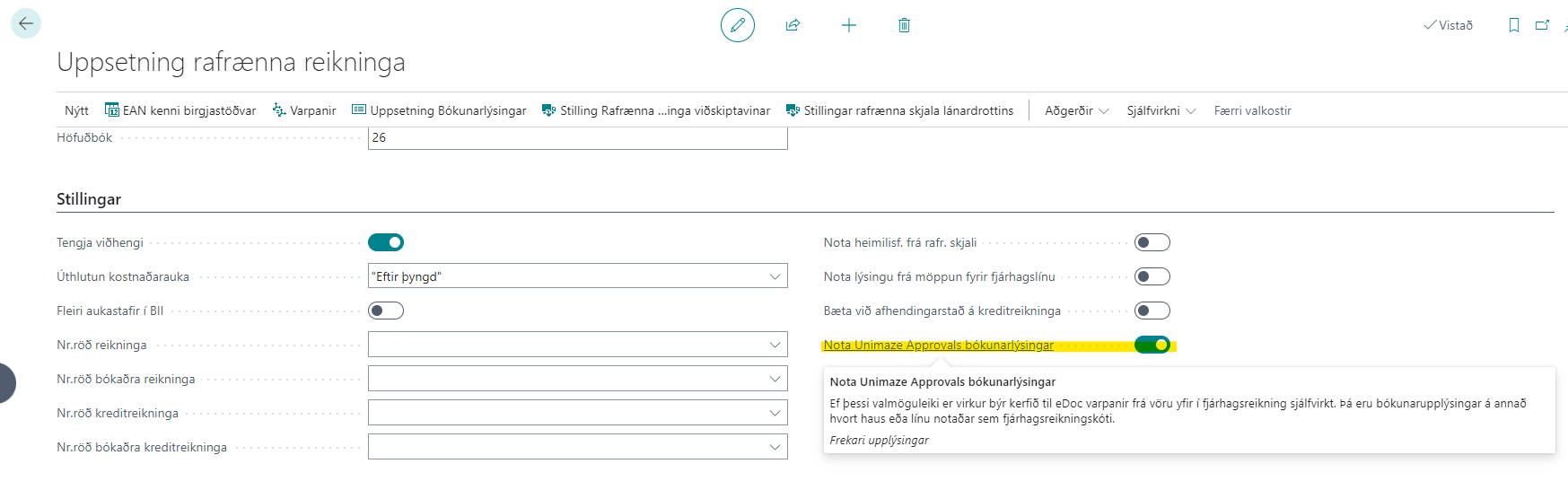
If this option is enabled, the system automatically creates eDoc mappings from items to G/L accounts, where posting information on either the header or line is used as the G/L account code. An accounting cost on a line then has higher priority than one on the header.
Skip functionality for individual invoices
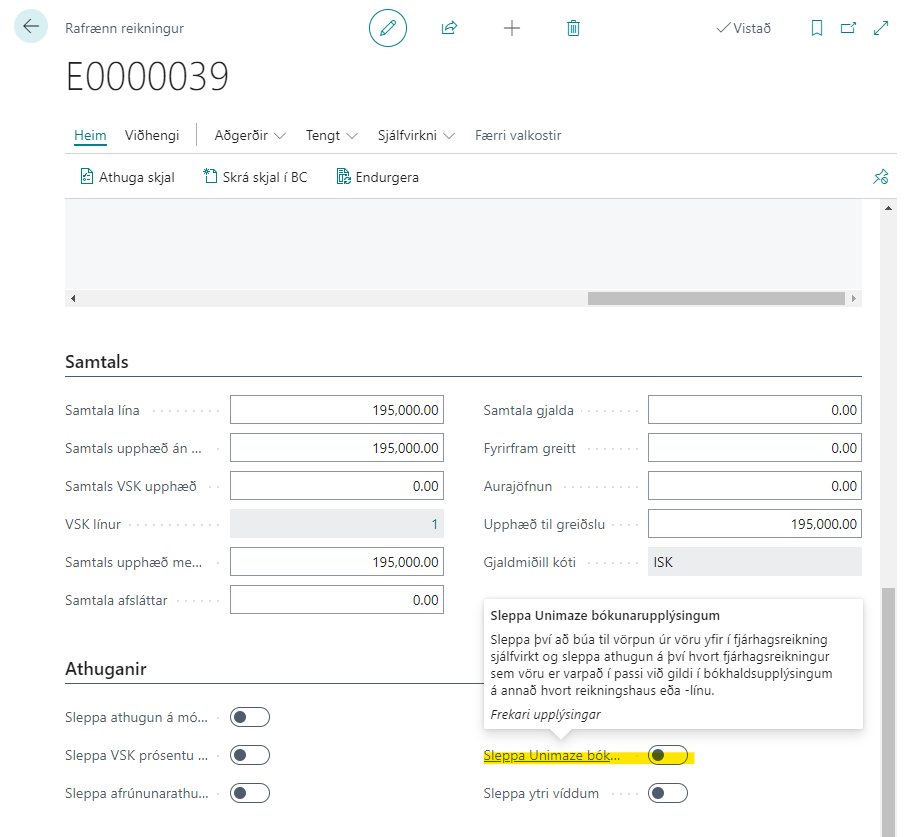
This functionality can be skipped for individual invoices by selecting "Skip Unimaze Posting Information" under "Validation" on the electronic invoice.
Dimensions (Reference Identifiers)
In the Unimaze Approval System, dimensions (Reference Identifiers) can be set on invoice headers and lines.
Dimensions from the Unimaze Approval System are based on a Peppol standard (see here).
For these dimensions to be carried all the way to an invoice in BC, "External Dimensions" must be enabled in eDoc Setup. Setup entries must also be generated for the external dimensions to be supported and their correspondence with BC dimensions.
See more details about setting up external dimensions and using them here.
Note that these dimensions are only supported when importing BII messages.