Invoice lines
At the bottom of the invoice overview is a table with the invoice lines.
| Column | Description |
|---|---|
| Description | The line description. |
| Qty | Quantity. |
| Unit Price | Price per unit. |
| Total | Total amount of the line. |
Viewing a line in detail
Click a line to expand it. Further details then appear.
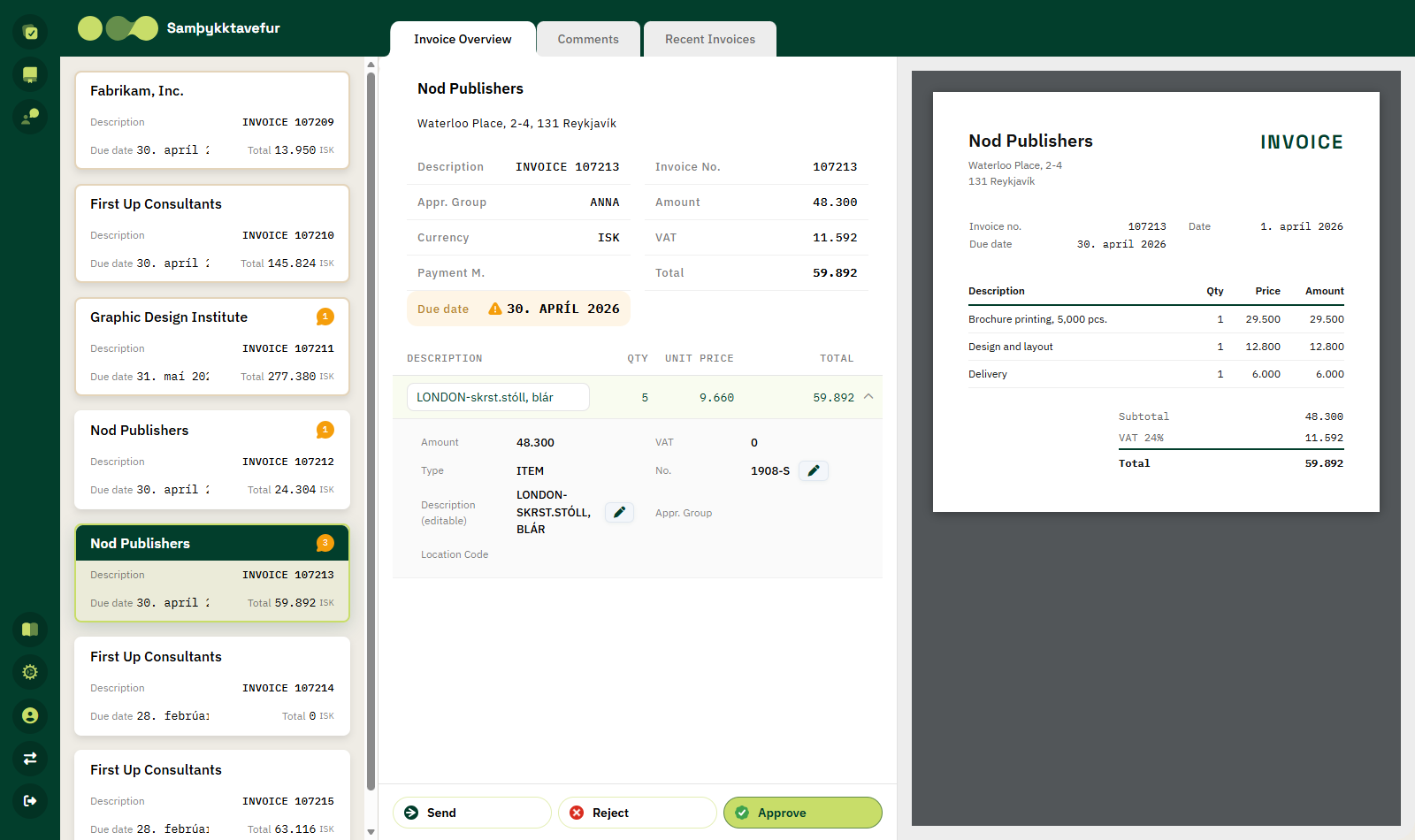
| Field | Description |
|---|---|
| Amount | The line amount excluding VAT. |
| VAT | VAT on the line. |
| Type | The line type, for example ITEM or G/L ACCOUNT. |
| No. | The item or G/L account number. |
| Description (editable) | The line description, which can be changed. |
| Appr. Group | The line's approver group, if the line is under line approval. |
| Location Code | The location of the item. |
| Dimensions | The line dimensions with names from Business Central. |
Click the line again to collapse it.
Editing a line
If you are allowed to edit the line, pencil buttons appear next to No., Description (editable) and the dimension values.
- Click the pencil.
- Choose a new value or write a new description (max 100 characters).
- The change is saved immediately in Business Central.
When can you edit?
You can only edit a line that has not already been approved or released, and where you are the approver of the line (or of the invoice, if the line has no separate approver group).
Line approvals
Rue de Net Approvals can send individual lines of an invoice for approval instead of the whole invoice. This is useful when different departments are responsible for different items on the same invoice.
If any line of the invoice awaits your approval, an action bar appears above the line table:
| Button | Description |
|---|---|
| Checkbox | Selects all lines you are allowed to handle. |
| Approve Selected | Approves the selected lines. |
| Decline Selected | Rejects the selected lines. |
Tick the checkbox in front of each line you want to handle and click the appropriate button. Approved lines are highlighted in the table.
See also Line approvals in the Approvals documentation.
If a line action fails
| Message | Explanation |
|---|---|
| Error performing line action | Business Central rejected the approval or rejection of the line. |
| Error updating line | The change to the line could not be saved. |
| Error updating dimension | The new dimension value could not be saved. |