General Setup
General setup is done once by an administrator. It starts the background job that fetches suggestions for everyone, and it is where you keep an eye on the users who have signed up for suggestions.
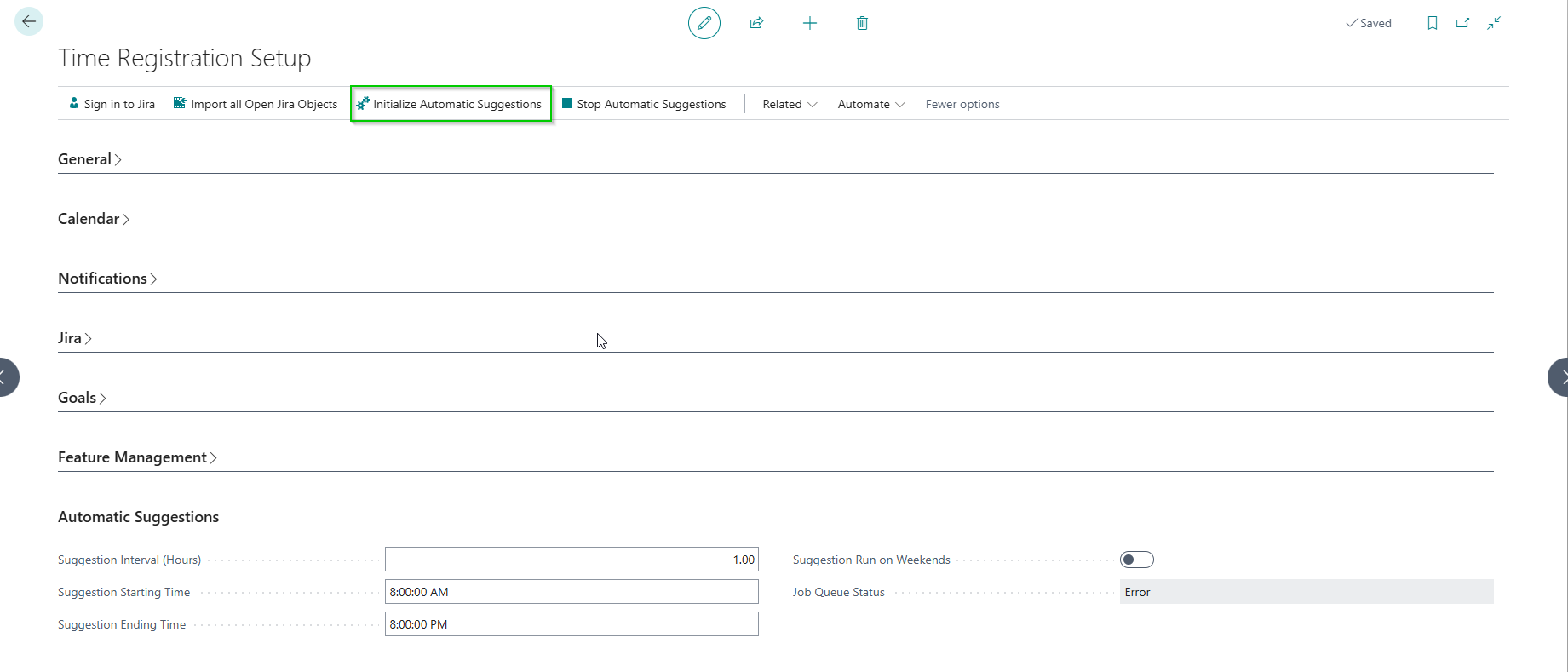
Everything on this page is configured from the Time Registration Setup page, in the Automatic Suggestions section.
Prerequisite: The AI Suggestions feature must be enabled. See Feature Activation.
Scheduling Settings
| Setting | Description |
|---|---|
| Suggestion Interval (Hours) | How often the system fetches new suggestions for all signed-in users |
| Suggestion Starting Time | Earliest time of day to run automatic suggestions |
| Suggestion Ending Time | Latest time of day to run automatic suggestions. Must be after the starting time |
| Suggestion Run on Weekends | Whether to run suggestions on Saturdays and Sundays |
| Job Queue Status | Read-only status of the automatic suggestions job queue entry |
Starting and Stopping the Job Queue
- Initialize Automatic Suggestions — Creates the recurring Job Queue Entry that powers automatic suggestions. Fill in Suggestion Interval (Hours) first. If the job already exists, you are asked whether you want to recreate it.
- Stop Automatic Suggestions — Puts the Job Queue Entry on hold. Users remain signed in, but no new suggestions are fetched until you initialize it again.
The Job Queue Status field reflects the current state of the entry, so you can confirm that it is running.
Note: No AI model, URL or token needs to be configured. All AI processing is handled server-side by the Time Registration API.
Viewing Logged-In Users
Click View Signed-In Users on the Time Registration Setup page to open the Suggestion User Logins page. It lists every user who has signed in to the suggestion service, when they connected, whether their login is active, and the last error encountered while processing them.
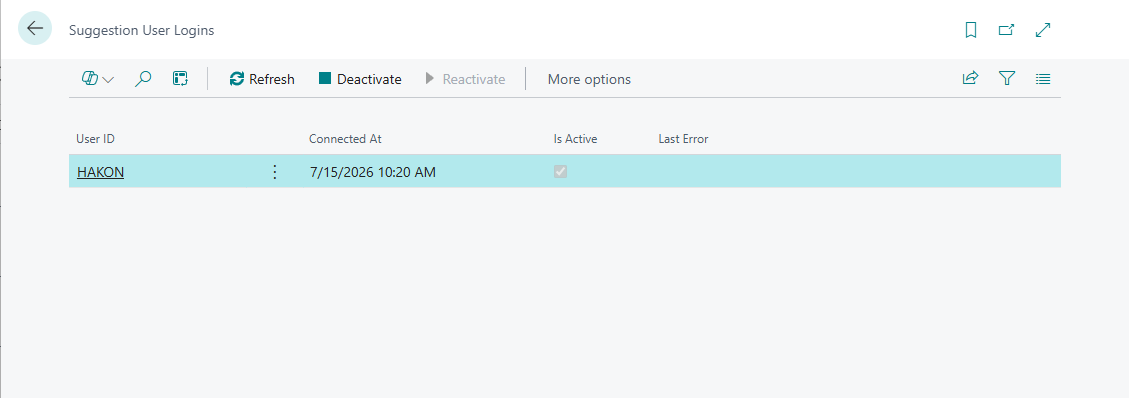
From this page you can:
- Deactivate a user's login, so the automatic job skips that user
- Reactivate a previously deactivated login
- Review the last error if suggestion processing failed for a user
- Refresh the list
Next Step
Each user then connects their own accounts and picks their data sources. See User Setup.