Setup
Permissions
Assign the GoalsPermission permission set to users who need access to goal‑related pages and actions.
Goal Setup
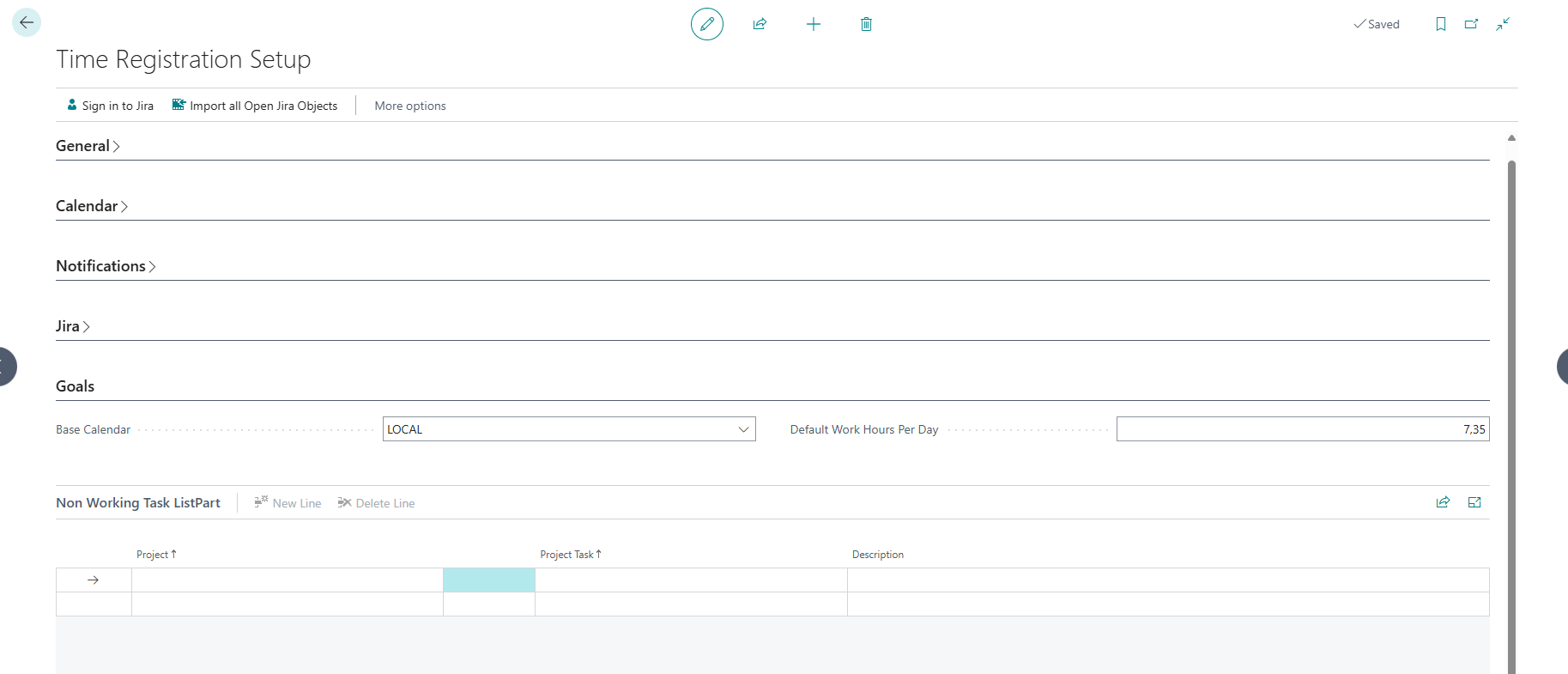
- Navigate to the Time Registration Setup page and find the Goals and Non Working Task ListPart groups
- Configure default goal parameters, such as:
- Base Calendar - Where you have defined holidays
- Default Work Hours Per Day
Non‑Working Tasks
Define entries in the Non Working Tasks table to ensure non‑productive time is excluded from goal calculations. The Recalculate Leave action on that list recalculates registered leave for the defined tasks.
Monthly Goals
Using the Time Registration Goals page:
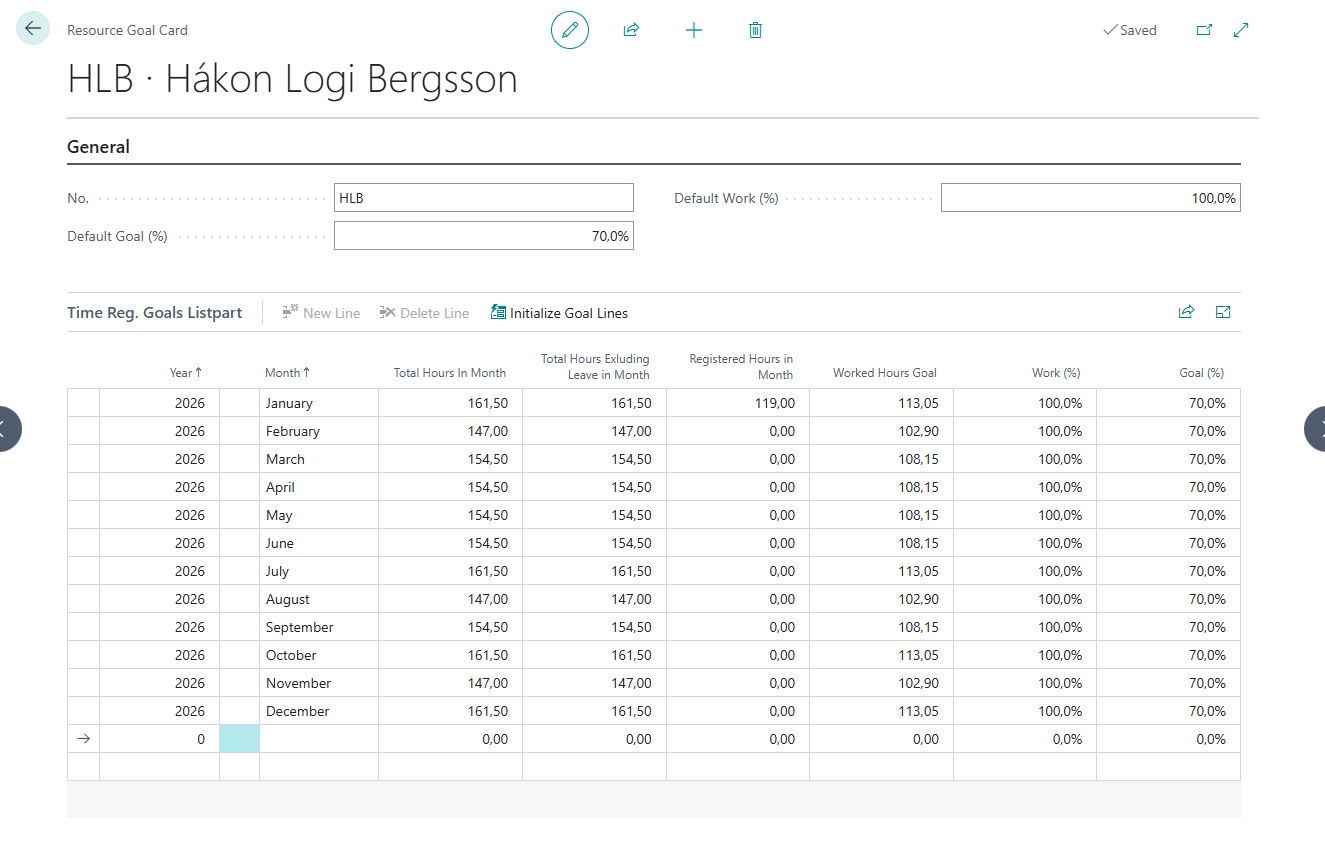
- Set the Default Goal (%) and Default Work (%) for each resource
- Open a resource's Resource Goal Card by clicking the resource name to review its defaults
- Click Initialize Goals to open the Initialize Goal Lines dialog, where you select a From Month and To Month and choose whether to Skip Existing Months. Goal lines are then created for every resource in the current filter.
- Use Validate Goal Months to revalidate existing goal lines and create any missing lines for the next 12 months
- On each goal line you can change the Work (%) and Goal (%) for the month
Monthly Goal Totals
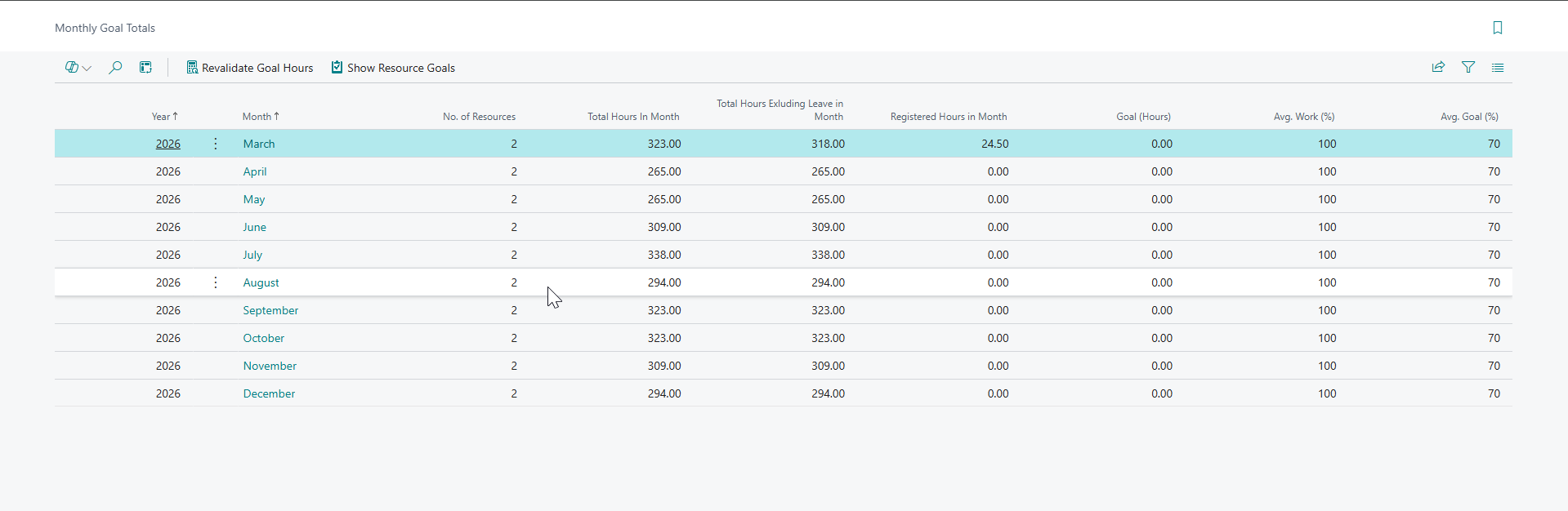
The Monthly Goal Totals page gives an aggregated view per month, showing the number of resources, average work % and average goal %. From there you can drill into Show Resource Goals or run Revalidate Goal Hours to recalculate the goal hours of the underlying lines.
Page Extensions and Factboxes
Several existing pages are extended to display goal‑related information.
The most important addition is the factbox added to the Calendar which allows the employee to see how they are doing on their goals