
Claim dates
This page is for administrators and consultants. Each claim has three dates: the due date, the final due date (Due Date 2, eindagi) and the cancellation date. Banking calculates them when the claim is created, from the invoice and the settings you choose here.
Purpose
The due date is the day the claim should be paid. The final due date is the last day to pay without a late fee and penalty interest. The final due date (eindagi) is an Icelandic concept that doesn't exist in Business Central, so Banking calculates it. On the cancellation date the bank cancels the claim if it is unpaid.
The dates are calculated like this:
| Date | How it is calculated |
|---|---|
| Due date | The invoice due date, if it hasn't passed. If it has passed: today plus Minimum Due Date Period. A date chosen when claims are created takes priority. |
| Final due date | The due date plus the formula in the Due Date field. An empty field means the final due date is the same as the due date. |
| Cancellation date | The due date plus Cancelation Date. An empty field means 36 months. |
Note that the setup field named Due Date actually calculates the final due date from the due date.
Prerequisites
-
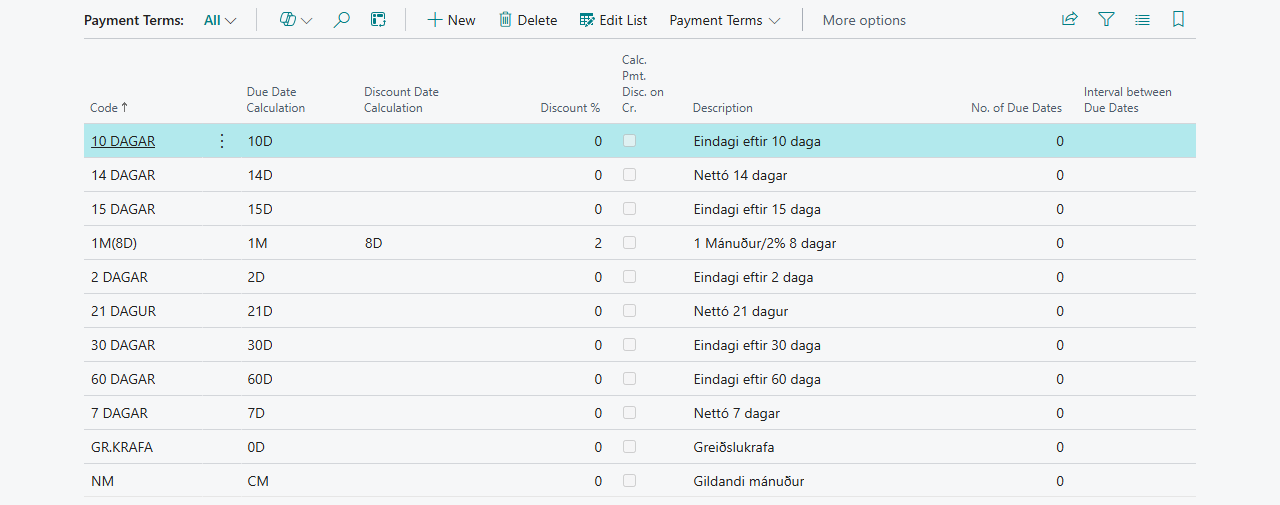
The customers' payment terms calculate invoice due dates the way you want. The invoice due date is calculated from the Payment Terms on the invoice, for example 14D.

Permissions
You need permission to change RdN Claim Setup and RdN Customer Setup.
Steps
Same rule for all customers
-
Open RdN Claim Setup and go to the Claims FastTab.
-
Enter a formula in Due Date, for example
5Dif the final due date should be 5 days after the due date. Leave the field empty if the final due date should be the same as the due date.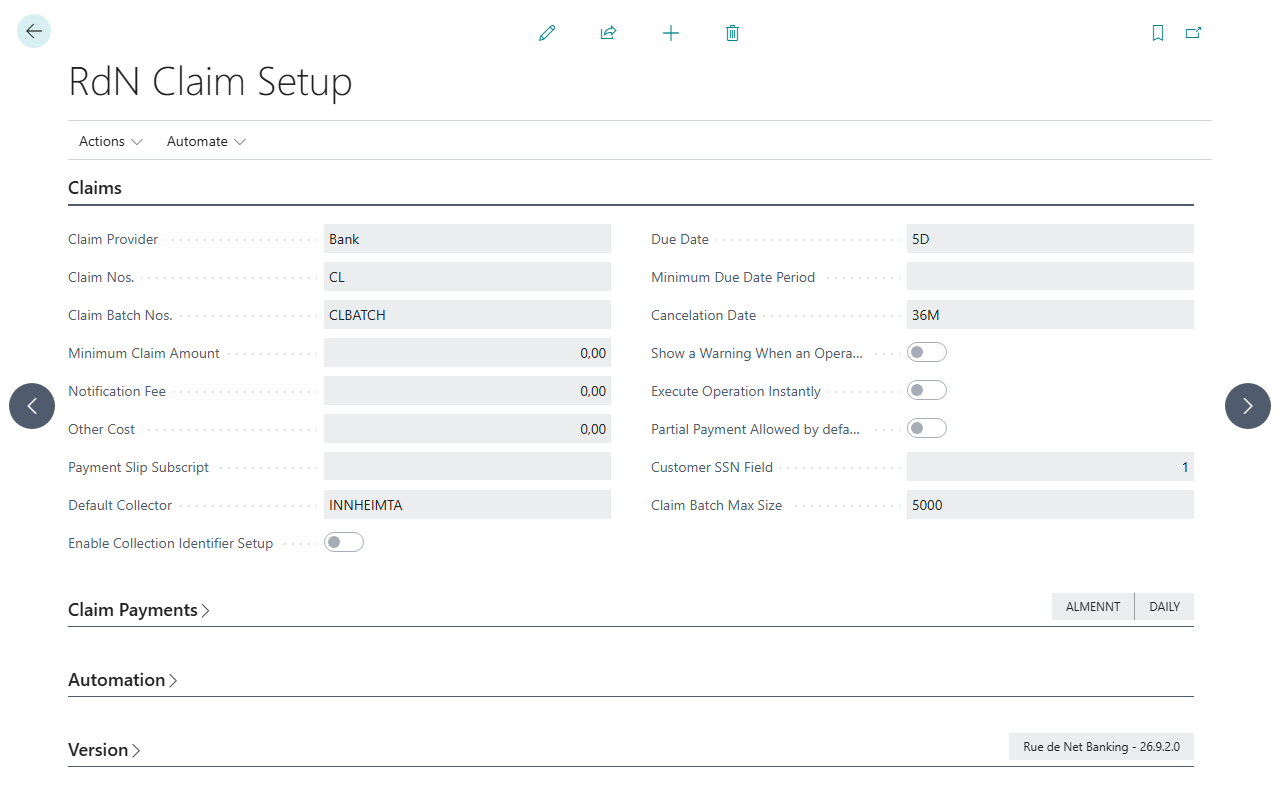
-
Enter Minimum Due Date Period, for example
3D. It is used when the invoice due date has passed when the claim is created. -
Enter Cancelation Date, usually
36Mor48M.

A different rule for some customers
-
Open the customer setup for the customer or group.
-
Fill in Minimum Due Date Period, Due Date and Cancelation Date on the Concerning Time FastTab. These settings take priority over the claim setup.
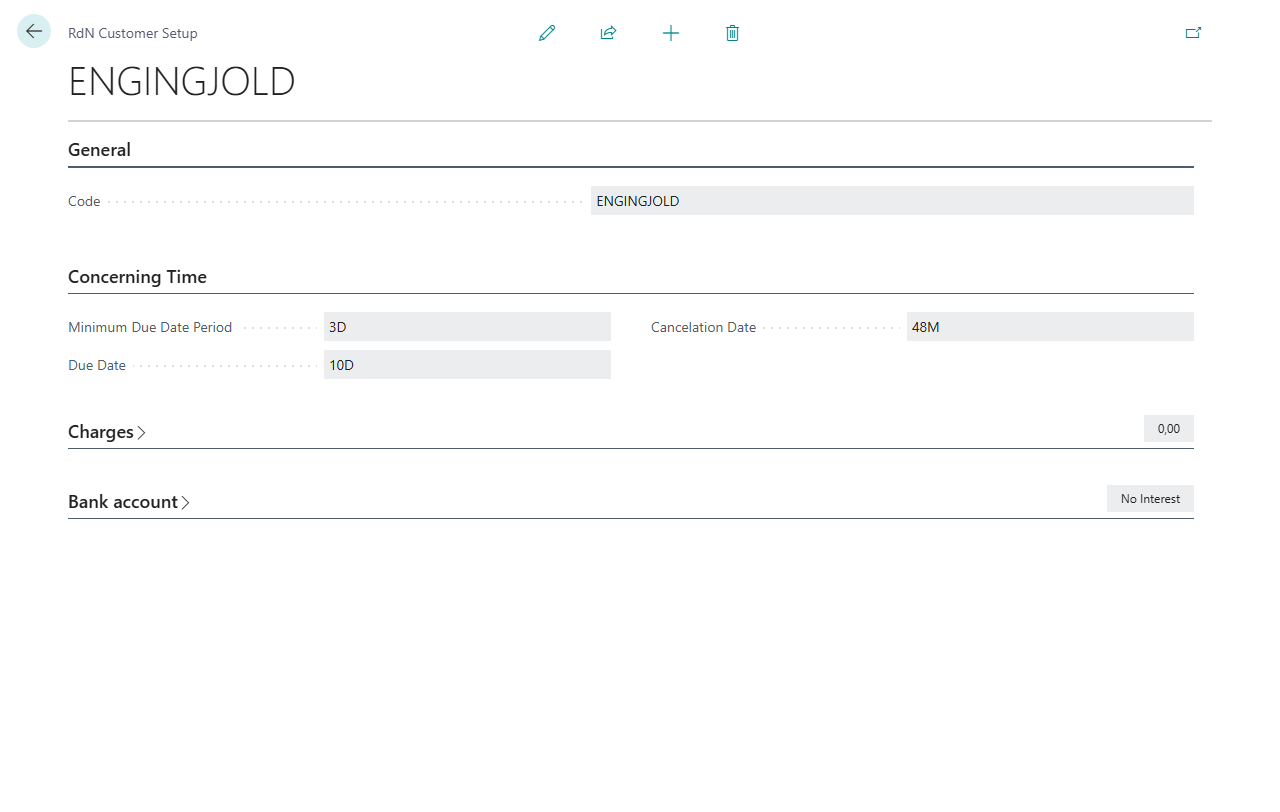

If the collection identifier setup is turned on and a collection identifier matches the payment method of the claim batch, the identifier's dates take priority over both.
Verify
Create a claim and open the claim card. On the Status of Claim FastTab you see Due Date, Due Date 2 and Cancelation Date.

If the final due date is before the due date, sending stops with Due date 2 is before Due date on claim No. %1. Fix the final due date on the claim. See also Help.