
Bank account
Banking uses Business Central bank accounts. For an account to talk to the bank, it has to be linked to a bank service and have the company's ID number (kennitala). Accounts used for claims also need a collect identifier and a claim ledger.
Purpose
Once the bank account is set up, you can fetch entries from it, create claims on it and pay from it. You can create the account with the quick setup, or set up Banking on an account that already exists.
Prerequisites
- A bank service exists for the bank.
- A bank account posting group exists.
- If the account is used for claims, you have a collect identifier from the bank.
Permissions
You need permission to create and change bank accounts.
Steps
Create a new bank account
- Open the Bank Account Overview step in the assisted setup and choose Create Bank Account. This opens RdN Quick Bank Account Setup.
- Enter the account's number and name.
- Enter the account number in three parts: Bank (the four-digit branch), Ledger (two digits) and Account (six digits). Add leading zeros if the number is shorter.
- Select the Posting Group. If the posting group is linked to a G/L account that allows direct posting, the system warns you, because this can cause problems in reconciliation.
- Fill in the company ID number, the bank service and, if the account is used for claims, the collect identifier, the claim ledger and the late-payment settings.

If the account is not in Icelandic krónur, select the currency on the Posting tab of the bank account card.
Set up Banking on an existing account
-
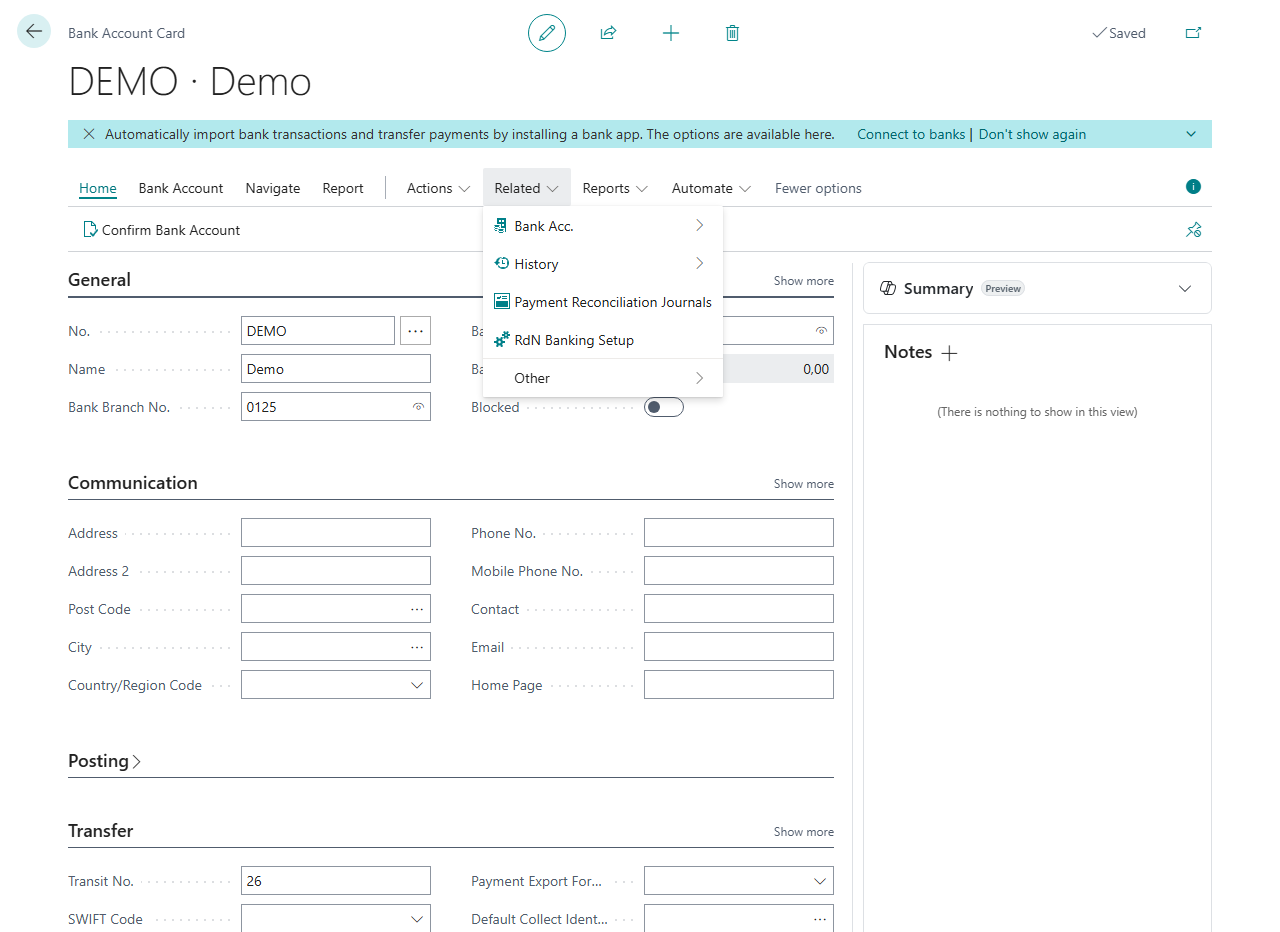
Open the bank account card and choose RdN Banking Setup. This opens RdN Bank Account Setup.
-
Fill in the Communication tab:
Field What it does SSN The ID number (kennitala) of the company that owns the account. The bank uses it in B2B communication. Bank Service Setup The bank service the account talks to. Without it, the account can't talk to the bank. Default Collect Identifier A three-character code from the bank that marks the company's claims. See Collect identifiers. Ledger No. The claim ledger at the bank, usually 66. -
If the account is used for claims, fill in default interest and late fees on the General tab. See Interest and late fees.
-
If the account should use other reconciliation settings than the default, select them in RdN Reconciliation Setup. See Set up reconciliation.


Verify
- In the Bank Account Overview step of the assisted setup, the account is checked. This means the minimum setup is filled in.
- Choose Confirm Bank Account on the bank account card. The system asks the bank and shows Bank Account Confirmed. See Confirm a bank account.
All messages are in Help.