
Distribute a claim over several due dates
Sometimes a customer asks to pay a claim in parts after it has been created. You can then distribute the claim: the system splits the amount evenly over new claims with an even interval between the due dates, and cancels the original claim.
Scenario
Prófun hf. owes Dæmi ehf. ISK 300,000 on a claim that has been sent to the bank. Prófun hf. asks to pay it over three months. The collections officer distributes the claim into three claims of ISK 100,000 one month apart.
Before you start
- The claim must not be partly paid. The claim's Amount must equal its Remaining Amount.
- If you haven't created a claim for the invoice yet, it is simpler to use payment distribution on the sales order.
Walkthrough
-
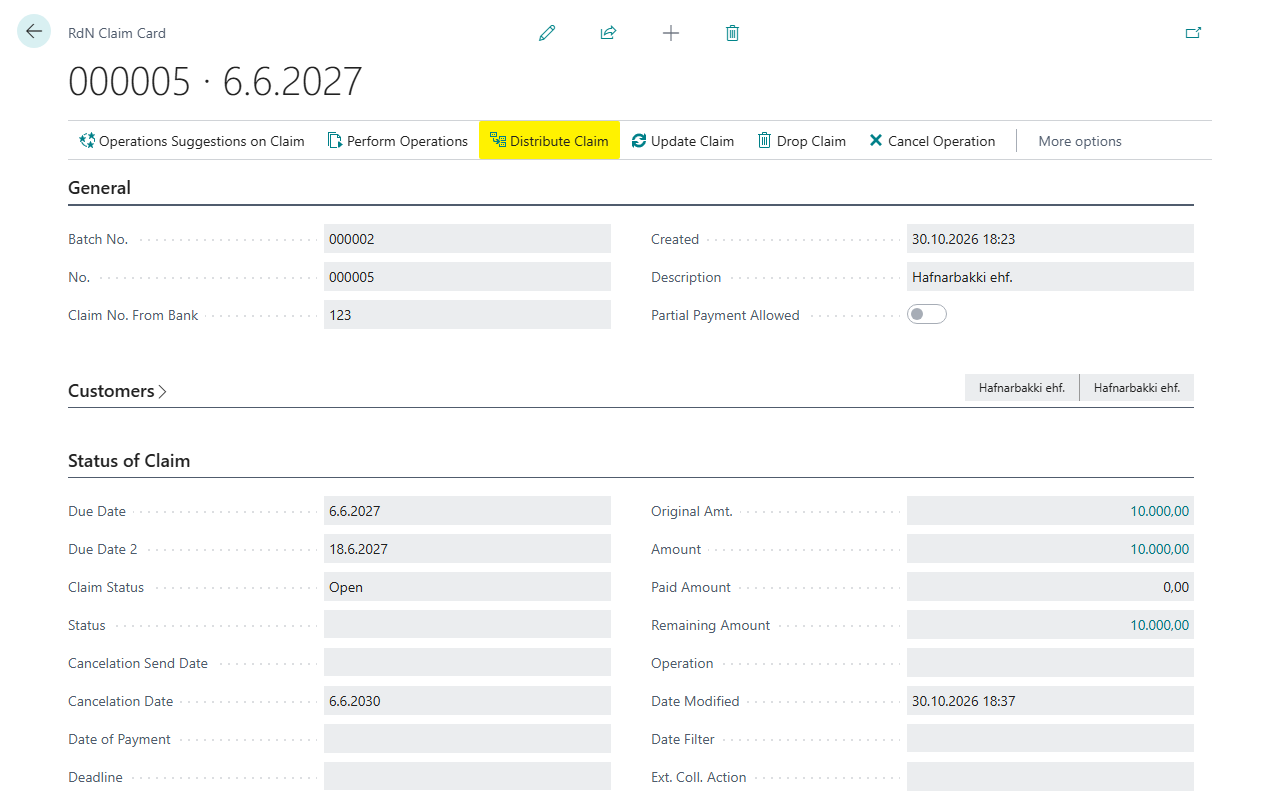
Open the claim on the RdN Claim Card, for example from the claim batch or from the RdN Worksheet.
-
Choose Distribute Claim.
-
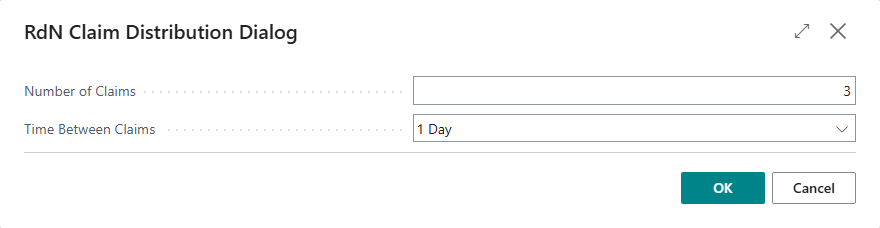
In the RdN Claim Distribution Dialog, enter Number of Claims, here 3, and choose Time Between Claims, here 1 Month.
-
If the original claim has been sent to the bank and Show a Warning When an Operation Is Chosen is on, the system asks The original claim will be cancelled. Do you want to proceed? Answer Yes.
-
The system shows the original claim and the new claims with their amount, due date and final due date. Review them and confirm. If the amount doesn't split evenly, the remainder goes on the first claim.
-
Choose Perform Operations on the batch to send the cancellation and the new claims to the bank.


Result
The new claims are in the same claim batch with Operation Create. The amount is split evenly between them, and the due dates are the interval you chose apart. If the original claim was sent, it gets Operation Cancel and disappears from the customer's online bank when the operation has been sent. If it was not sent, it is deleted.
Next, follow up claims.
What can go wrong
- Number of claims must be 2 or more You entered fewer than two claims. Enter 2 or more.
- Amount must equal remaining amount if claim is to be distributed. The claim has been partly paid. It can't be distributed.
- No claim lines found for claim %1. Nothing to split. The claim isn't linked to any customer ledger entry, so there is nothing to split.
All messages are in Help.