
Post currency differences
When Dæmi ehf. pays a purchase invoice in a foreign currency from an Icelandic bank account, the amount in the bank is often different from the amount posted in Business Central, because the exchange rate changes. In RdN Reconcile you post the difference as a currency difference so the entries match.
Scenario
Dæmi ehf. pays an invoice from a foreign supplier for EUR 1,000. The payment was posted at ISK 150,000 but the bank took ISK 151,200. The accountant marks the two entries, chooses Book Currency Difference and then matches.
Before you start
- Currency difference is set up: the journal template and batch for currency differences.
- Realized gains and losses accounts are filled in on the currency.
- The payment is posted and its document number is the number of the posted purchase invoice.
Walkthrough
Post a currency difference for one payment
-
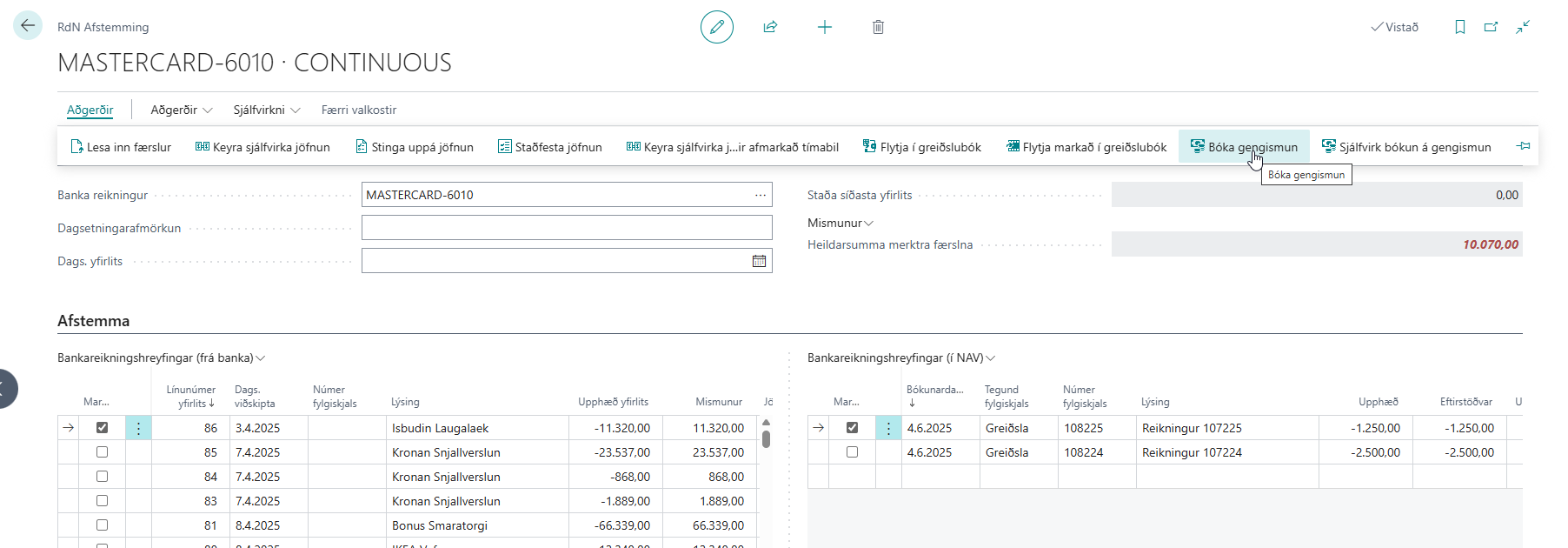
In RdN Reconcile, mark the bank entry in Bank Statement Lines and the payment in Bank Account Ledger Entries.
-
Choose Book Currency Difference.
-
The system calculates the difference, creates a line in the currency difference journal and asks whether to post it. Answer yes.
-
Match the entries, see Match entries by hand. The bank entry matches the payment and the currency difference together.

Post currency differences automatically
Choose Automatic Booking of Currency Difference. The system looks for unmatched payments of foreign-currency purchase invoices. For each one, it finds a bank entry where the reference is the invoice's amount and currency, for example "1000 EUR", within Max Date Diff. in Rec. The system creates lines for all the differences and posts them. Then run Automatic Match.

Result
The currency difference is posted to the bank account with the description Currency difference for and the payment's description. The balancing account is the currency's realized gains or losses account. The sum of the payment and the currency difference is the same as in the bank.
Next, reconcile the bank account.
What can go wrong
- Currency %1 not found for Purchase Invoice %2 The posted purchase invoice isn't in a foreign currency or can't be found. Choose Open Posted Purchase Invoice to look at it. A currency difference is only posted when the payment's document is a posted purchase invoice.
- The line doesn't post. The realized gains or losses account is missing on the currency.
- Automatic booking finds no entry. The bank entry's reference isn't in the form "amount currency", or the dates are too far apart. Post the currency difference for one payment.
All messages are in Help.