
Reconcile a credit card
You reconcile credit cards in RdN Reconcile like other bank accounts. The card transactions come from the bank, and if the card holder has registered a receipt in the bank's app, the system fetches it too.
Scenario
The managing director of Dæmi ehf. pays for lunch with the company card and takes a photo of the receipt in the bank's app. At the end of the month the accountant imports the card transactions, looks at the receipts and creates purchase invoices. When they're posted he reconciles the card.
Before you start
- The card is created and reconciliation settings are connected to its bank account.
- If receipts should be fetched, Import Credit Card Attachments is turned on in the reconciliation setup.
Walkthrough
-
Open RdN Reconcile and select the card's bank account in Bank Account.
-
Choose Import Statements. Fill in Date from and Date to and choose OK. The system imports the card transactions and, if set up, the receipts.
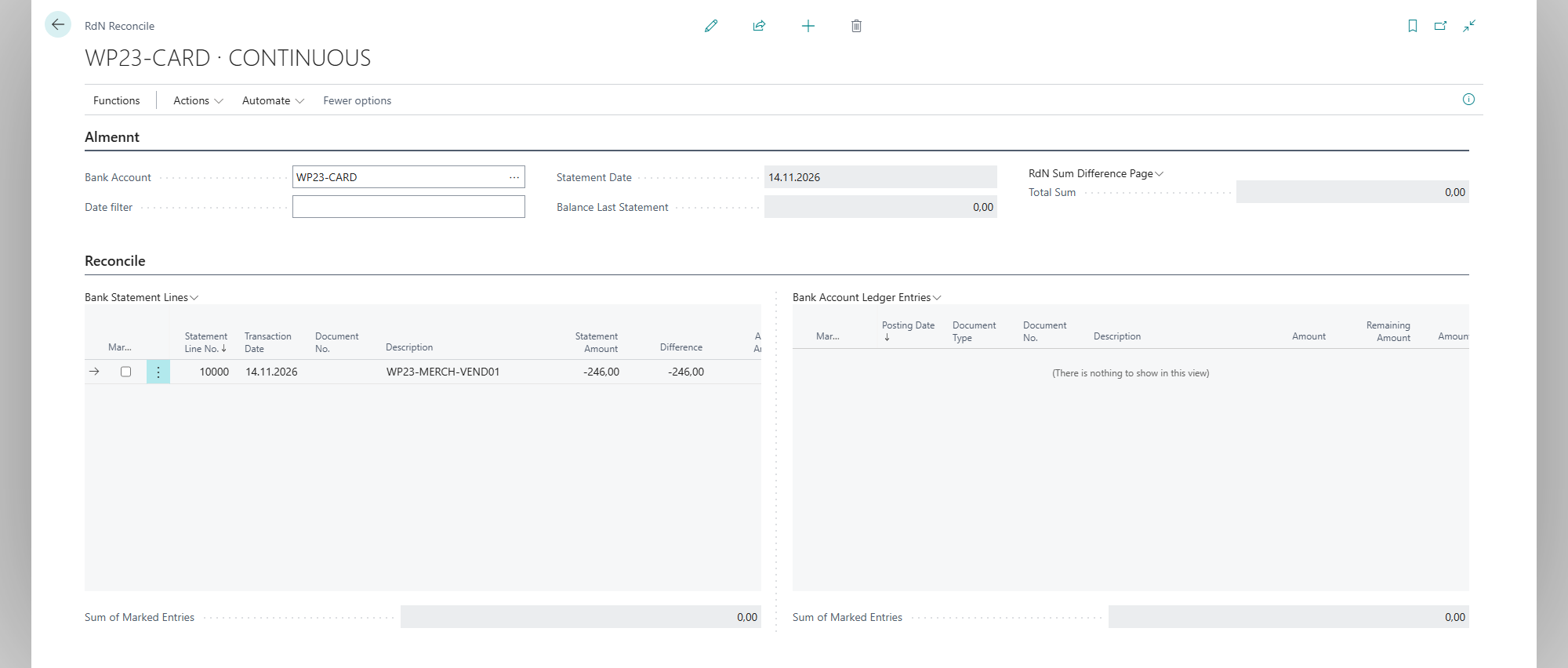
This first example shows one locally prepared demonstration transaction for ISK 246 before attaching its receipt. No corresponding bank account ledger entry has been posted.
-
Select a card transaction in Bank Statement Lines. The receipt shows in the RdN Credit Card Attachment FactBox. Choose Open Attachment to open the receipt record.
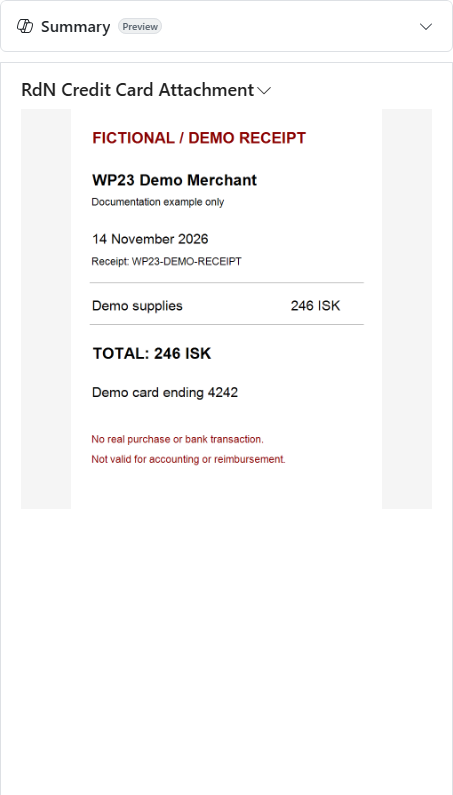
The FactBox links the receipt by bank account, transaction date, amount and merchant. Displaying a receipt does not post the transaction.
-
Create and post purchase invoices for the transactions, see Create purchase invoices from card transactions.
-
Choose Automatic Match. Posted payments match the card transactions. What's left you match by hand.


Missing receipts
All fetched receipts are on the RdN Credit Card Attachments page. Download Status shows whether the image is Downloaded, Pending, Failed or Not Available. If a download failed, select the attachments and choose Re-fetch Images.

The illustration uses the page's Tiles view and the same locally prepared receipt for ISK 246. No bank download or re-fetch was run for this example.
Result
The card transactions are matched against posted payments and the receipts go with the purchase invoices. The card's bank account agrees with the bank.
For details of step 4, see Create purchase invoices from card transactions.
What can go wrong
- No card transactions come in. Check the period and that the bank user has access to the card.
- No receipt shows. The card holder hasn't registered a receipt, Import Credit Card Attachments is turned off, or the bank's API key is missing.
- The receipt images were fetched again. The repeated download worked.
All messages are in Help.