
Attachments on outgoing electronic documents
For those who send supporting files with electronic invoices: this page shows which attachments are included automatically, how to add an attachment and what to do if the standard doesn't allow an attachment.
Purpose
Attachments on the source document in BC, for example a posted sales invoice, are copied automatically to the electronic document when it's created. Links on the source document are included too, as links. You can also add attachments manually to an outgoing electronic document before it's sent, and remove attachments that the standard doesn't allow.
Which file types can be sent depends on the BII Standard field in eDoc Setup:
| BII Standard | Allowed file types |
|---|---|
TS236 | PDF, PNG, JPEG, CSV, XLSX and ODS. |
TS136 | PDF, JPG/JPEG, PNG, TIF/TIFF, GIF, DOC, XLS, XLSX, PPT, XML, HTML, TXT, CSV and ODS. |
- TS 236 (PEPPOL BIS Billing 3.0) only allows the types in the table. Other types, for example HTML, XML, DOC, XLS and GIF, aren't allowed.
- TS 136 doesn't know newer types such as XLSX and ODS by name. They're sent as a generic file
(
application/octet-stream), but the file name keeps its extension so the recipient can see what kind of file it is. - Attachments on the source document that aren't in the TS136 row, for example DOCX, PPTX, ODT or
BMP, aren't copied to the electronic document. Other attachments are copied regardless of
BII Standard, so with
TS236a copied attachment can stop the sending (see What can go wrong).
Prerequisites
- The document is outgoing and hasn't been sent, that is a sales invoice, sales credit memo, order, return order, service invoice or service credit memo.
- Attachments are only sent if Send Attachments is selected on the delivery site.
Steps
-
Open the electronic document, for example with eDoc on the posted invoice.
-
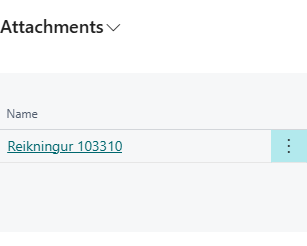
In the Attachments factbox, choose Add Attachment. You can't create a new line directly in the factbox.
-
Pick the file to attach.

Result
The attachment is added to the electronic document and marked Added Manually. It's sent with the document when you choose Send.
Recreate rebuilds the electronic document's attachments from the source document, so attachments that were added manually are removed. If any of the documents to recreate hasn't been sent and has such an attachment, you're asked first: These eDocs have attachments that were added manually: … eDoc Recreate rebuilds attachments from the source document, so these attachments will be removed. Do you want to continue? If you answer No, no document is recreated.
What can go wrong
-
File type not supported The file is of a type that BII Standard doesn't allow, and it isn't added. With
TS236you see The file "…" cannot be attached because TS 236 (PEPPOL BIS Billing 3.0) does not allow "…" files. Allowed types are PDF, PNG, JPEG, CSV, XLSX and ODS., otherwise The file "…" cannot be attached because "…" is not a supported attachment type. Save the file as an allowed type, for example PDF, and try again. -
Attachments cannot be added Attachments can only be added to outgoing documents that have not been sent. eDoc … is … with status …. The document is inbound or has the status Sent OK!. Add Attachment is then disabled too.
-
Attachment type not allowed in TS 236 The attachment "…" on eDoc … has the MIME type "…", which TS 236 (PEPPOL BIS Billing 3.0) does not allow. … When BII Standard is
TS236, the attachments are checked when the XML document is created, for example when sending, and the document isn't sent. Attachments that are only links aren't checked, because they aren't sent as a file. The error offers two actions:Action What it does Remove attachment Deletes the attachment the error is about from the electronic document so it can be sent. Open eDoc Opens the electronic document card. You can also delete the attachment in the Attachments factbox and add an allowed type with Add Attachment, or fix the attachments on the source document and choose Recreate.
All messages are in Help.