
Register a quota entry manually
If a quota is used on a shipment that doesn't go through a declaration in Customs, you register the use manually. The system can then create a purchase invoice to customs for the quota.
Scenario
A customs broker cleared a shipment for Dæmi ehf. and used 300 kg of the cheese quota. The clerk registers the use on the quota.
Before you start
- The quota isn't closed.
- Default Vendor, Tariff Quota Item Charge and Tariff Quota PrePaid Account are filled in on the Customs Clearance Setup.
Walkthrough
-
Open Tariff Quotas, select the quota and choose Create Manual Entry.
-
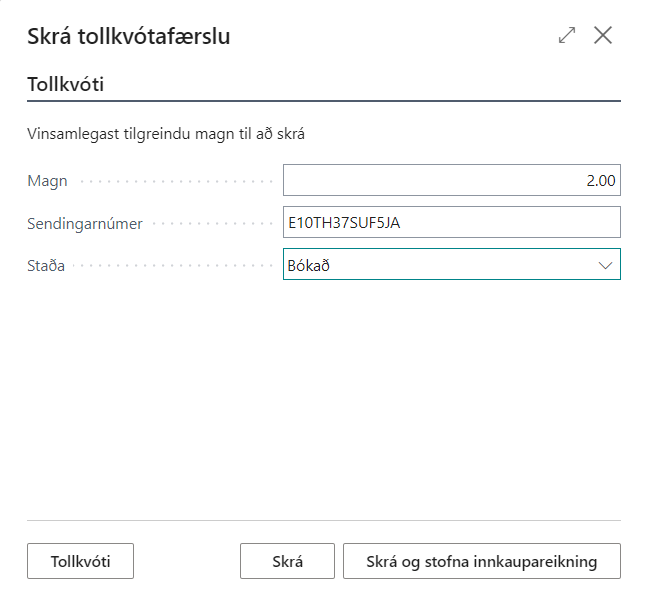
Fill in Quantity and the consignment number.
-
Choose Register, or the action that registers and creates a purchase invoice if you want the invoice right away.
-
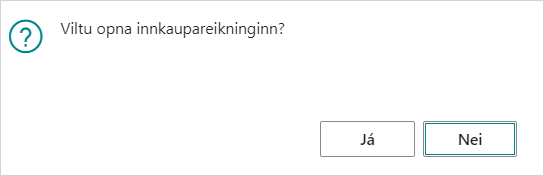
If you create an invoice, the system asks whether to open it.


Result
The entry is in the quota's Entries. The purchase invoice is to the Default Vendor, with:
- a line with the Tariff Quota Item Charge for the amount (quantity × amount per quantity), and
- a negative line on the Tariff Quota PrePaid Account.
The Vendor Invoice No. is the consignment number.

Entries registered without an invoice can later go on one invoice with Create Invoice from Manual Entries.
What can go wrong
- Create Manual Entry is disabled. The quota is closed.
- "Cannot delete Tariff Quota entries with status Posted. Create negative manual line instead". Choose Correct on the entry and register the difference.
See Help.