
Item charges
Customs adds import duties, transport cost, other cost, insurance and tariff quota to the item's cost with item charges. This page shows how to set them up.
Purpose
Dæmi ehf. imports goods by sea. The administrator lets the assisted setup create item charges for transport and other cost, creates an item charge for import duties, links them to G/L accounts and sets a cost type on each item charge used on cost lines.
Prerequisites
- G/L accounts for import duties, transport cost and other cost exist.
Permissions
You need the TOLLAKERFI RDN (Tollakerfi RdN) permission set and permission to change item charges.
Steps
-
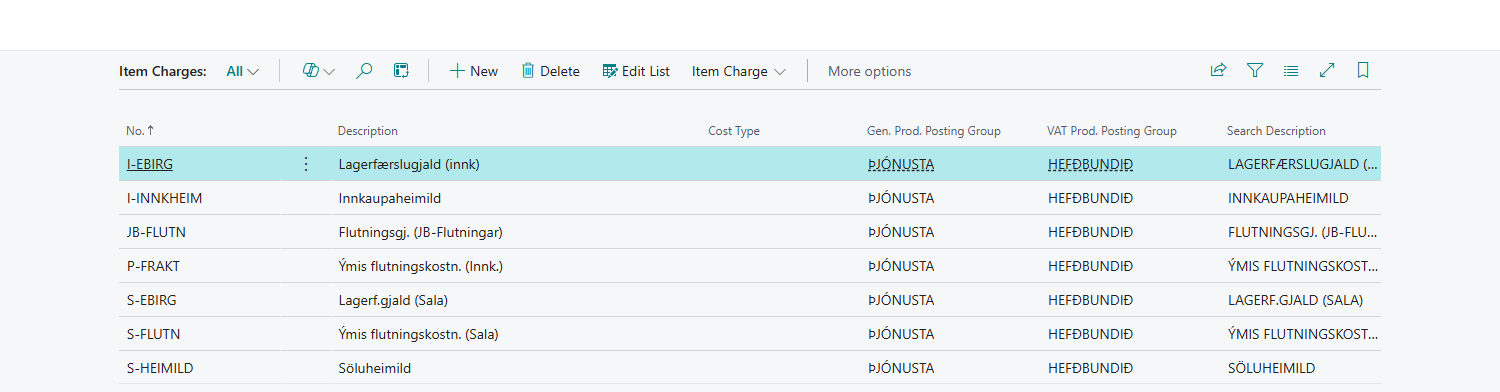
Open Item Charges.
-
Create an item charge for each cost that Customs posts, for example import duties, transport cost, other cost, insurance and tariff quota. In the assisted setup, Create Keys creates four item charges for transport and other cost: T-FLUTN and T-ANNAÐKOSTN without VAT, and T-FLUTN_VSK and T-ANNAÐKOSTN_VSK with VAT.
-
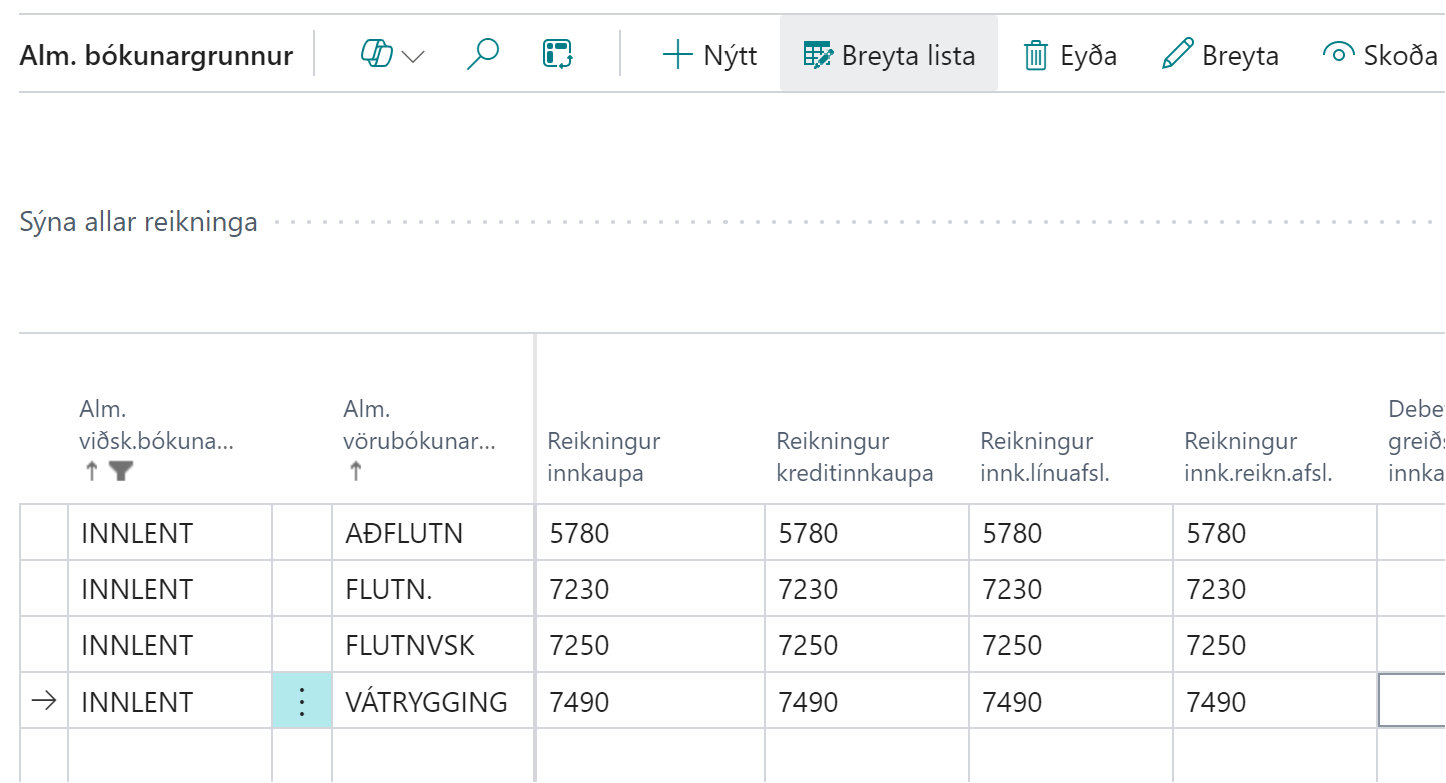
Set a general product posting group on each item charge. In the general posting setup, choose a G/L account in Purch. Account and Purch. Credit Memo Account for the group, for example the import duties account for the item charge that carries import duties.
-
If you use cost lines, set Cost Type on each item charge used on a cost line: Transport or Other. The cost type decides whether the cost counts as transport cost or other cost on the declaration. Create Keys doesn't set a cost type, so you set it manually.
-
Select the item charges in Customs Setup: Default Item Charge for import duties, the item charges under Transport and Other, Insurance No. and Tariff Quota Item Charge.

Verify
When a declaration is posted and the debit message arrives, the charges are distributed to the items with the item charges and added to their cost. The cost is posted to the G/L accounts from the general posting setup.
What can go wrong
- Set a Cost Type on Item Charge %1 before using it on a cost line. The item charge has no cost type. Set Transport or Other on it.
- Posting the purchase invoice stops on the posting setup. The purchase account is missing for the item charge's general product posting group.
See Help.