
Customs exchange rates
Customs publishes customs exchange rates that are valid for a week at a time. Customs uses them to calculate amounts on declarations in Icelandic krónur. This page shows how the rates are fetched.
Purpose
Prófun hf. is setting up Customs and needs customs exchange rates for every currency it buys in. It fetches today's rate right away and lets a job queue entry fetch it after that.
Prerequisites
- Customs Exchange Rate URI and Customs Exch. Rate Valid for are filled in on Customs Setup.
Permissions
You need the TOLLAKERFI RDN (Tollakerfi RdN) permission set and permission to change currencies.
Steps
-
Open Currencies and choose Update Customs Exchange Rates. The system fetches today's rates from customs. The Customs Rate Date and Customs Exchange Rate fields show each currency's latest customs exchange rate.

-
To see all rates that have been fetched, open Customs Exchange Rate. It has one line per currency and period with Currency Code, Datetime Valid from and Exchange Rate.

-
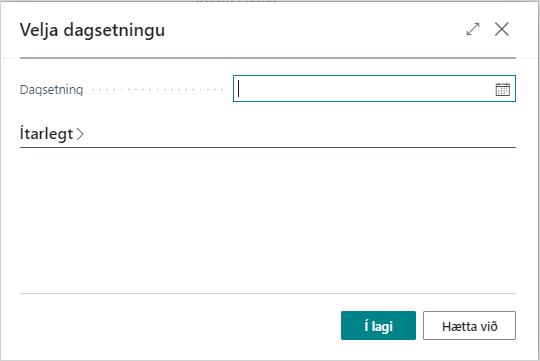
If you need the rate for a past date, choose Get exchange rate for date on the Customs Exchange Rate page, enter the date and confirm. Get todays exchange rate fetches today's rate.
-
Set up a job queue entry that fetches the rates automatically, see Job queue entries.


Verify
The rates exist for every currency, and a new declaration gets the document currency's rate in the Document Exchange Rate field.
What can go wrong
- A currency has no customs exchange rate. Check that the currency code is the one customs uses, for example USD or EUR, and fetch the rate again.
See Help.