
Correct a declaration
If an error is found in a declaration after it's sent, or after it's posted, you reopen it as a correction and send it again. Only correct in agreement with customs.
Scenario
It turns out a line on a posted declaration for Dæmi ehf. had the wrong tariff number. After talking to customs, the purchaser corrects the declaration and sends it again.
Before you start
- You've contacted customs about the correction.
- If the declaration is posted: no unposted declaration with the same number exists, and you choose the latest posted version.
Walkthrough
Unposted declaration
- Open the declaration. The action is only enabled after the declaration is sent.
- Choose Correct.
- Change the declaration and send it again, see Check and send.
Posted declaration
-
Open the declaration in Posted Reports.
-
Choose Correct.
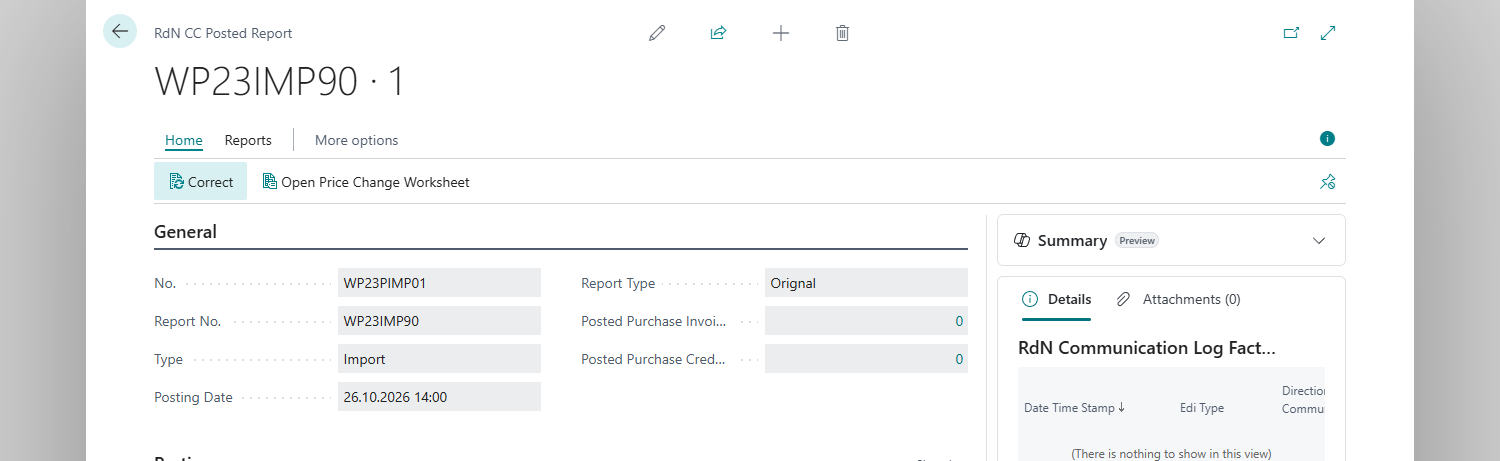
-
The system asks "Do you want to correct posted purchase invoices related to custar messages for this customs report?" Choose Yes to reverse the purchase invoices to customs, or No to keep them.
-
Answer whether you want to open the declaration.
-
Change the declaration and send it again.

Result
- The declaration is unposted with status Open, type Correction and Declaration Number one higher.
- When a posted declaration is corrected, the new declaration gets the same number as the original one. Lines, cost lines, attachments and post parcels are copied. The posted declaration stays unchanged.
- Posted tariff quota entries of the declaration without an invoice number get status Reserved again.
Next, post the customs declaration.
What can go wrong
- "Report %1 already exists unposted, decleration number: %2". A correction is already in progress. Open the unposted declaration.
- "There are %1 posted reports for same declearation with higher decleartion number." You chose an older version. Choose the latest posted declaration.
- The Correct action is disabled. The unposted declaration hasn't been sent.
See Help.