
This page is for administrators and describes how Approvals sends email about approval requests, approvals and rejections.
Purpose
Approvals can email an approver when an approval request reaches them, and email the person who sent the request when it is approved or rejected. In the job queue you can also send each approver one batch email with all their open requests, and a reminder about requests that are past their due date.
Prerequisites
- An email account exists in Business Central.
- Each recipient has an email address in User Setup. A user without an address gets no email.
Permissions
The user needs the permission set RDN APPR. ADMIN and permission to change email accounts.
Steps
Connect an email account
Approvals sends email with the scenario RdN Approvals Email. The scenario has to be assigned to an email account.
-
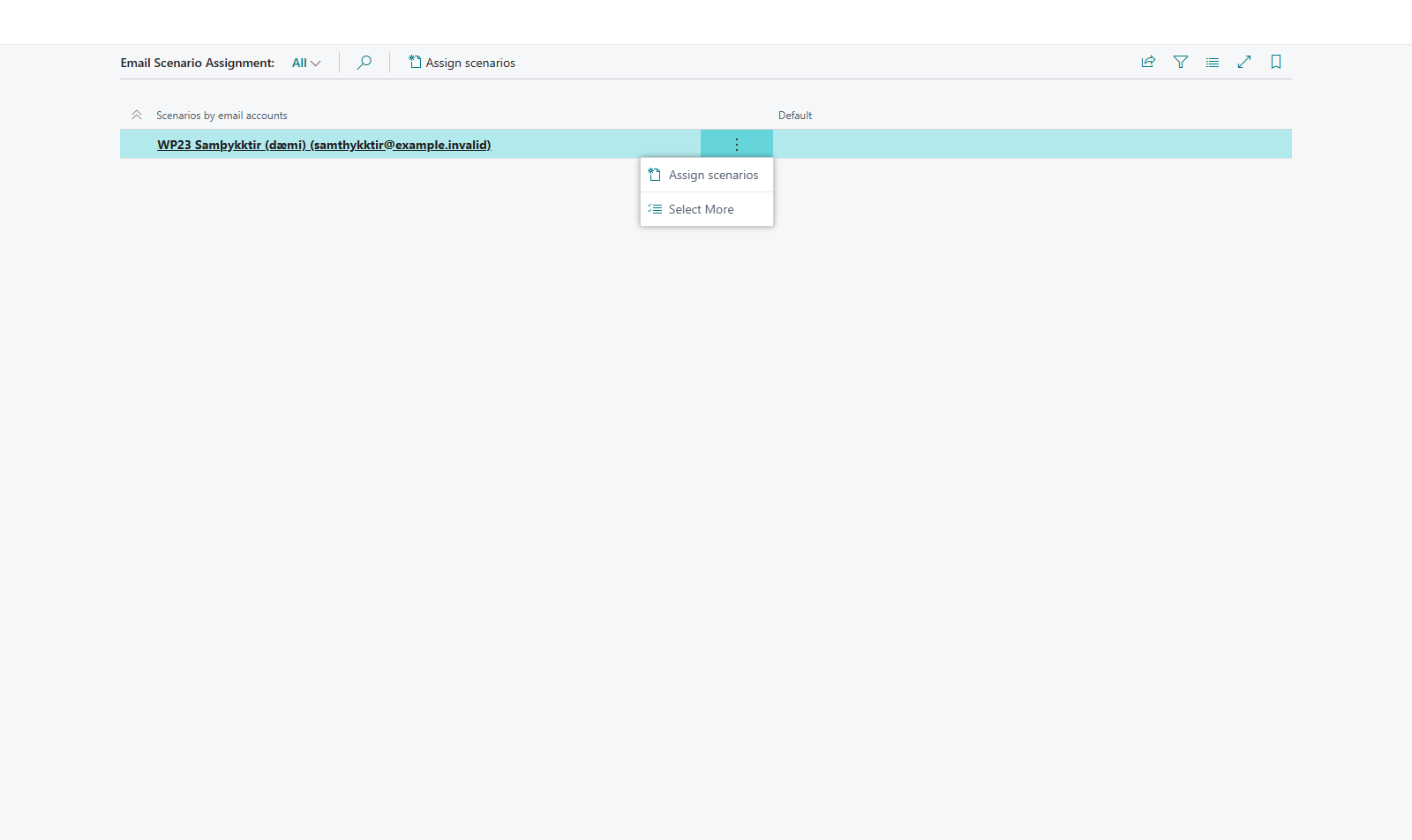
Search for Email Scenario Assignment and open the page.
-
Choose the account that should send the email and choose Assign scenarios.
-
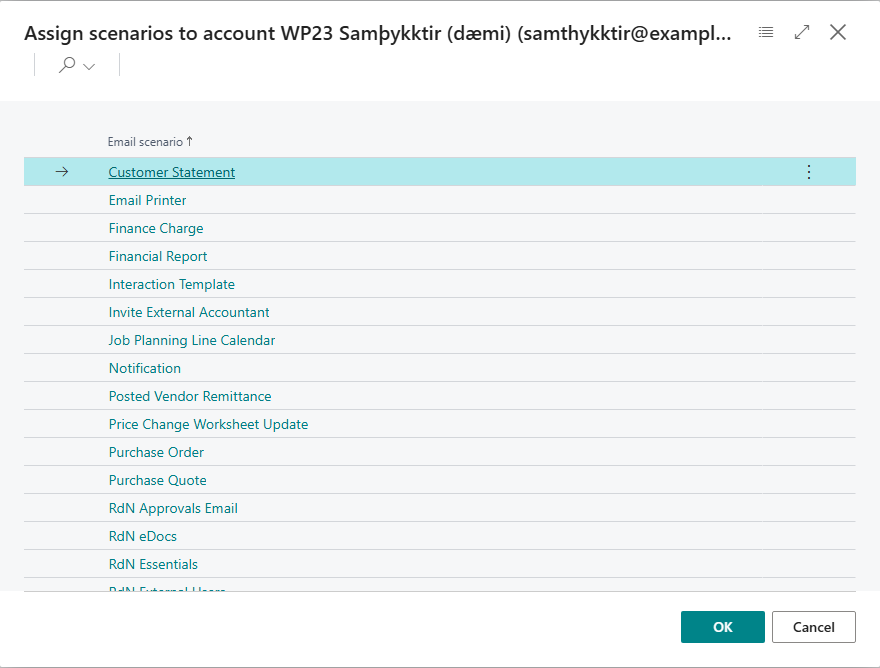
Choose RdN Approvals Email and confirm.
-
Check that the scenario shows under the right account.



Set when email is sent
Open Approval Setup. The Email group controls the email.

| Field | Effect |
|---|---|
| Email Language | Icelandic, English or Recipient Settings. The last option uses each recipient's language from their user personalization. |
| Send Email on Approval Request | The approver gets an email when a request reaches them. |
| Send Email on Accept | The person who sent the request gets an email when it is approved. |
| Send Email on Reject | The person who sent the request gets an email when it is rejected, with the name of the person who rejected it and the comment. |
An email about one document shows the number, vendor, description, amount and due date, and a button that opens the document. Requests and reminders open the document on the Approvals Web, while emails about an approval or rejection open it in Business Central. Which address is used for the web is described on the page Approvals Web.
Batch email in the job queue
If approvers should rather get one email a day than one for each request, create a job queue entry for codeunit 10041617 RdN Approval Batch Email. It sends each approver one email with all their open requests for purchase documents. Then Send Email on Approval Request is usually cleared so that approvers don't get both.

Reminders in the job queue
Codeunit 10041616 RdN Overdue Approval Entrie AS emails each approver about purchase-document requests with a due date before today. It includes both requests that have not opened yet and open requests, so a reminder can arrive before the approval sequence becomes active. Requests due today are not overdue. Create a job queue entry for it in the same way.
Example
Dæmi ehf. assigns the account samthykktir@daemi.is to RdN Approvals Email, chooses Recipient Settings and selects Send Email on Accept and Send Email on Reject. Instead of email for each request, the batch email runs on weekdays at 8. Approvers then get one email in the morning, and whoever sent an invoice from Prófun hf. gets an email when it is approved.
Verify
- RdN Approvals Email shows under the right account on the Email Scenario Assignment page.
- An approver gets an email when an invoice is sent to them, or when the batch email runs.
- The email has a button that opens the document.