
Line approvals
An invoice can contain costs that belong to different departments. With line approvals each line gets its own Approver Group, and each approver only sees and approves their own lines.
Scenario
Dæmi ehf. gets one invoice from Prófun hf. for computer equipment and cleaning. The equipment line goes to the group IT and the cleaning line to the group OPERATIONS. Each group approves its own line.
Before you start
- Disable Line Approvals isn't selected in Approval setup. Otherwise Approver Group and Line Approval Status aren't shown on the lines.
- The approver groups exist, see Approver groups.
Walkthrough
-
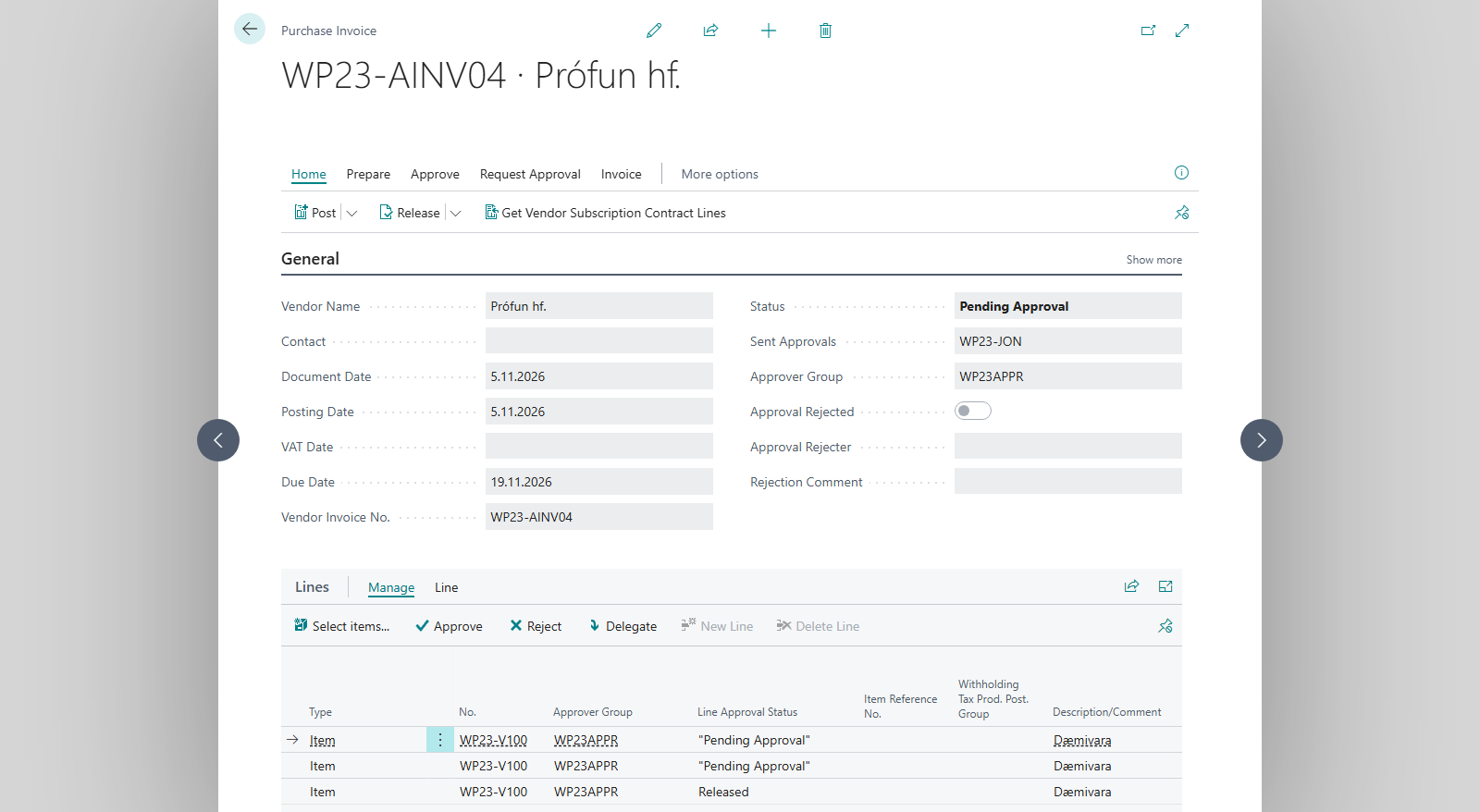
Choose the Approver Group in the document header and on each line.
-
Choose Send Approval Request. If Send Email on Approval Request is on, the line approvers get an email. Line Approval Status becomes Pending Approval.

-
Each approver only sees their own lines in Request to Approve List or on the Approvals Web, and chooses Approve, Reject or Delegate. They can also do it on the lines of the document itself. The actions are only enabled for the person who is to approve the line.
-
When a line is approved, Line Approval Status becomes Released.



Result
After line approvals are complete, a group on the document header may still need to approve the document as a whole. The document is Released only after all required line and document approvals are complete. If a line is rejected, the system cancels other requests for that line, but open requests for other lines may continue. The document is not reopened until no approval requests remain open; the rest of the approval process is then cancelled. See the order with Latest Approvals, see Follow up approvals.
What can go wrong
- Are you sure you want to change an already approved line? If you do, it has to be sent for approval again. If you change an approved line, it must be sent for approval again.
- Are you sure you want to change from %1 to %2? You are changing the approver group on a line, %1 is the old group and %2 the new one.
- You have no open approval request for line %1 on %2 %3. On the Approvals Web: the line isn't waiting for you.
All messages are in Help.