
Skip approval with an exemption
Some invoices arrive every month with the same amount, for example rent. If the invoice matches an exemption rule it doesn't need to go for approval. It is released directly and logged in the Exemption Log.
Scenario
Dæmi ehf. pays Prófun hf. ISK 200,000 a month in rent. The administrator has created an exemption rule for the vendor with the exact amount. The bookkeeper enters the rent invoice and posts it without sending it for approval.
Before you start
- An exemption rule exists and is Enabled for the vendor, see Exemption rules.
Walkthrough
-
Create the purchase invoice. If the vendor has exemption rules, the notification "This vendor has approval exemption rules. This document may be exempt from the approval process." is shown with the action Open Exemption Rules.
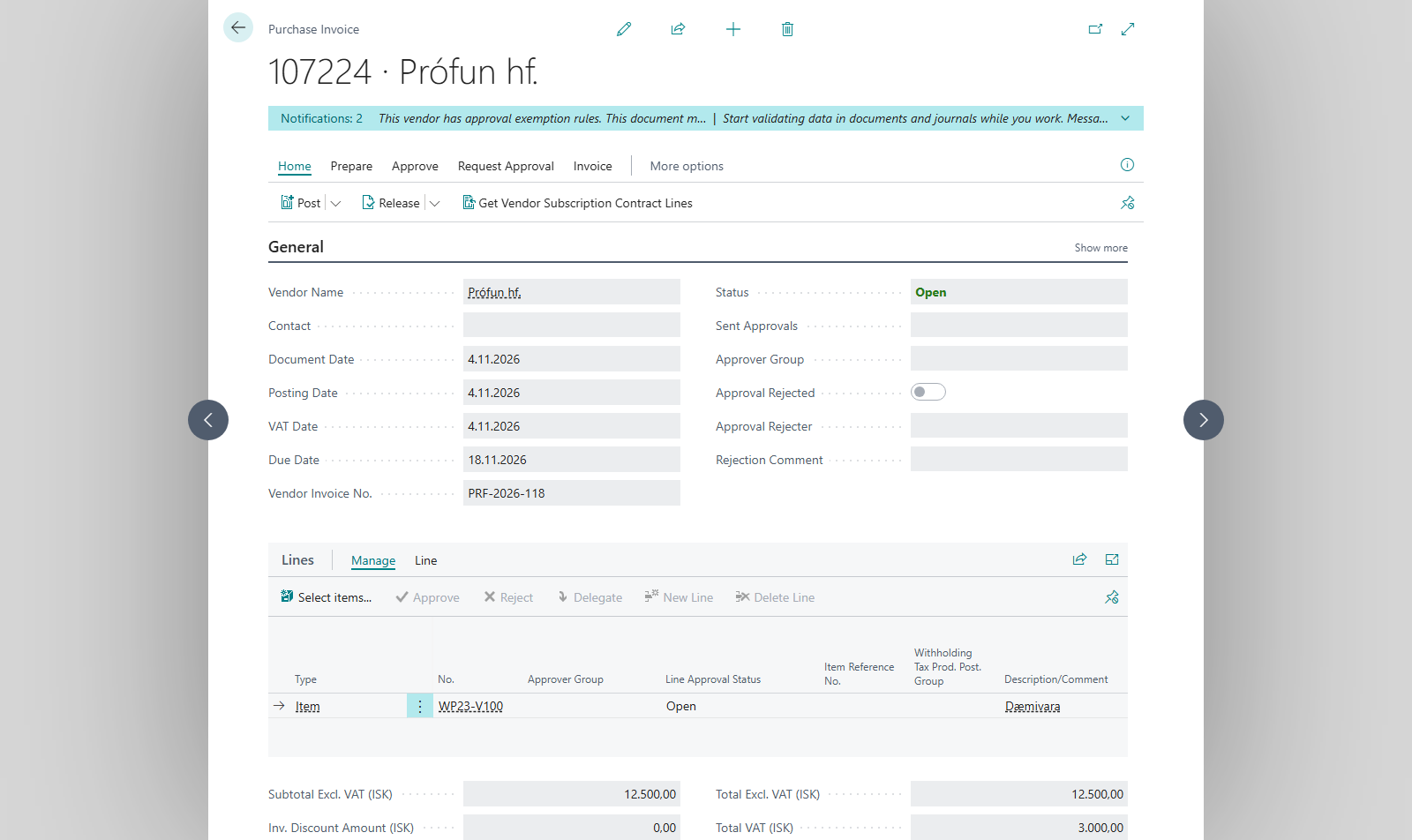
-
Choose Check Exemption to see whether the document matches a rule. It doesn't change the document or send it for approval, but it disables expired rules it finds. It shows either This document matches exemption rule %1 (%2) for Vendor %3, Amount %4 ± %5%%. or "No exemption rule matches this document."
-
Choose Release or Send Approval Request.
- With Release, the document is released without asking, if it matches a rule.
- With Send Approval Request, if Prompt on Exemption Match is on, the system asks whether to bypass approval. Answer Yes to bypass it or No to send the document for approval. If the setting is off, the request is sent without a prompt.
-
Post the document.

In the messages %1 is the rule number, %2 its description, %3 the vendor, %4 the amount and %5 the tolerance in percent.
Result
The document is posted without approval. You see "Document %1 is exempt from approval and has been posted. Matched exemption rule %2 (%3) for Vendor %4." An entry with the action Approval Bypassed is logged in the Exemption Log, and an approval entry with the comment "Approval bypassed by exemption rule …" goes with the posted document. The matched rule is shown in Matched Exemption Rule on the document.
What can go wrong
- Exemption rule %1 (%2) for Vendor %3 has expired on %4 and has been disabled. The rule's End Date has passed. The document goes for normal approval.
- Exemption rule %1 (%2) for Vendor %3 was found but its monthly usage limit has been reached. Max Uses Per Month is reached based on exempted documents already posted in the month of Posting Date. A released but unposted document doesn't count. The document goes for normal approval.
- The document doesn't match although you think it should. Check the rule's amount, tolerance, currency, document type and G/L account, see Exemption rules.
All messages are in Help.