
Reject an invoice
If an invoice is wrong, the approver rejects it and says why. The document goes back to Open so the bookkeeper can fix it and send it for approval again.
Scenario
The purchasing manager at Dæmi ehf. sees that an invoice from Prófun hf. has the wrong quantity. She rejects it with the comment "We received 8 pieces, not 10". The bookkeeper gets an email, asks for a credit memo and sends the invoice again.
Before you start
- The document is waiting for your approval.
Walkthrough
-
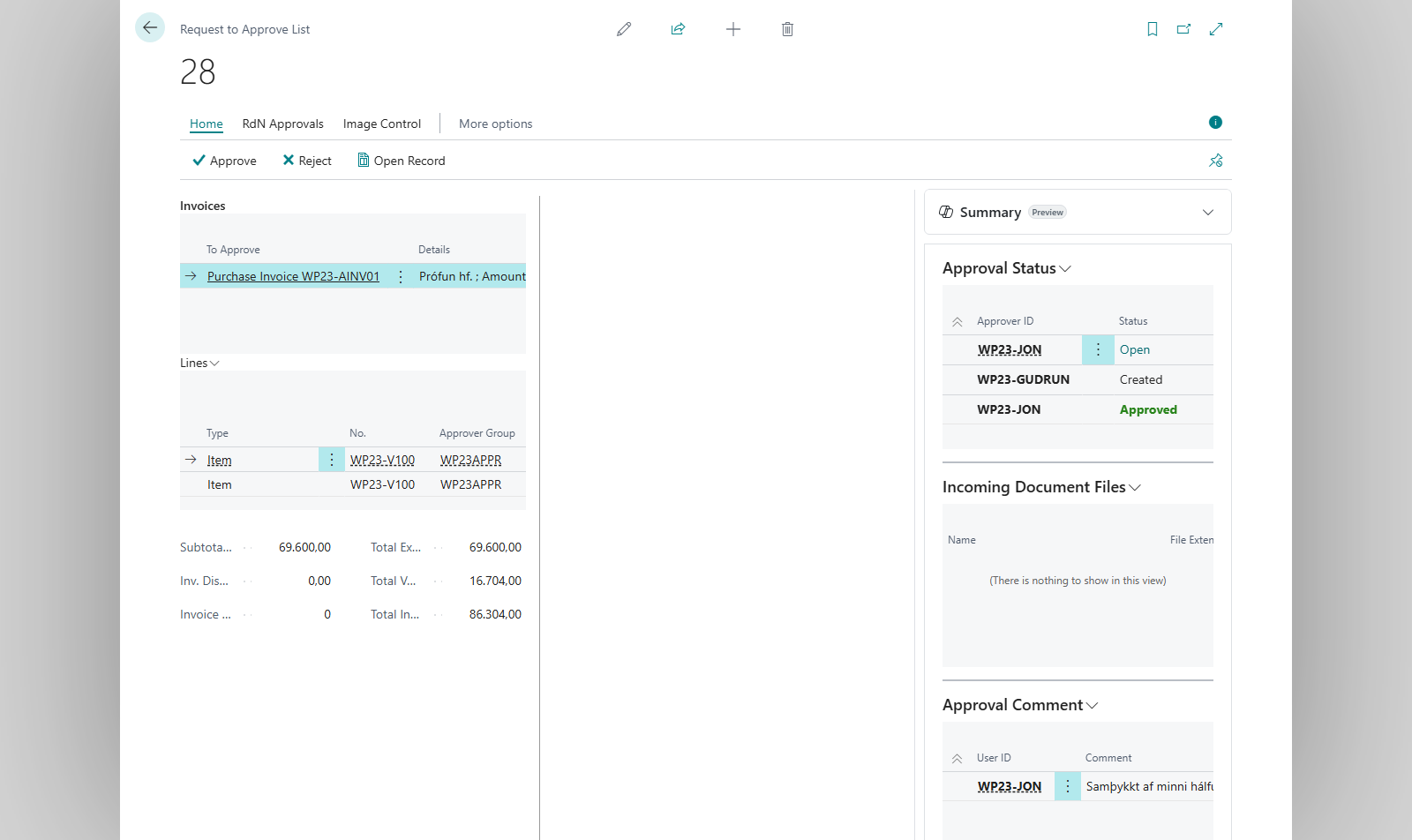
Select the request in Request to Approve List, or open the document, and choose Reject.
-
If Force Rejection Comment is on, a comment window opens and you must write a comment. If it is off, the system asks Do you want to write a rejection comment? Choose Yes to write one, or No to reject without a comment.
-
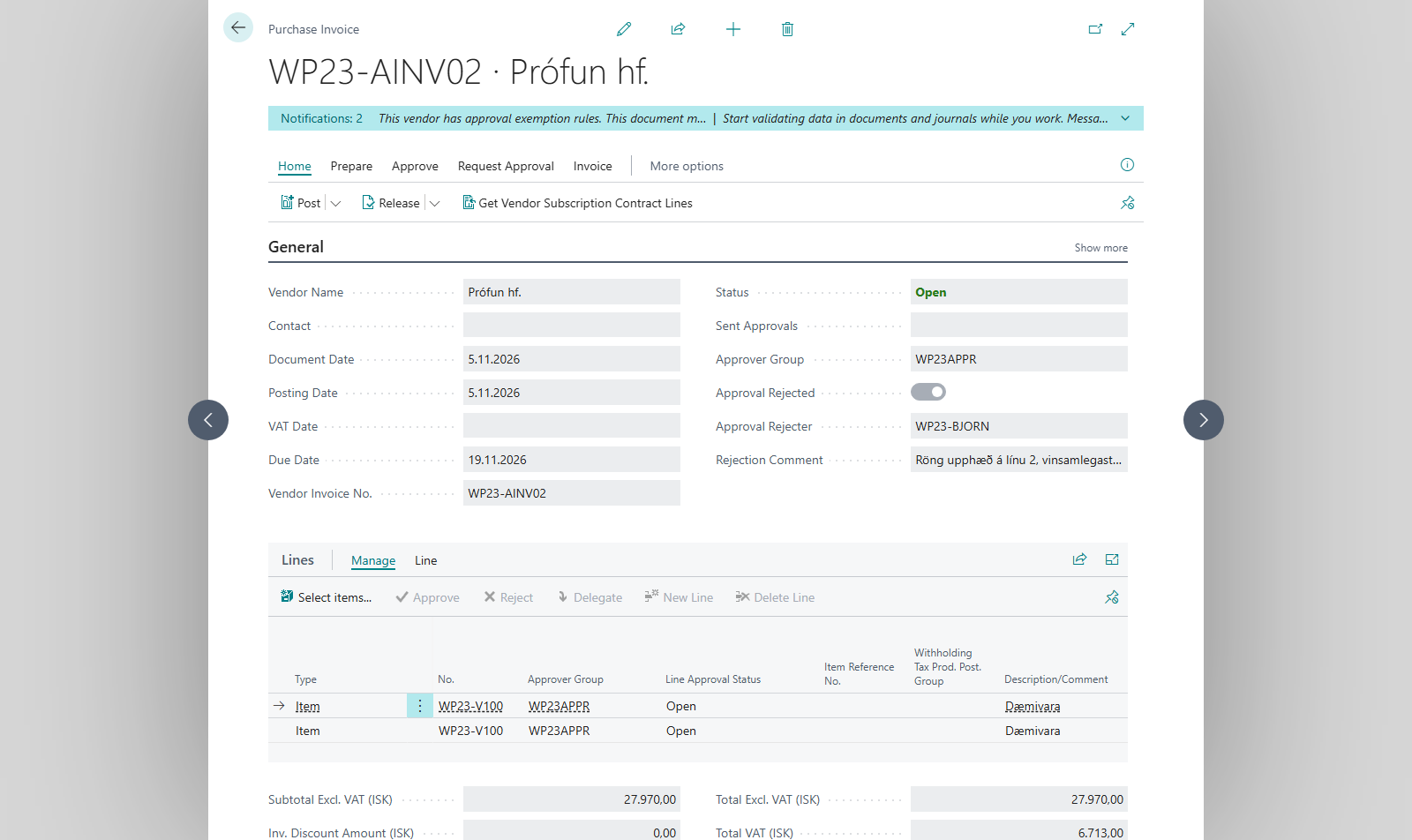
The bookkeeper opens the document. Approval Rejected, Approval Rejecter and Rejection Comment show who rejected it and why. The comment is also shown in Approval Comment.
-
The bookkeeper fixes the document and chooses Send Approval Request again, see Send for approval.


Result
The document is Open and marked as rejected until it is sent again. The bookkeeper gets an email if Send Email on Reject is on. When the document is sent again the approval starts over, and in Request to Approve List the column Rejected before? shows that it was rejected before.
What can go wrong
- You must comment on why the request was rejected. Force Rejection Comment is on. Write a comment and reject again.
- The comment isn't shown on the document. If Store Comments In RL Note is on, it is also stored in the document's notes, see Approval setup.
All messages are in Help.