
Allocate costs on a purchase document
Use percentage distribution to divide a selected cost line between accounts or dimensions. The same steps apply to purchase invoices and purchase credit memos.
Scenario
Dæmi ehf. has an ISK 10,000 cost from Prófun hf. and wants to split it 50%, 20% and 30%. The line quantity is 1 and both direct unit cost and line amount are ISK 10,000.
Before you start
Create an allocation with percentage rows totalling 100%. Do not select an empty allocation: the original line can disappear without any replacement lines.
Walkthrough
-
Open an unposted purchase invoice or purchase credit memo and select a G/L-account line.
-
Choose Percentage distribution in the line actions.
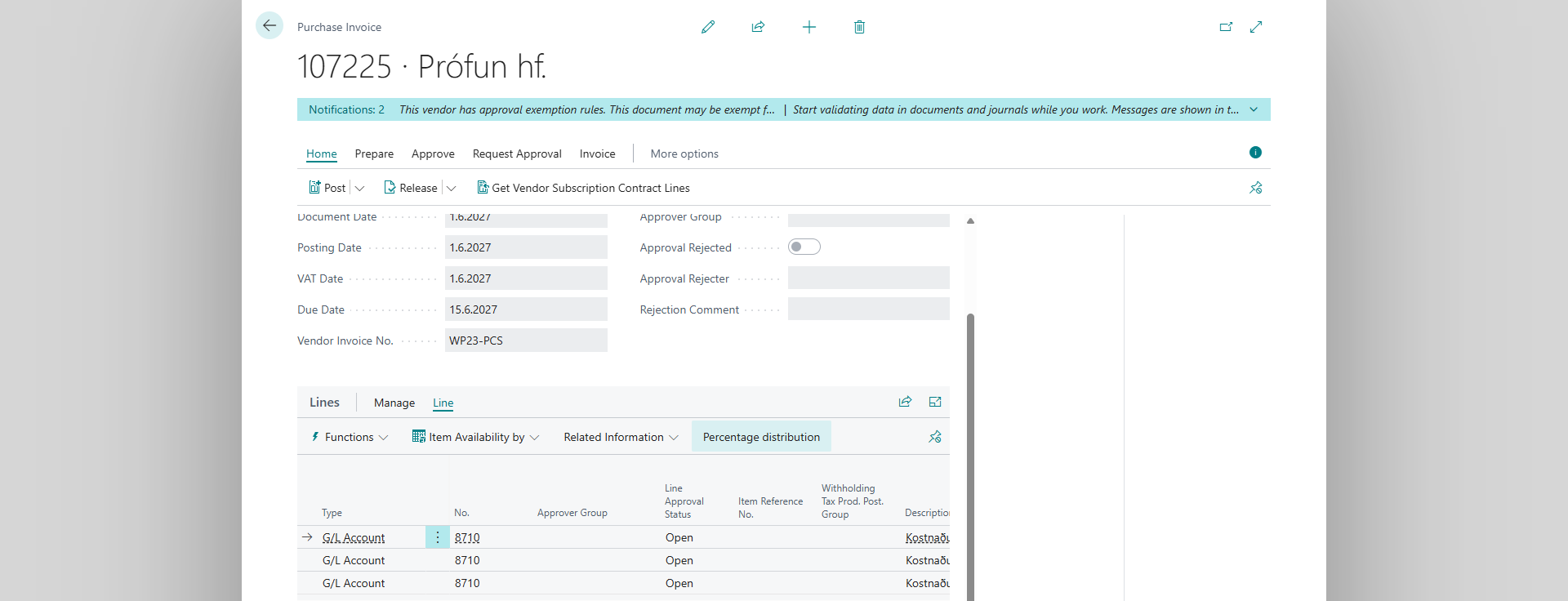
-
Answer Yes to Are you sure you want to distribute cost?
-
In Purchase Cost Distribution, select the allocation and confirm your choice.
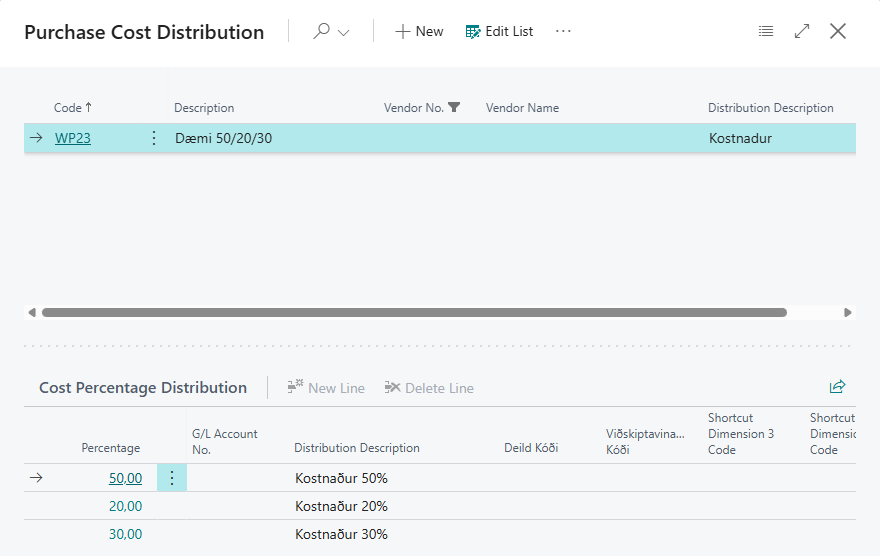
-
Review the new line amounts, accounts, descriptions and dimensions before posting.


Result
The original line is deleted. Three new lines are added at the end of the document with ISK 5,000, ISK 2,000 and ISK 3,000 in this example. Quantity is copied, while direct unit cost and line amount are divided by percentage. The description and filled-in dimension values come from the allocation. The action does not post the document.

What can go wrong
A different line type or percentages not totalling 100% produce an error. Cancelling the confirmation or allocation lookup leaves the line unchanged. See messages and problems without a message, including empty allocations and differences in totals.