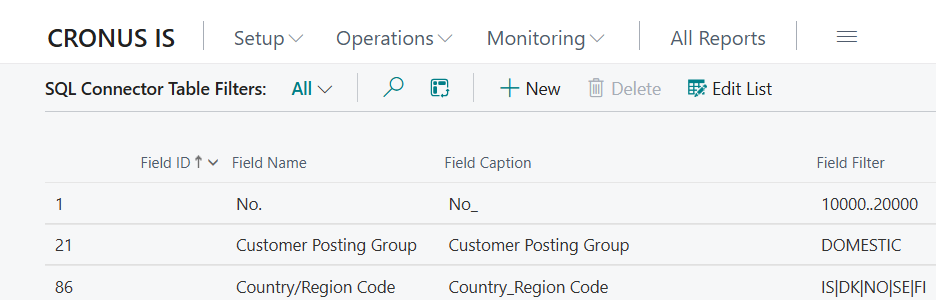
Table Filters
Table filters allow you to limit which records are exported from Business Central. Filters are added using the Filters action on the table card.
Columns
| Column | Description |
|---|---|
| Field ID | BC field to filter on. Use the lookup to browse available fields for the table. |
| Field Name | Automatic field name |
| Field Caption | Automatic field caption |
| Field Filter | Standard BC filter (e.g. 1000..2000&<>*BLOCKED*, <>'', A*). Validated against the field to ensure correct syntax. |
Example
To export only customers in the range 10000–20000, add a filter on the "No." field with the value 10000..20000.