
Create a customer or vendor
When registering a new customer or vendor, you can use national-register information instead of entering the name and address again. The action creates the card, but you still need to complete its accounting settings.
Scenario
You want to create Dæmi ehf. as a customer. The company is in the national-register list with the address Dæmisgata 10 and postcode 101, but does not yet exist as a customer.
Before you start
The connection and identification fields must be configured correctly. To create a card from the list, data must have been imported and retained there. If register-data storage is disabled, use the new-card route below.
Walkthrough
-
Open RdN National Register List through Business Central search.
-
Find Dæmi ehf. and check its kennitala. Check Customer Exists or Vendor Exists to avoid creating a card that already exists.
-
Select the row and choose Create Selected Customers or Create Selected Vendors.

-
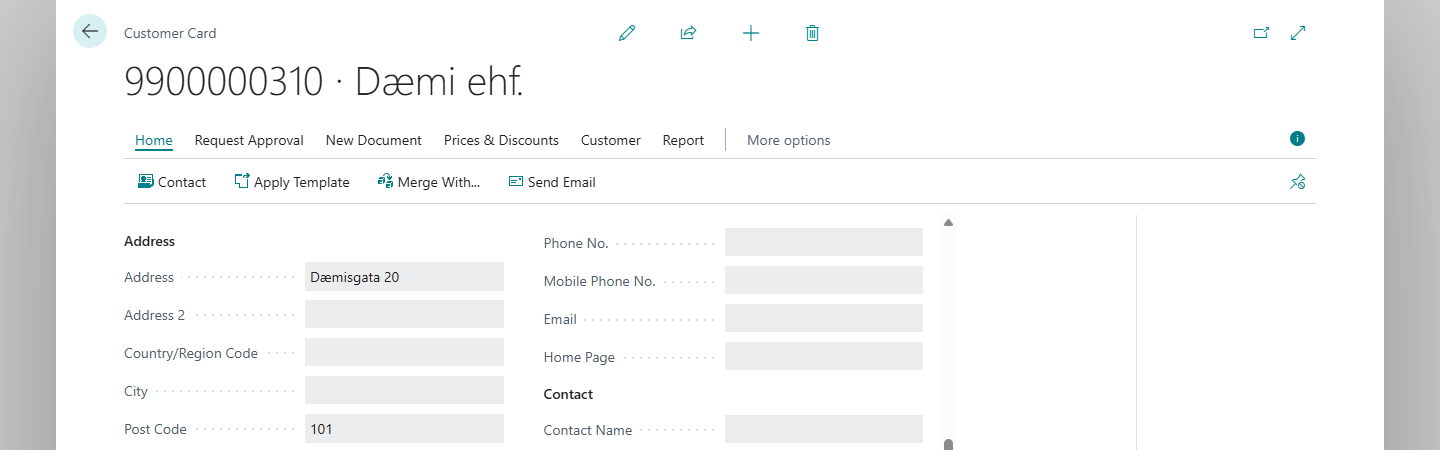
When you select one row, the new card opens. Verify the name, address and postcode and complete other required settings before using the card in transactions.


Result
The card for Dæmi ehf. contains the company name, address Dæmisgata 10 and postcode 101. The row is marked Processed, and the matching card can now be found from the list.
The kennitala goes into the field selected in setup. If that field is the card number, the kennitala becomes the number; otherwise it is written into the selected field. You can select multiple rows; a list opens instead of a single card. Check the actual results, not just the final count message.
Fill information into a new card
When Insert additional Customer info when creating new customer/vendor is enabled, information is retrieved when you validate the number on a new card. If the kennitala is the card number, enter it there and validate the number.
This does not happen simply because any identification field changes. If you use a separate identification field, it must already contain the correct value when the number is validated. With Web Service, or File and Do not store any data, information is retrieved from Ferli; otherwise it is read from stored register rows.
What can go wrong
If the card already exists, choose Open Customer Card or Open Vendor Card instead of creating it. If information is missing or a card-not-found error appears, see Help.