
Manage apps
You can install a Rue de Net app from App Center and open its setup afterwards. The setup status helps you see whether assisted setup is finished before you start using the app.
Purpose
Install the app your company needs, open its instructions and see which version is installed.
Prerequisites
App Center is installed and you have permission to install apps. Built-in installation is available only in SaaS environments. Installation and removal can interrupt other users.
Steps
- Use Alt+Q to search for Rue de Net App Center.
- Select an app in the list. Open its name to see a card with its identifier and installed version.
- If the app is not installed, choose Install. Accept the warning only when it is safe to interrupt other users.
- Open Installation Status to monitor deployment. Wait for it to finish before continuing.
- Choose Refresh and select the app again.
- Choose Assisted Setup. A single available setup opens directly; otherwise choose from a list. Follow the app's instructions.
- Choose All Available Setups if manual setup pages also need to be completed.
- Choose Documentation to open the app's instructions.
Uninstall an app
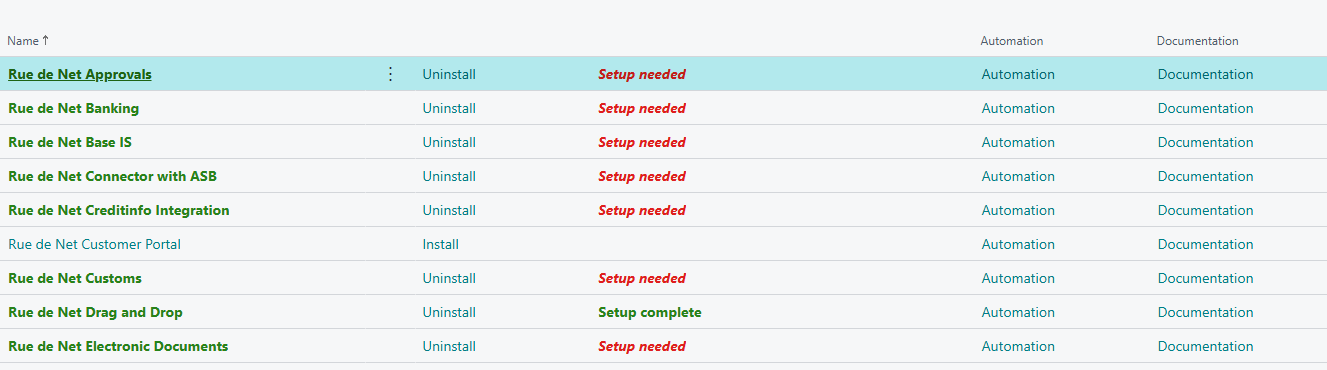
Select the installed app and choose Uninstall. Read the confirmation and continue only if removal should happen now. App actions are also available on the app's card and under app actions on the main page.

Result
An installed app offers setup and automation actions. Setup needed means a registered assisted setup is unfinished. Setup complete means no such setup is outstanding; it does not confirm that all manual settings or connections have been tested.
If setup has already been marked complete, you are asked before running it again. Contact your administrator if setup will not open. See Help if deployment, setup or documentation fails.